 BurtonSoftware
01 System Positioning
Burton Software WMS is an execution-focused warehouse management system. It covers inbound scheduling, receiving, devanning labels, inventory, locations, outbound release, picking, labeling, pallet papers, staging, loading, channel order sync, reports, billing, and role-based access.
During the review, 118 internal pages were opened in read-only mode. The menu covers Dashboard, Inbound, Outbound, Warehouse, Inventory, Reports, Accounting, Settings, Sales Order, Work Order, and channel modules such as Etsy, Shopify, Wix, Amazon, Walmart, Wayfair, Big Cartel, and Temu.
02 Product Highlights
- End-to-end warehouse execution: ASN and inbound records flow into inventory, release, picking, labeling, staging, loading, and reporting.
- Multi-warehouse location visibility: Warehouse Map shows zones, racks, available pallet positions, occupancy, and space estimates.
- Marketplace and channel coverage: Shopify, Wix, Amazon, Walmart, Wayfair, Etsy, and other modules centralize orders, inventory, listings, and logs.
- Reporting and billing connection: inbound, outbound, inventory, invoice, labeling, work order, and warehouse cost data can be reviewed by date or customer.
- Permission separation: Settings supports users, function lists, groups, and group permissions for warehouse, customer service, accounting, and supervisors.
03 Core Business Objects
| Object | Purpose |
|---|---|
| Inbound / Rec ID | Receiving record with customer, container, ETA, schedule, SKU, CTN, PCS, and status. |
| SKU / Style / Lot | Product and lot dimensions used for stock, location, labels, and picking. |
| Release / Invoice | Outbound release and invoice records that connect picking, labeling, pallet papers, routing, and staging. |
| Pick / Pallet Paper / Load | Warehouse execution records for picking, pallet handling, staging, and truck loading. |
| Channel Order | Marketplace order that must be synced, reviewed, fulfilled, and confirmed back to the channel. |
04 Recommended Reading Path
- Start from Dashboard to understand daily inbound, outbound, and exception status.
- Read the standard operating flow before using specific inbound or outbound pages.
- Use the inbound, outbound, inventory, channel, and reporting guides based on your role.
- Use the page index when you need to locate a function quickly.
05 Reference Screens
Burton AI WMS system walkthrough
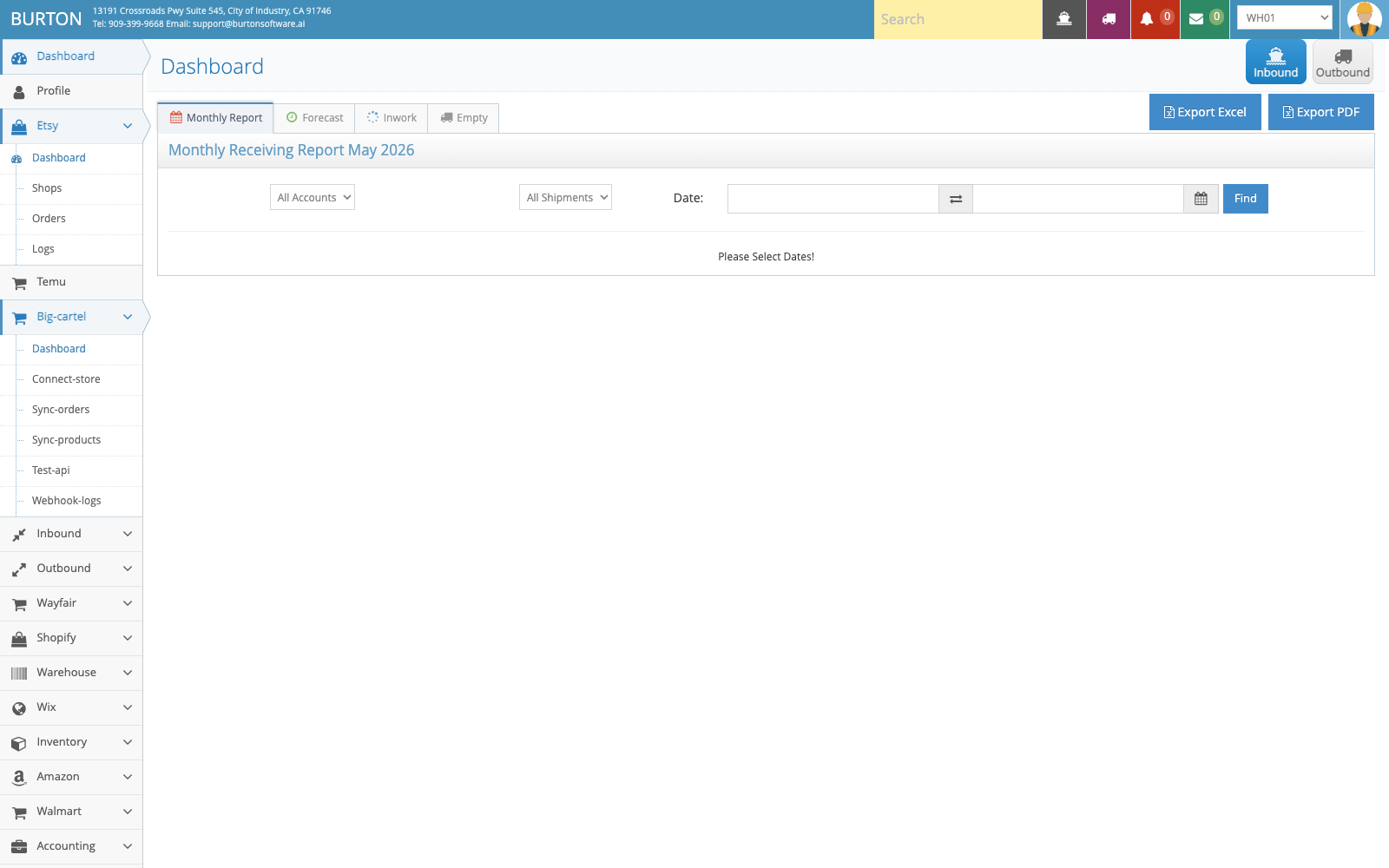
Dashboard provides a quick view of inbound, outbound, forecast, and exception status.
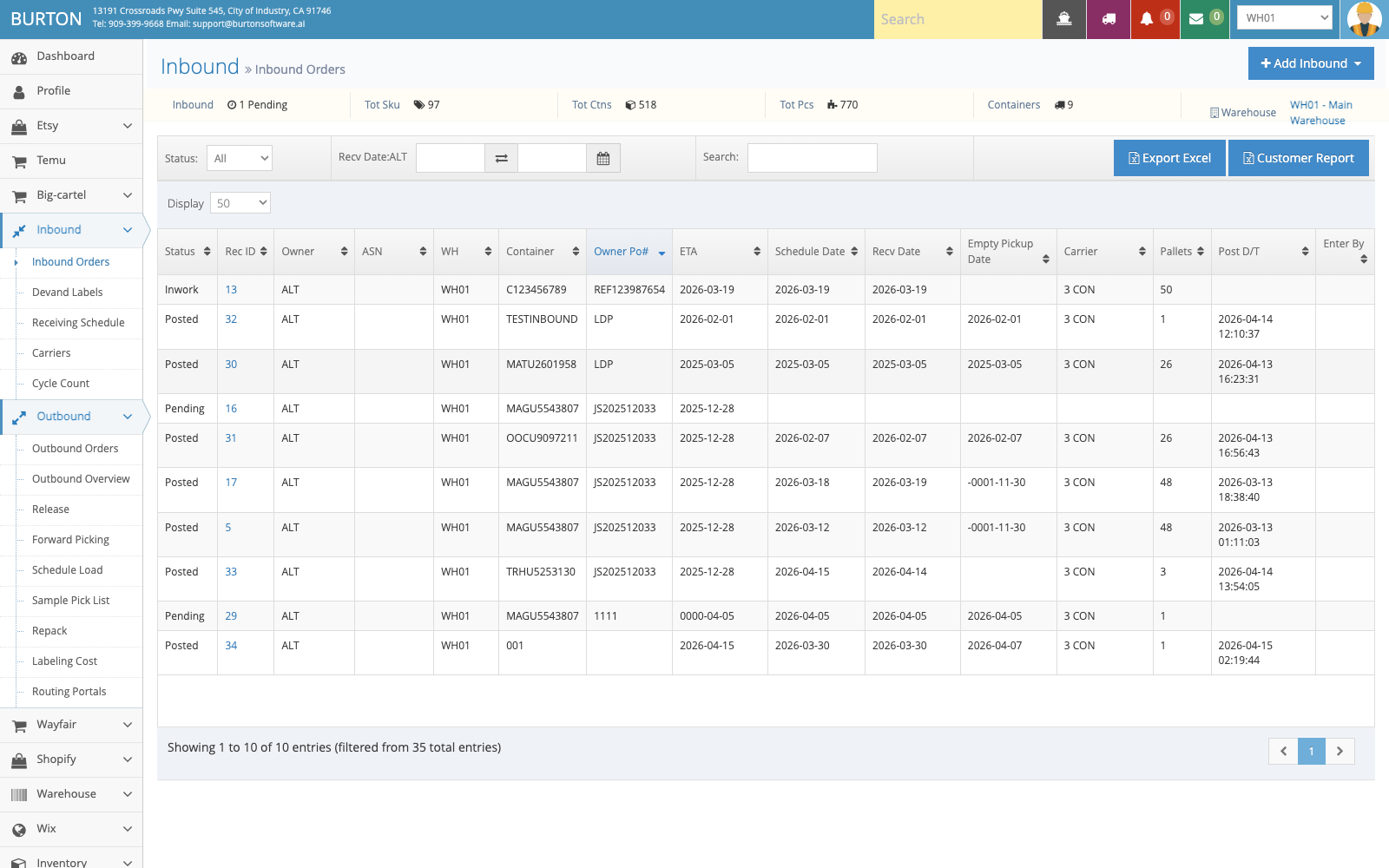
Inbound Orders is the main place to track receiving status by customer, date, container, SKU, and quantity.
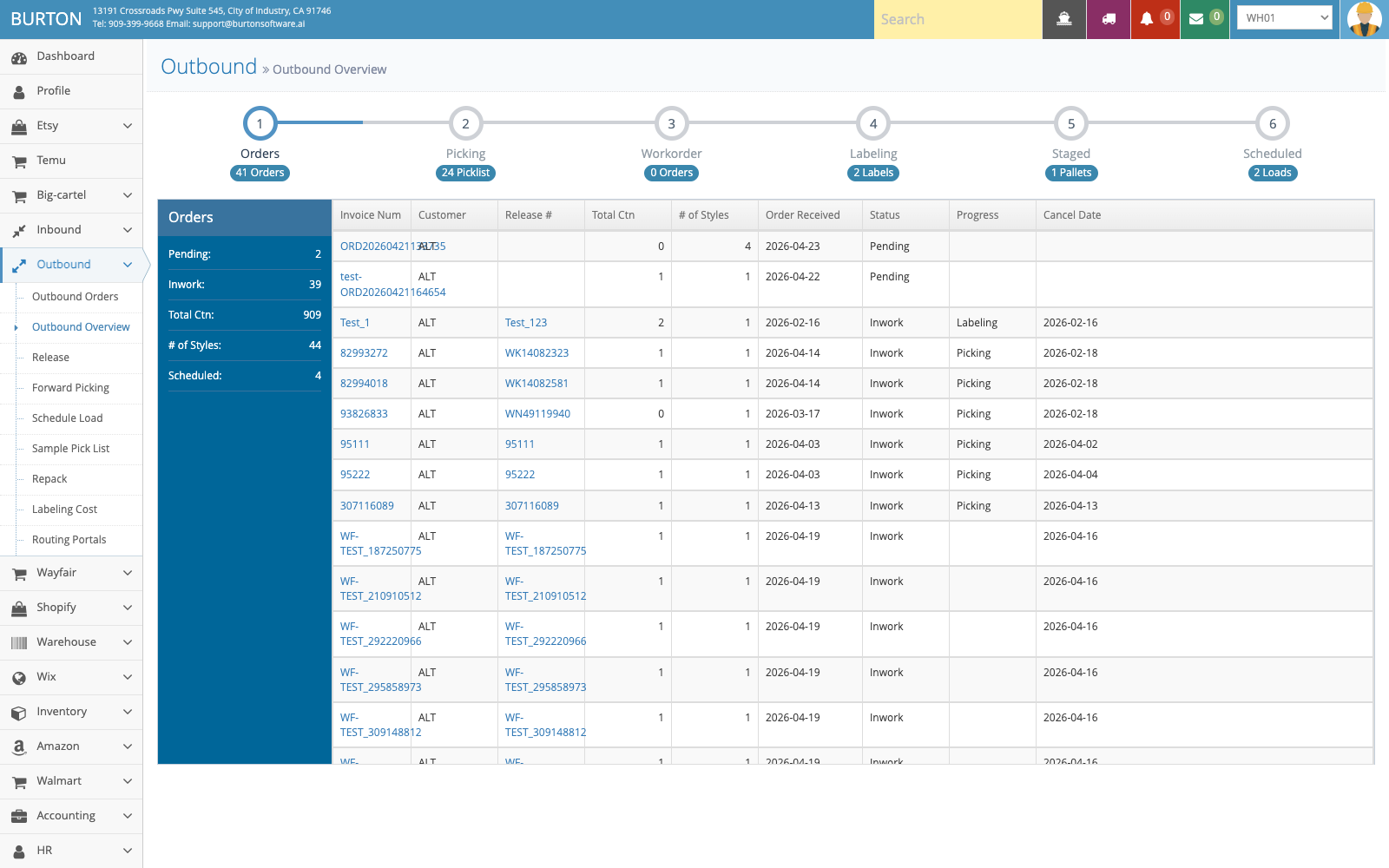
Outbound Overview consolidates order, picking, work order, labeling, staging, and loading progress.
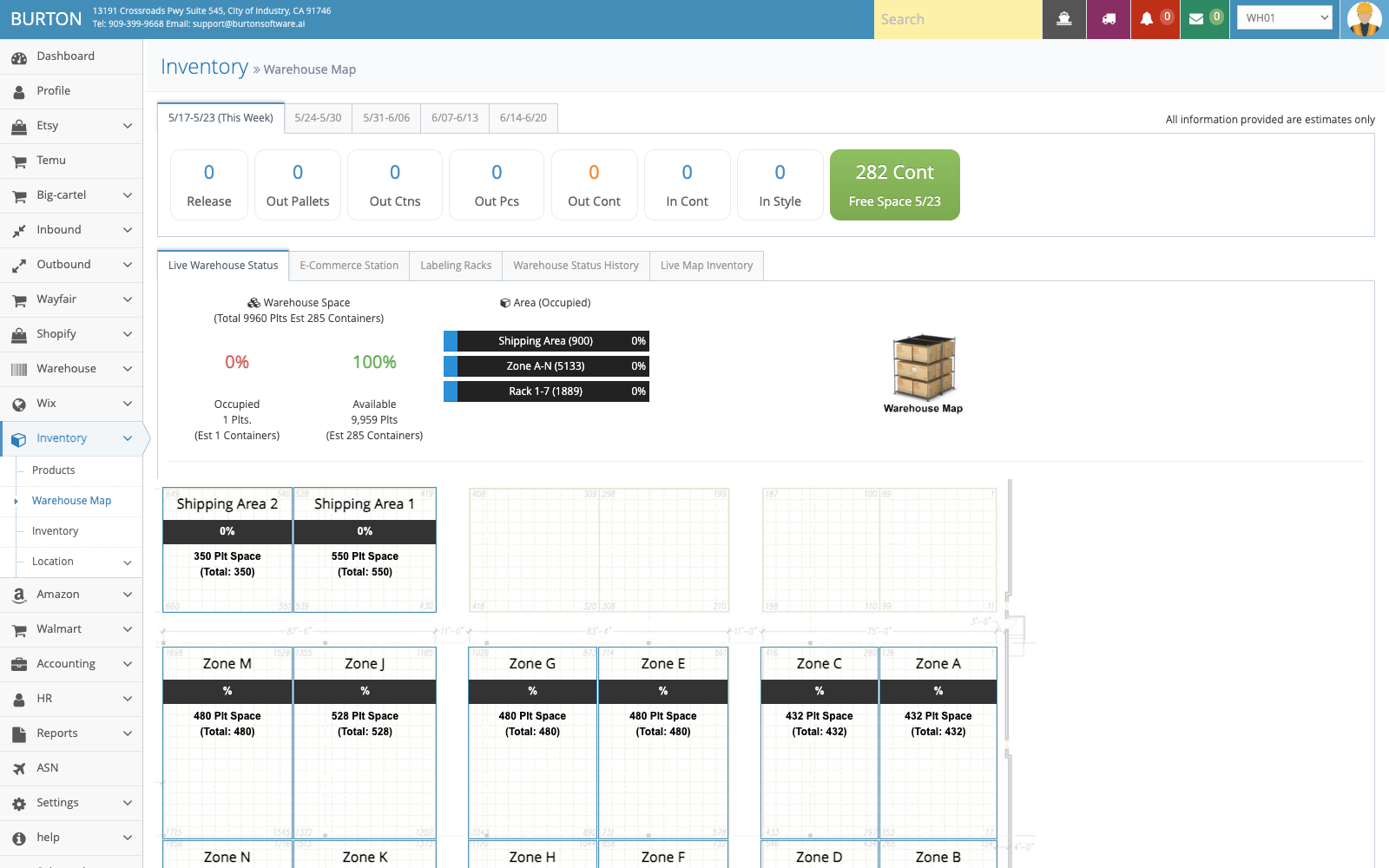
Warehouse Map helps teams review zones, capacity, occupancy, and available storage space.