 BurtonSoftware
01 Standard Flow
The Burton Software WMS operating flow starts with inbound and product preparation, moves through receiving and putaway, then fulfills orders through release, picking, labeling, staging, and loading. Reports, invoices, and cost records close the loop.
02 Inbound Preparation
- Open Inbound Orders and review Pending, Inwork, Posted, and Revised records.
- Use Add Inbound to create a receiving record with customer, ASN, container, ETA, scheduled date, SKU, CTN, and PCS.
- Use Receiving Schedule in Month, Week, Day, or List view to plan dock capacity.
- Maintain carriers so appointments and receiving records remain traceable.
03 Receiving and Putaway
- Receive against the scheduled inbound record and verify SKU, cartons, and pieces.
- Use devanning labels or cycle count tools to generate and verify labels.
- After putaway, review Inventory, Location by Zone/Style/Lot, and Warehouse Map.
- Resolve discrepancies with recounts or relot actions before closing the record.
04 Outbound Fulfillment
- Review pending orders in Outbound Orders or channel Orders.
- Use Release and check Print Label, Picking List, Labeling, Pallet Paper, Routing, and Staged status.
- Create and follow pick tasks in Forward Picking.
- Complete labeling, pallet papers, and staging before scheduling load and BOL.
- After shipment, confirm tracking, ASN, or shipment confirmation back to the channel when required.
05 Reconciliation and Management
- Use Reports for receiving, monthly receiving, release, shipping, inventory by style, and location reports.
- Use Accounting for invoice records, invoice rules, labeling cost, work order cost, and warehouse cost, and compare HR Time Card and Warehouse Work Log for labor and work-cost review.
- Use Settings to maintain users, groups, and group permissions by role.
06 Checklist
| Stage | Key Checks |
|---|---|
| Before receiving | ETA, scheduled date, customer, container, SKU, CTN, and PCS are complete. |
| After receiving | Labels, locations, lot, and on-hand quantity match the actual receipt. |
| After release | Release status, pick progress, labeling, and pallet papers are complete. |
| Before loading | Staging, load, BOL, carrier, and scheduled date are aligned. |
| After completion | Reports, invoices, costs, and channel confirmations are closed. |
07 Reference Screens
Burton AI WMS system walkthrough
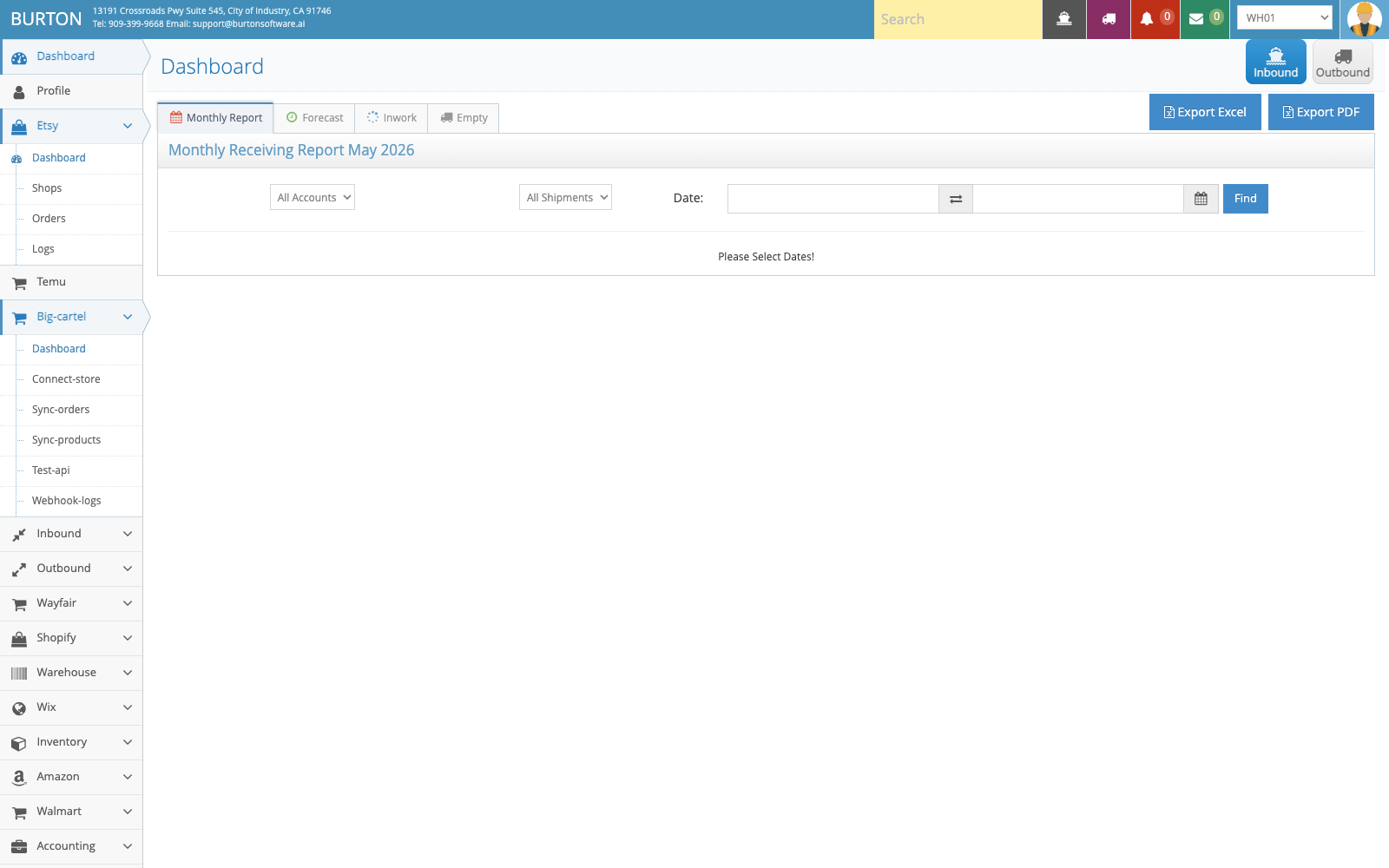
Start each shift from Dashboard to confirm workload and exceptions.
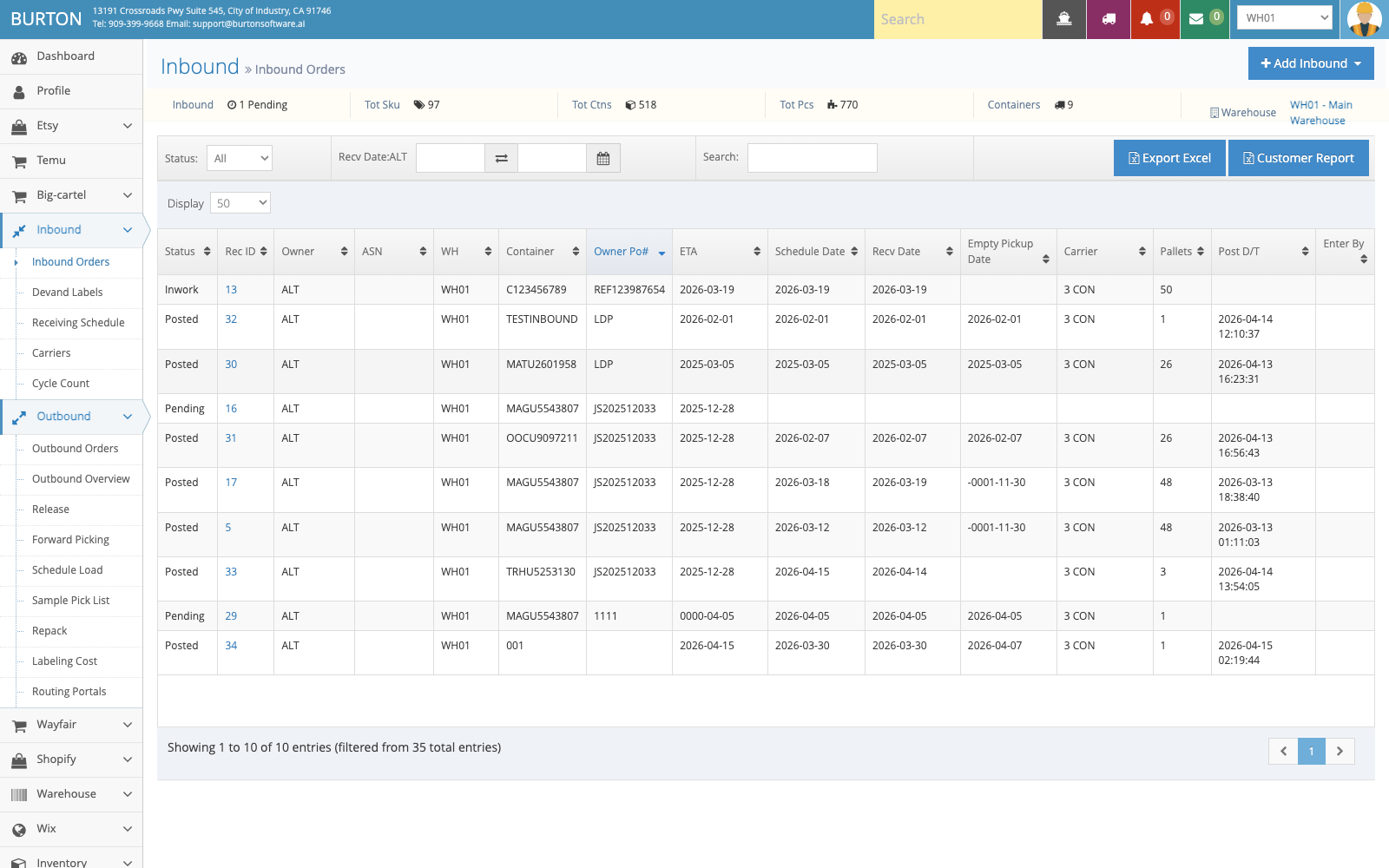
Inbound work starts with accurate receiving records and schedule planning.
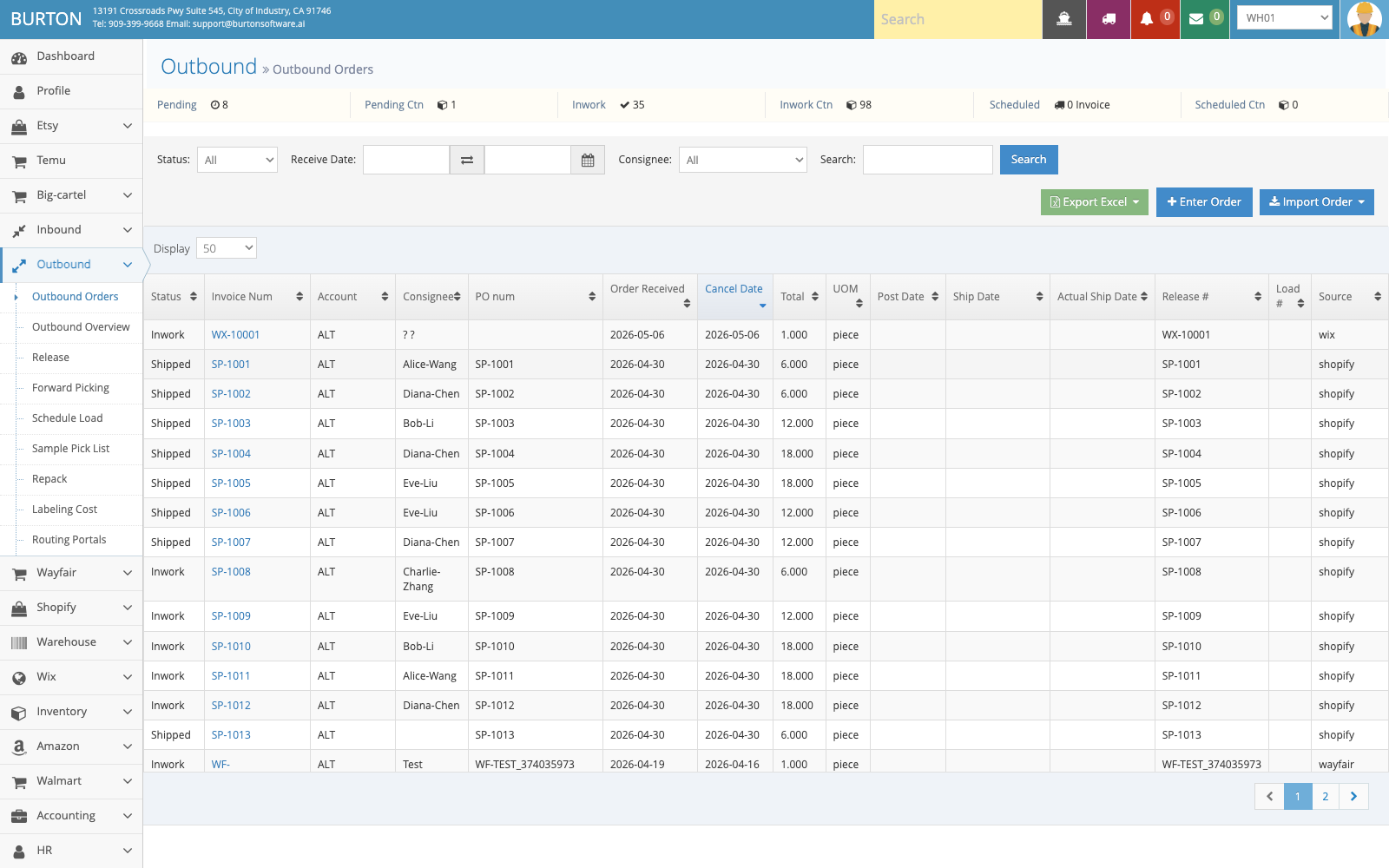
Outbound orders move through release, picking, labeling, staging, and loading.
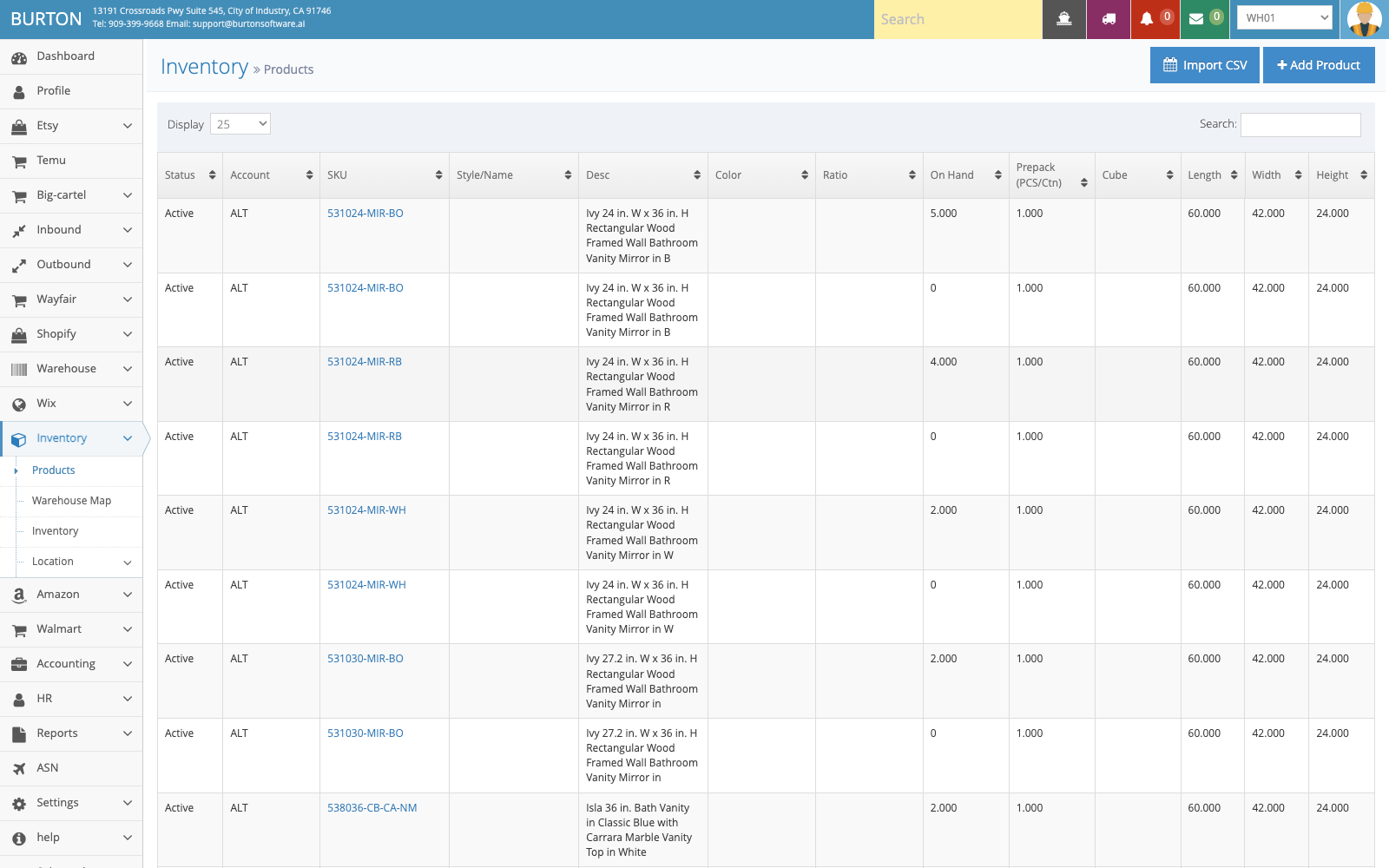
Product and inventory master data support accurate receiving, shipping, reporting, and billing.
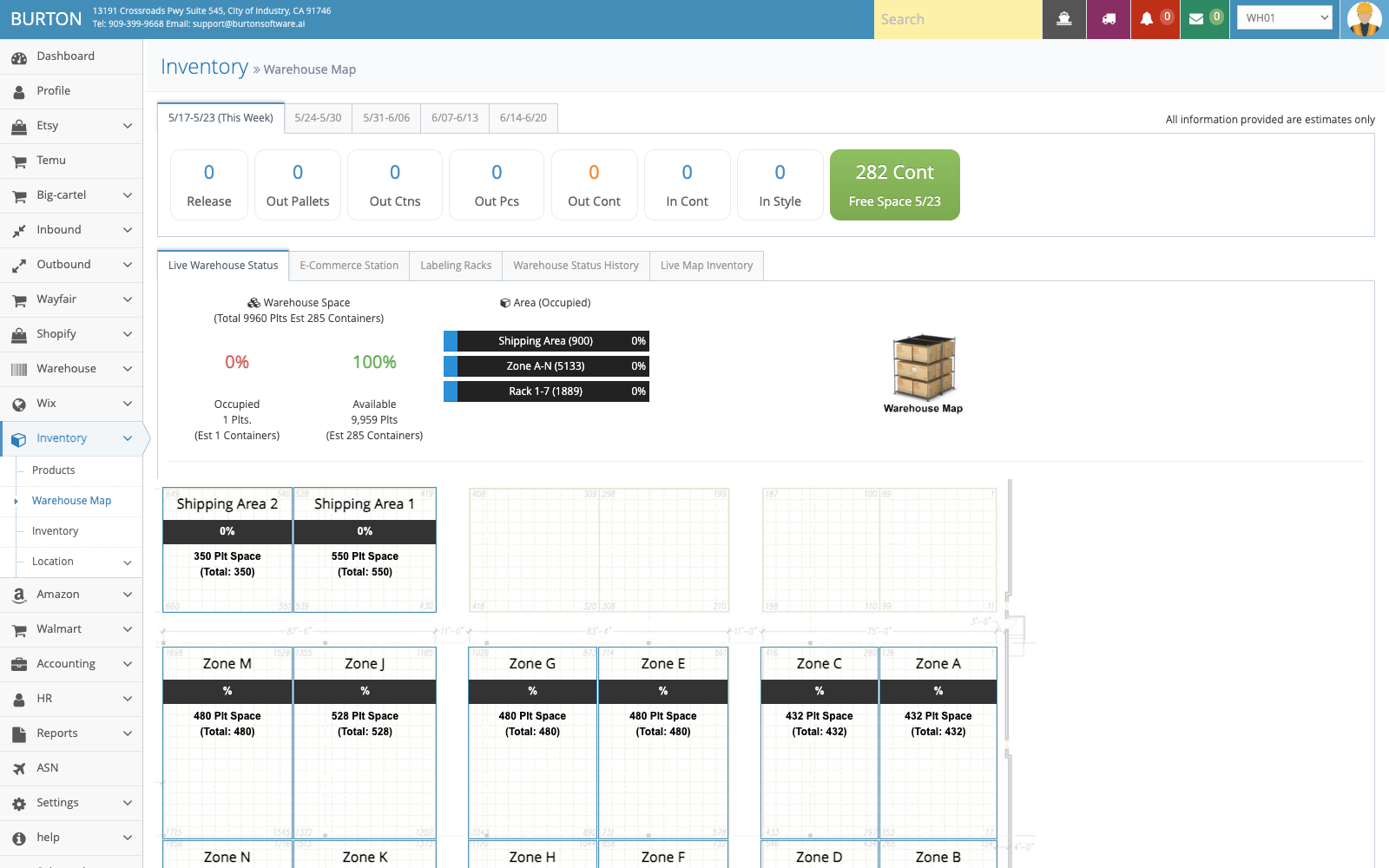
Use Warehouse Map to review locations, capacity, and occupancy before closing the workflow.