 BurtonSoftware
01 模組範圍
Reports、Accounting、Settings、Sales Order、Work Order 和 HR 用于管理复盘、費用结算、權限控制、销售訂單衔接、工单管理、員工工時和后台配置。
02 報表体系
| 報表类型 | 主要頁面 | 管理用途 |
|---|---|---|
| Inbound Reports | Receiving Report、Monthly Receiving、Big Boxes、Daily Devanning、Packing List、Schedule Report | 统计收货、拆柜、装箱和預約情况。 |
| Outbound Reports | Release Report、Monthly / Yearly Outbound、Release Past Due、Print Label、Shipping Report | 统计释放、打标、出庫、逾期和出貨表现。 |
| Inventory Reports | Inventory Rec Date、Inventory Ship Date、Inventory by Style、Inventory History | 覆核庫存、库龄、庫存流水和客戶庫存口径。 |
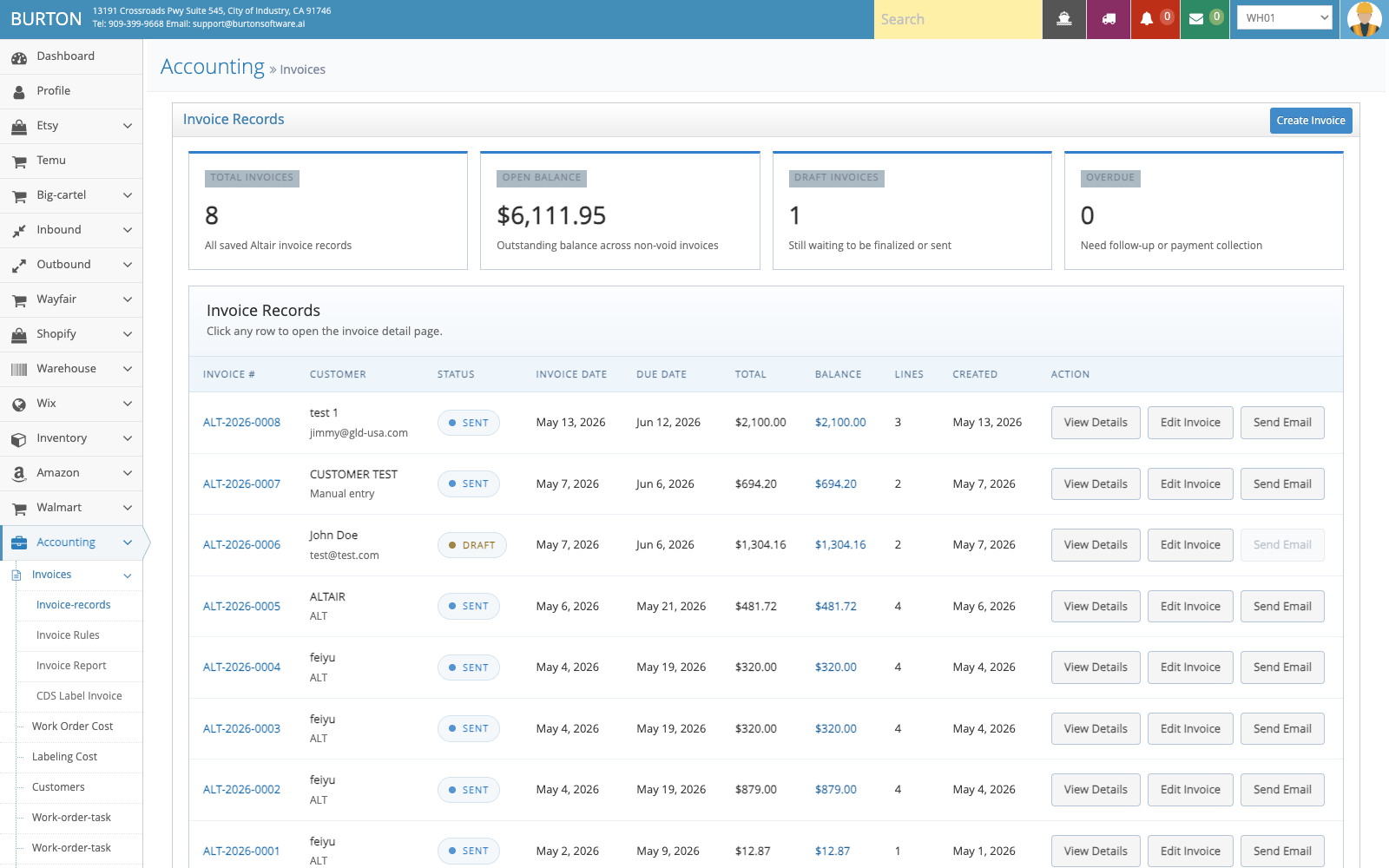
| Accounting | Invoice Records、Work Order Cost、Labeling Cost、AR/AP、QBO | 管理客戶帳單、成本、發票和財務接口。 |
03 执行流程与控制点
03.1 管理報表
(1)按業務問題选择報表,不同報表对应入庫、出庫、庫存、帳單或任务。
(2)匯出前確認客戶、倉庫、日期範圍和狀態条件,确保口径一致。
(3)用于客戶對帳的報表应与 Invoice Records、出庫記錄和庫存流水交叉核对。
03.2 覆核帳單
(1)在 Invoice Records 查看客戶帳單、账期、費用项、金额和狀態。
(2)如涉及工单或標籤費用,继续檢查 Work Order Cost 和 Labeling Cost。
(3)进入 QBO 或会计接口前,先確認客戶名称、账期和費用规则。
03.3 管理權限
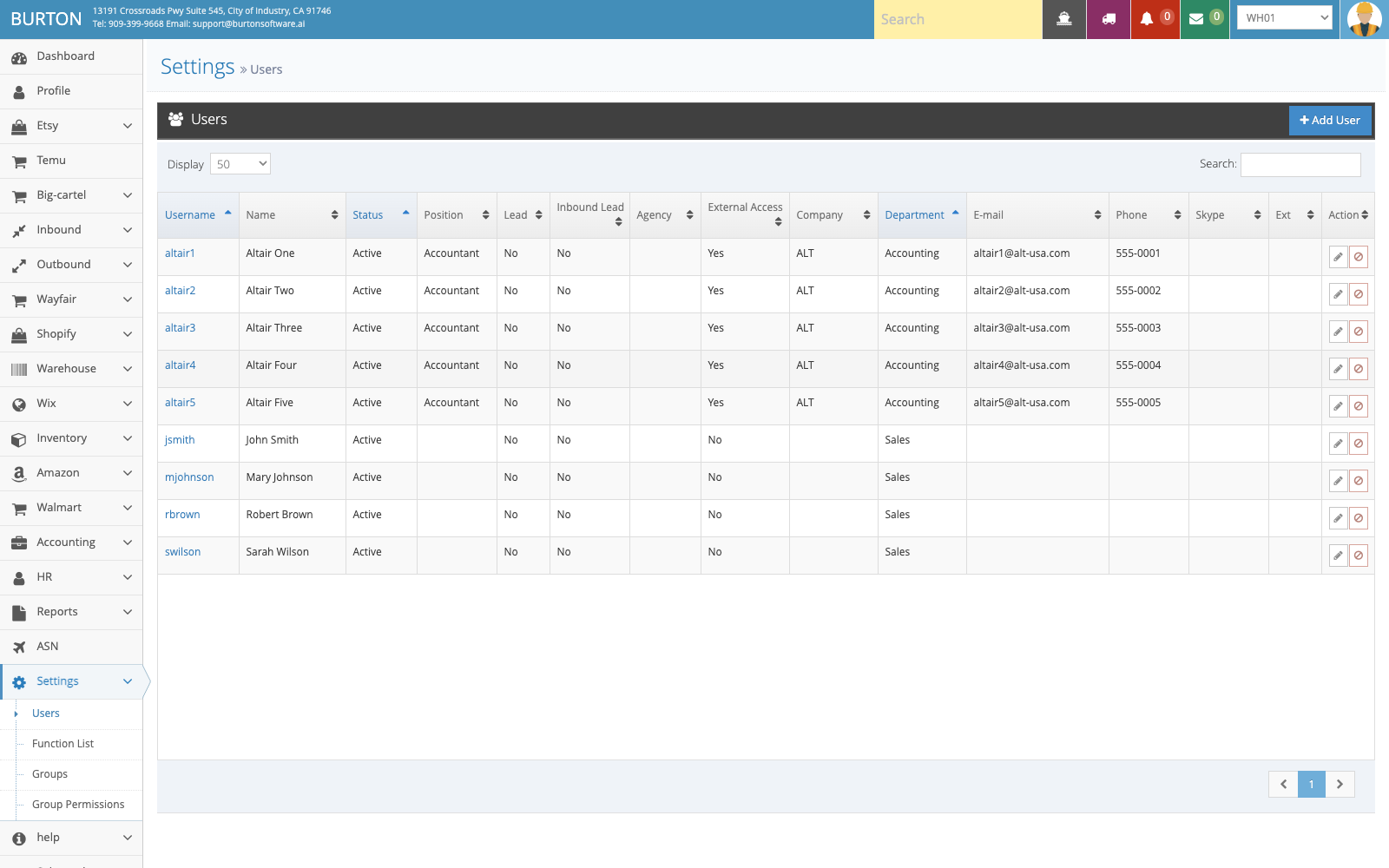
(1)在 Settings > Users 管理使用者、角色和基础權限。
(2)權限变更应由管理员執行,并与客戶、倉庫、菜单和操作类型对应。
04 異常處理建議
| 問題 | 處理建議 |
|---|---|
| 報表数字与頁面不一致 | 檢查日期範圍、客戶、倉庫、狀態和是否包含已 Post 資料。 |
| 發票金额異常 | 对比費用规则、入庫/出庫記錄、工单成本和標籤成本。 |
| 使用者看不到菜单 | 檢查角色、使用者组、倉庫權限和客戶範圍。 |