 BurtonSoftware
01 Module Scope
Reports, Accounting, Settings, Sales Order, Work Order, and HR support operational review, billing, access control, sales order handoff, work order management, employee time records, and supporting administration.
02 Reports
Reports include inbound, outbound, and inventory views such as receiving report, monthly receiving, release report, shipping report, inventory by style, inventory received date, inventory shipped date, inactive inventory, and location report.
Recommended use:
- Filter by date, customer, account, warehouse, or report type.
- Export or print only the reports needed for customer review or internal reconciliation.
- Compare report outputs with operational pages before billing or closing a period.
03 Accounting
Accounting includes invoice records, invoice rules, labeling cost, work order cost, work-order-task, customers, warehouse cost, utilities, and monthly inventory reporting. It connects warehouse activity with customer billing and internal cost review.
04 Employee Schedule and Work Costing Loop
| Step | Page | Management Use |
|---|---|---|
| Labor plan | HR > Schedule | Review the warehouse schedule calendar with Create, Print, Month, Week, Day, and List views. |
| Time review | HR > Time Card | Compare and check attendance by warehouse, department, and date; use Resync and Monthly Report when authorized. |
| Actual work | Warehouse > Work Log | Review work logs by employee and date range, then export PDF or Excel for closeout. |
| Cost review | Accounting > Work Order Cost / Labeling Cost / Work-order-task | Validate work order, labeling, and task cost by warehouse and date range. |
Detailed steps are available in WMS Employee Schedule, Time Card, and Work Costing Guide.
05 Settings and Permissions
Settings includes Users, Function List, Groups, and Group Permissions. Use it to separate warehouse, customer service, finance, supervisors, and admin responsibilities.
Recommended permission model:
| Role | Access Suggestion |
|---|---|
| Warehouse user | Inbound, Outbound, Inventory, Warehouse task pages, and limited Work Log access. |
| Customer service | Inbound, Outbound, channel orders, selected reports. |
| Finance | Accounting and report pages, limited operational edits, and cost exports. |
| Supervisor | Overview, reports, HR schedule/time card review, warehouse logs, and exception review. |
| Admin | Settings, integrations, users, groups, permission changes, Resync, and cost adjustments. |
06 Sales Order and Work Order
Sales Order handles sales order list and creation. Work Order supports task tracking, priority, owner, view, and print flows. Use them when a customer request needs to become an executable warehouse task.
07 Reference Screens
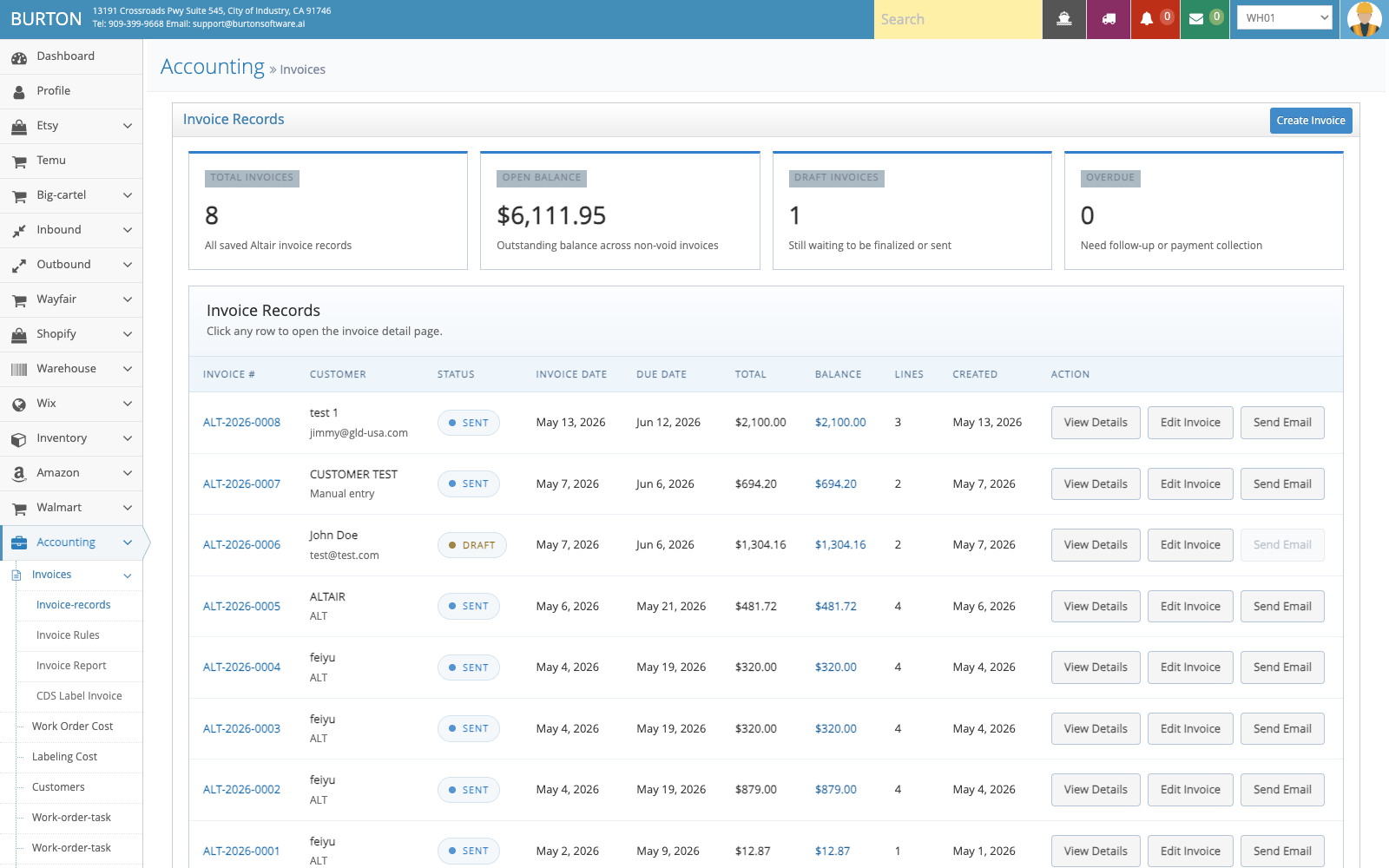
Invoice Records is used to review customer invoices, rules, and billing outcomes.
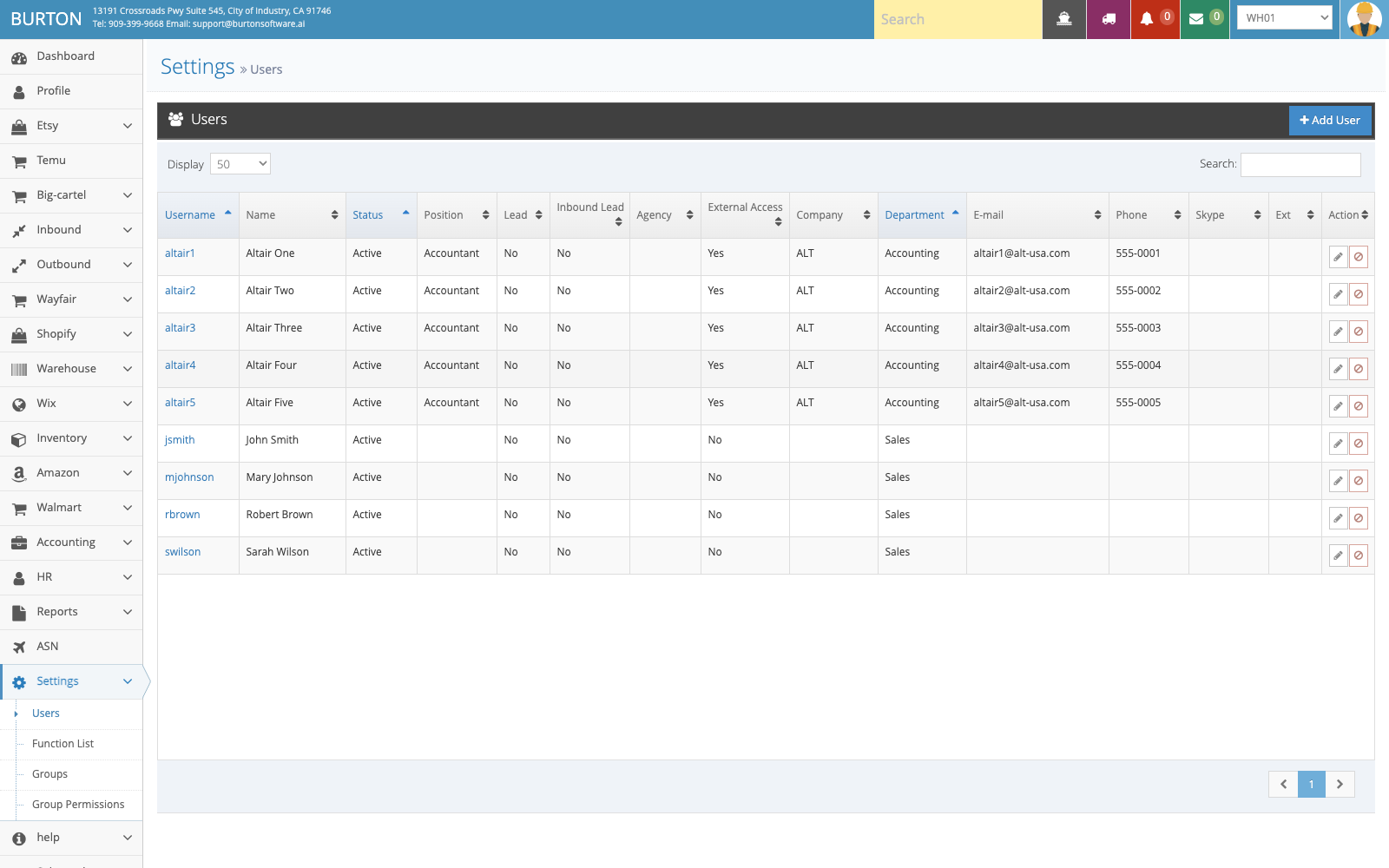
Users and permissions control which functions each role can view and operate.
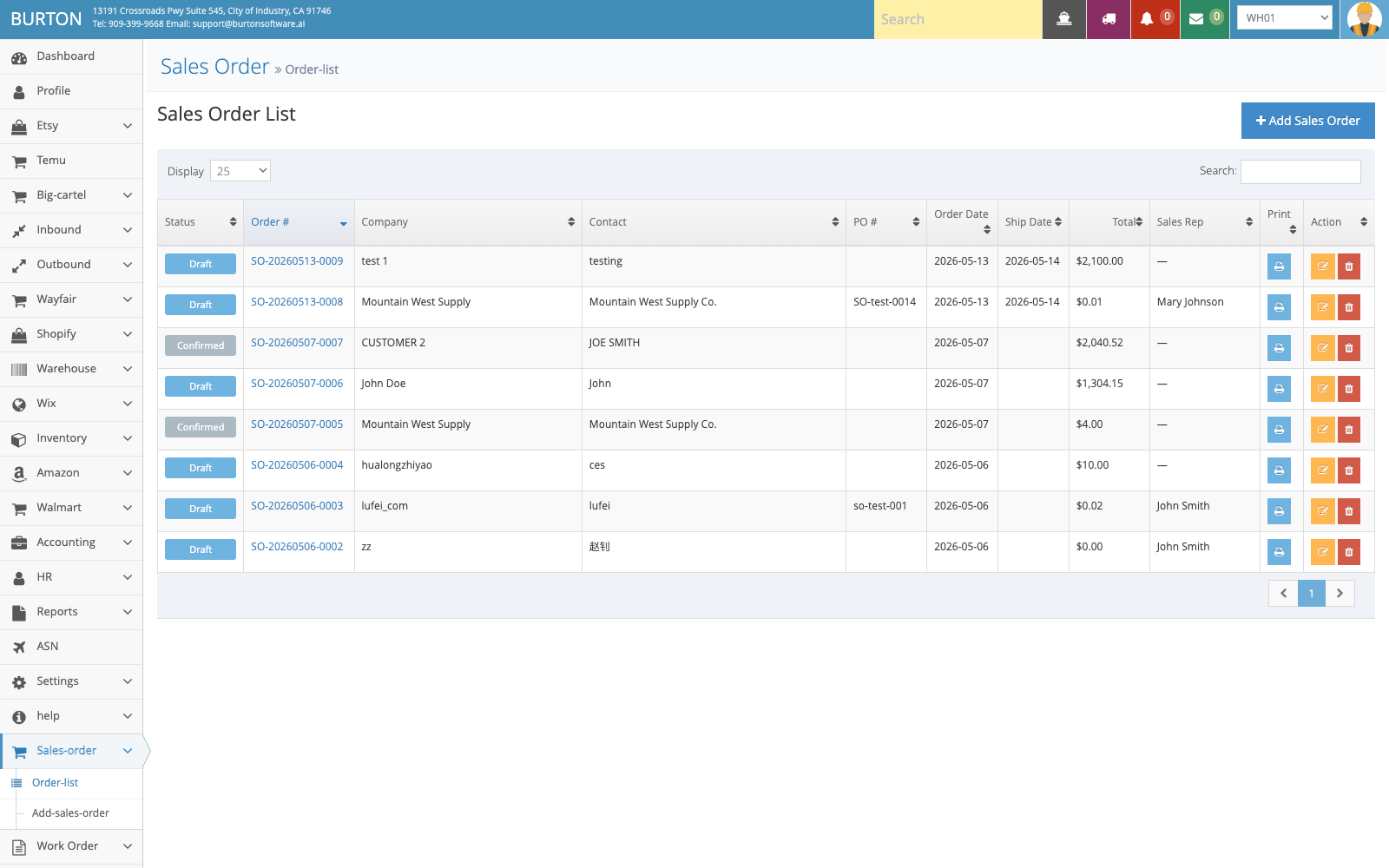
Sales Order supports order management, creation, and handoff into execution.
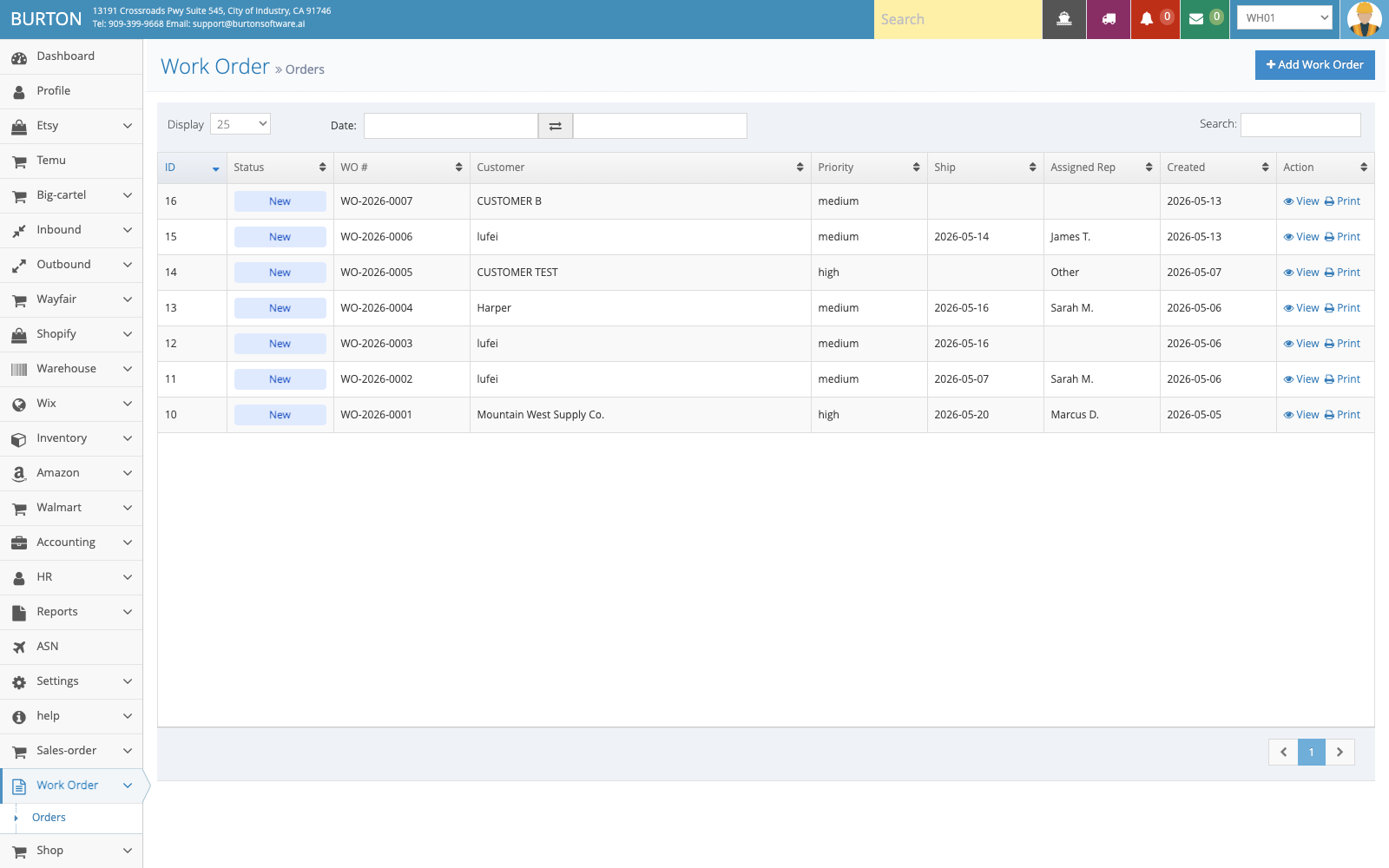
Work Order helps teams track work orders, owner, priority, and printing.