 BurtonSoftware
01 Module Scope
The Outbound module manages order release, picking, labeling, pallet papers, staging, loading, sample picks, repacks, labeling cost, and routing portal information. It is the primary workspace for warehouse fulfillment.
02 Key Pages
| Page | Purpose |
|---|---|
| Outbound Orders | Search outbound orders, filter by status, customer, consignee, receive date, and order information. |
| Outbound Overview | Review progress by order, picking, work order, labeling, staging, and loading stage. |
| Release | Execute release workflow and track print label, picking list, labeling, pallet paper, routing, and staged status. |
| Forward Picking | Create and follow picking tasks by status, cancel date, and keyword. |
| Schedule Load | Plan truck appointments, loading, BOL, and load status. |
| Staging / Pallet Papers | Verify pallets, release records, quantity, location, and staged status before loading. |
03 Standard Outbound Process
- Confirm the order is ready for warehouse execution in Outbound Orders or channel Orders.
- Create or review Release and make sure required labels and documents are ready.
- Create or follow picking tasks in Forward Picking.
- Complete labeling, repack, pallet papers, and staging checks.
- Schedule load, confirm BOL, carrier, and pickup or ship date.
- After loading, confirm shipment or ASN back to the channel when required.
04 Control Points
- Do not load before staging, pallet, quantity, and release status are verified.
- Use Outbound Overview to catch delayed picking, labeling, or staging work.
- Keep route, carrier, and BOL information aligned with customer and channel requirements.
- Export or print only the required warehouse documents to avoid duplicate execution.
05 Reference Screens
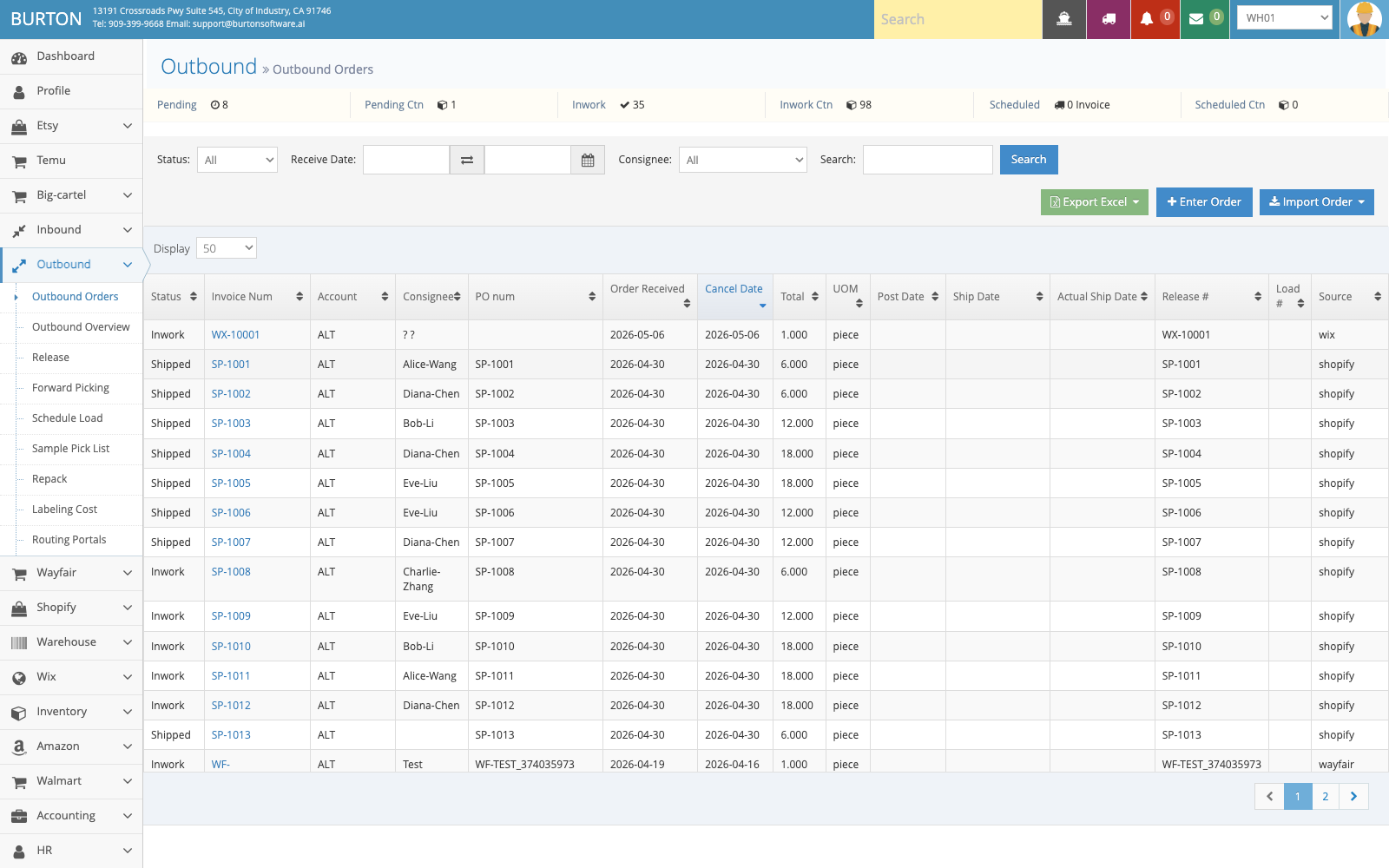
Outbound Orders is used to query pending orders, customers, consignees, schedules, and import status.
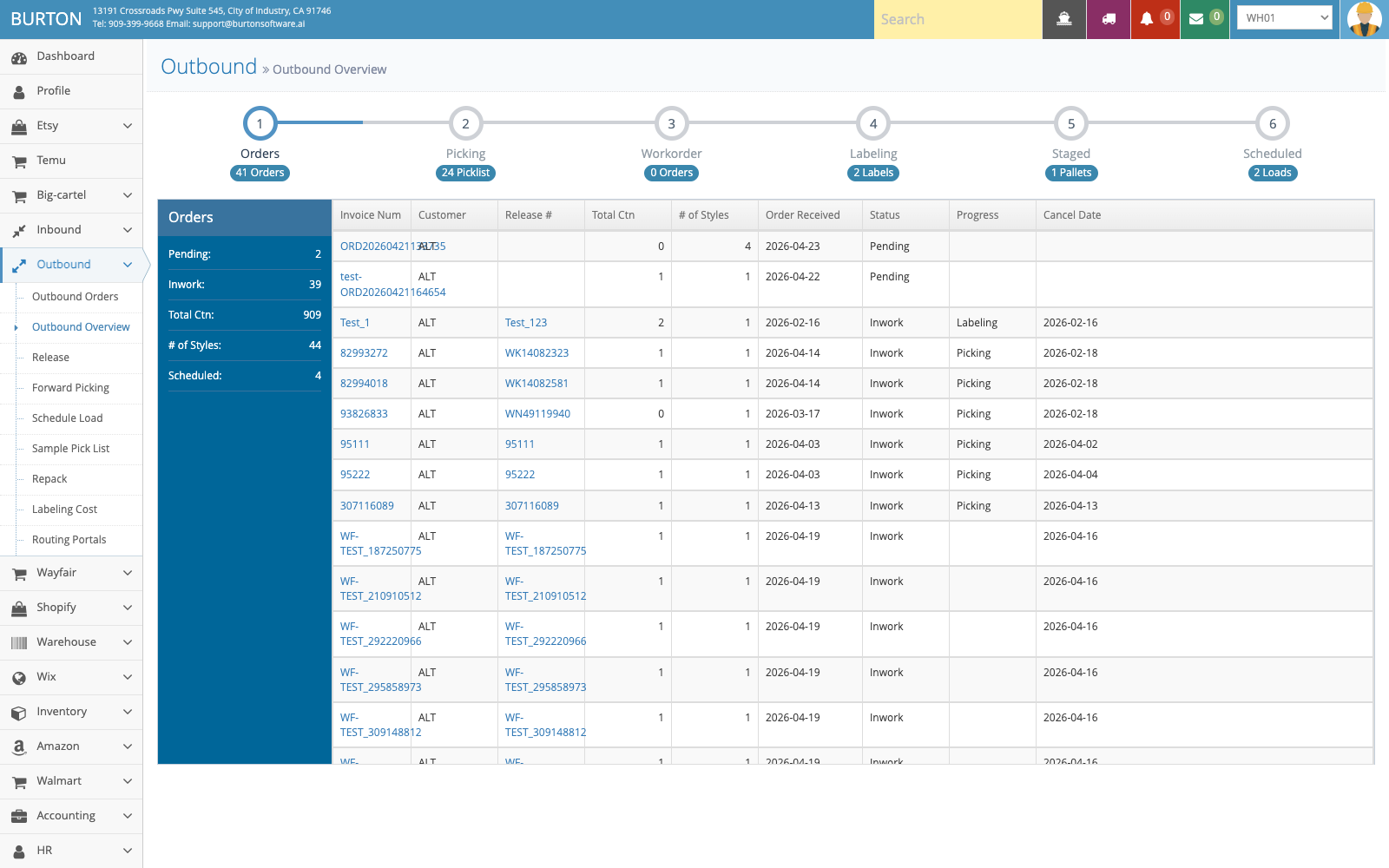
Outbound Overview helps supervisors track release, picking, labeling, staging, and loading phases.
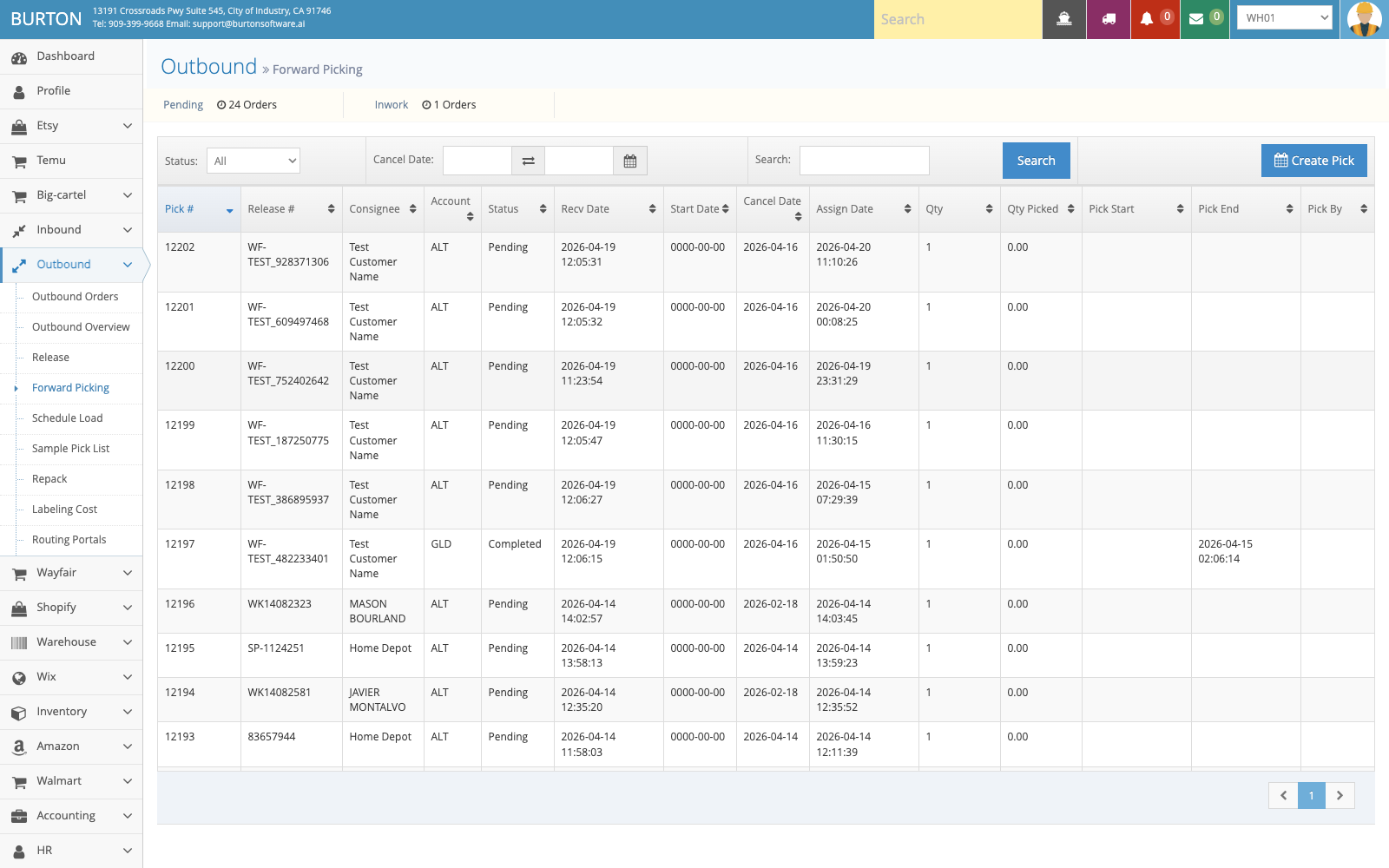
Forward Picking is used to create and track pick tasks and reduce missed or incorrect picks.
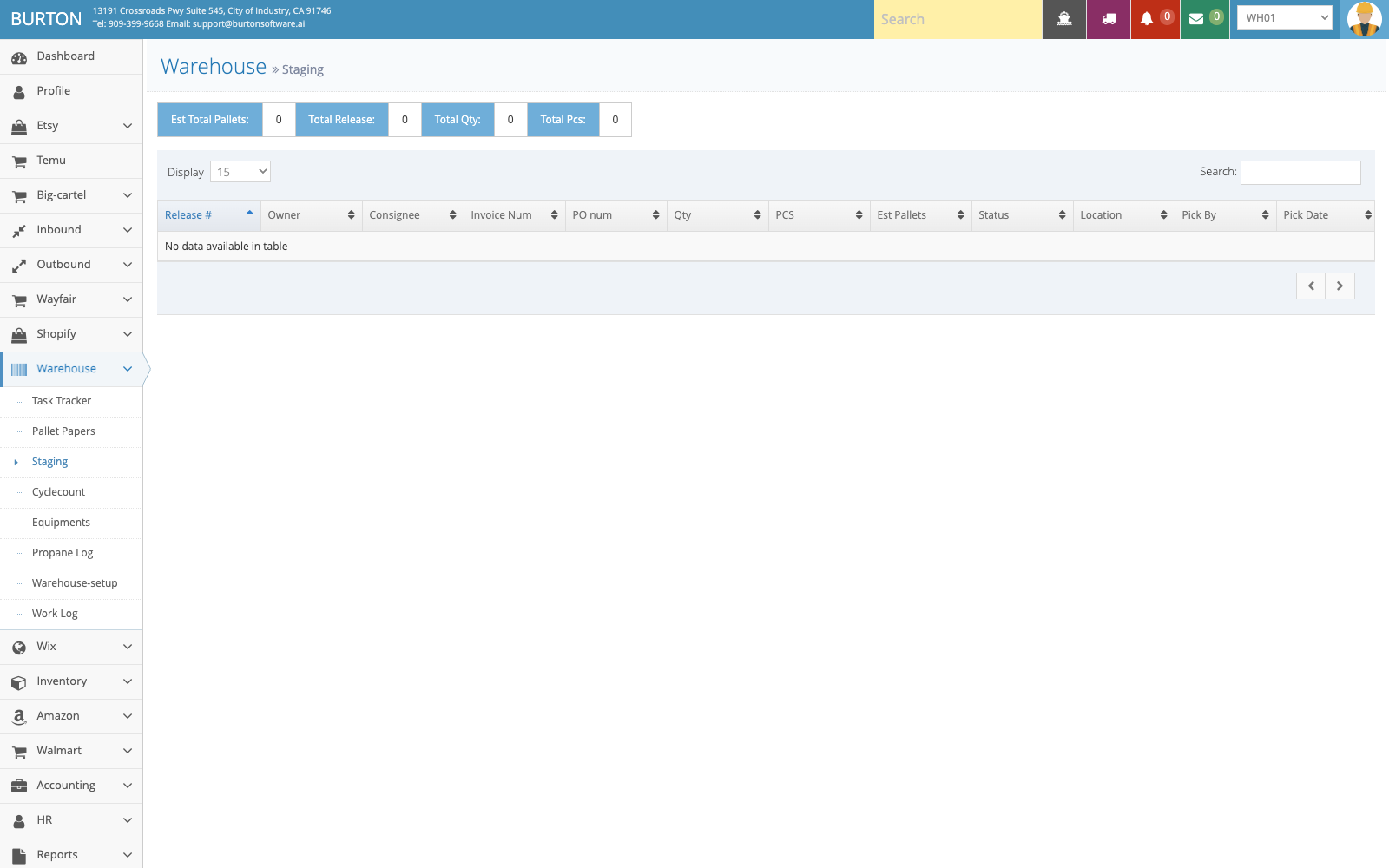
Staging verifies release, pallet, quantity, and staging location before loading.