 BurtonSoftware
01 Module Scope
The Inbound module manages receiving records, devanning labels, receiving appointments, carriers, and inbound cycle counts. It is the first control point for accurate inventory.
02 Key Pages
| Page | Purpose |
|---|---|
| Inbound Orders | Create, search, and track receiving records by status, customer, container, SKU, CTN, PCS, ETA, and receiving date. |
| Devanning Labels | Review or generate labels for containers, SKUs, lots, quantities, and receiving records. |
| Receiving Schedule | Plan receiving appointments in calendar views and avoid dock capacity conflicts. |
| Carriers | Maintain carrier information used for appointments and transport records. |
| Cycle Count | Support inbound counting, label checks, and discrepancy review. |
03 Standard Inbound Process
- Confirm the customer, warehouse, container, ASN, ETA, SKU list, CTN, and PCS before creating the inbound record.
- Create or update the inbound record in Inbound Orders.
- Schedule the receiving appointment in Receiving Schedule.
- Receive goods against the appointment and verify cartons, pieces, SKU, and labels.
- Use labels and cycle counts to resolve discrepancies before posting.
- After receiving, verify inventory and location status in Inventory and Warehouse Map.
04 Control Points
- Do not post receiving records until quantity and label checks are complete.
- If ETA, scheduled date, or container changes, update the record before warehouse execution starts.
- Keep carrier information consistent for later reporting and customer communication.
- Use cycle count or relot actions for discrepancies instead of manual assumptions.
05 Reference Screens
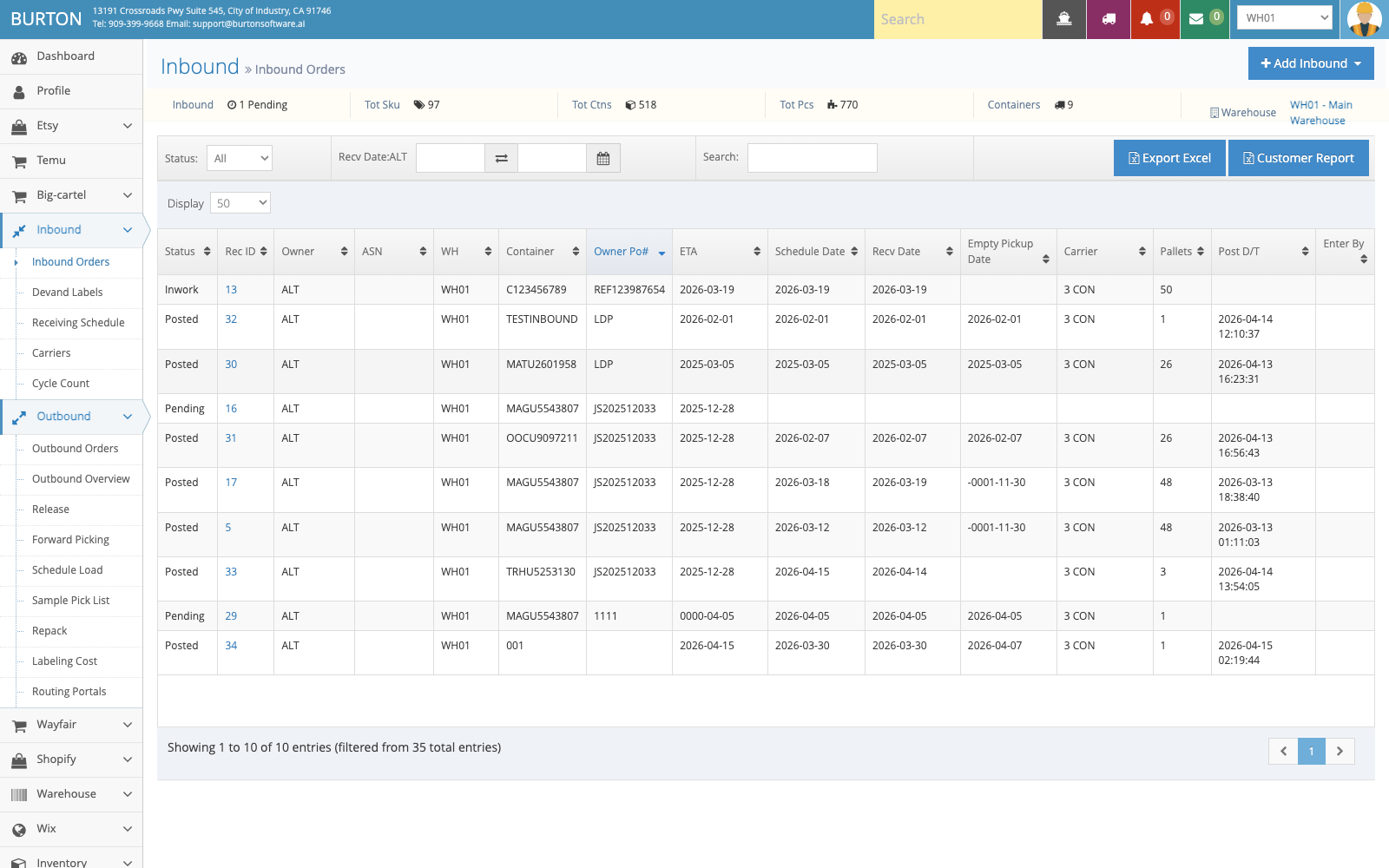
Inbound Orders helps operations, customer service, and warehouse leads track receiving status, customer, container, and SKU quantity.
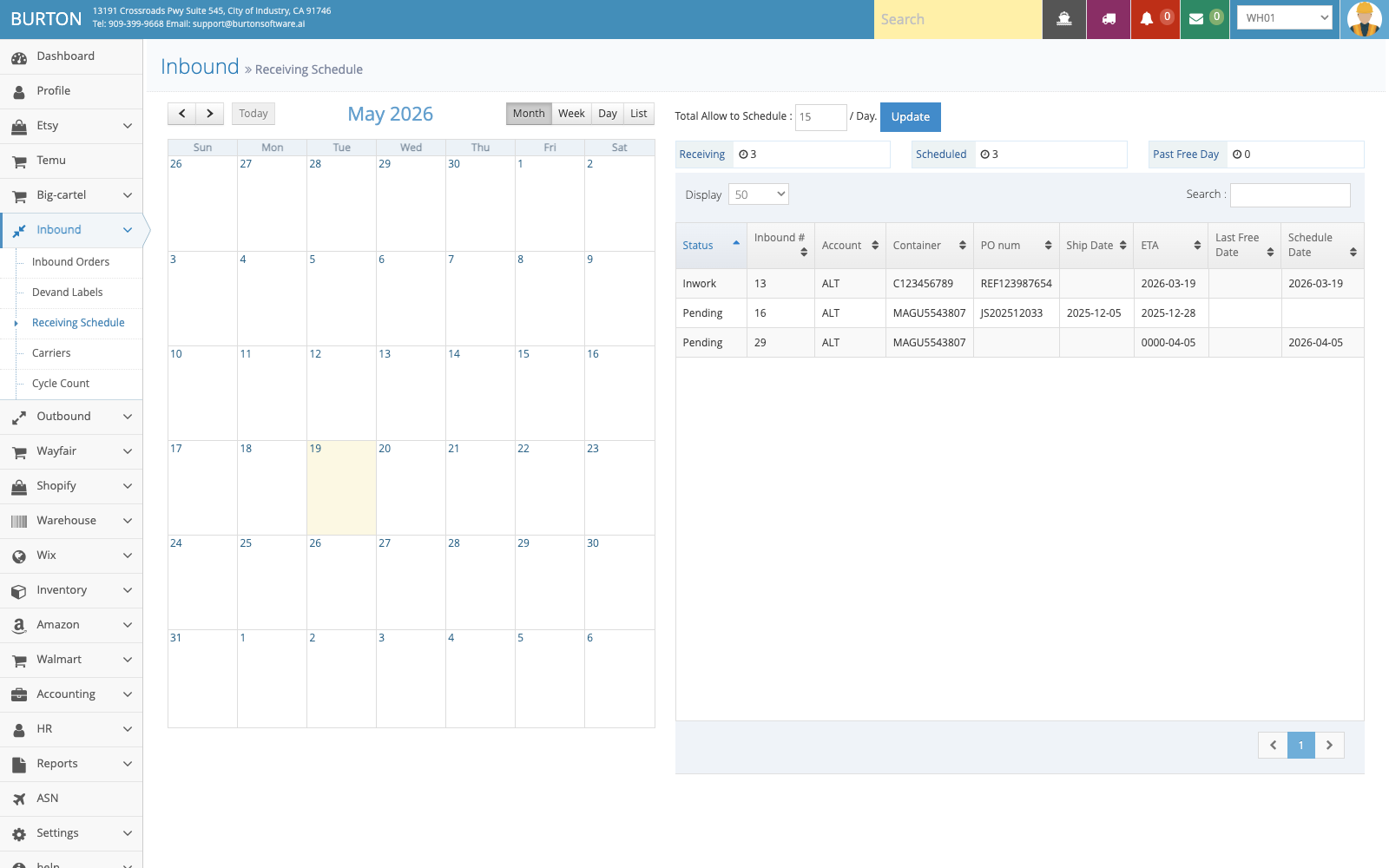
Receiving Schedule supports calendar-based planning so dock and warehouse capacity remain visible.