 BurtonSoftware
01 Operating Scenario
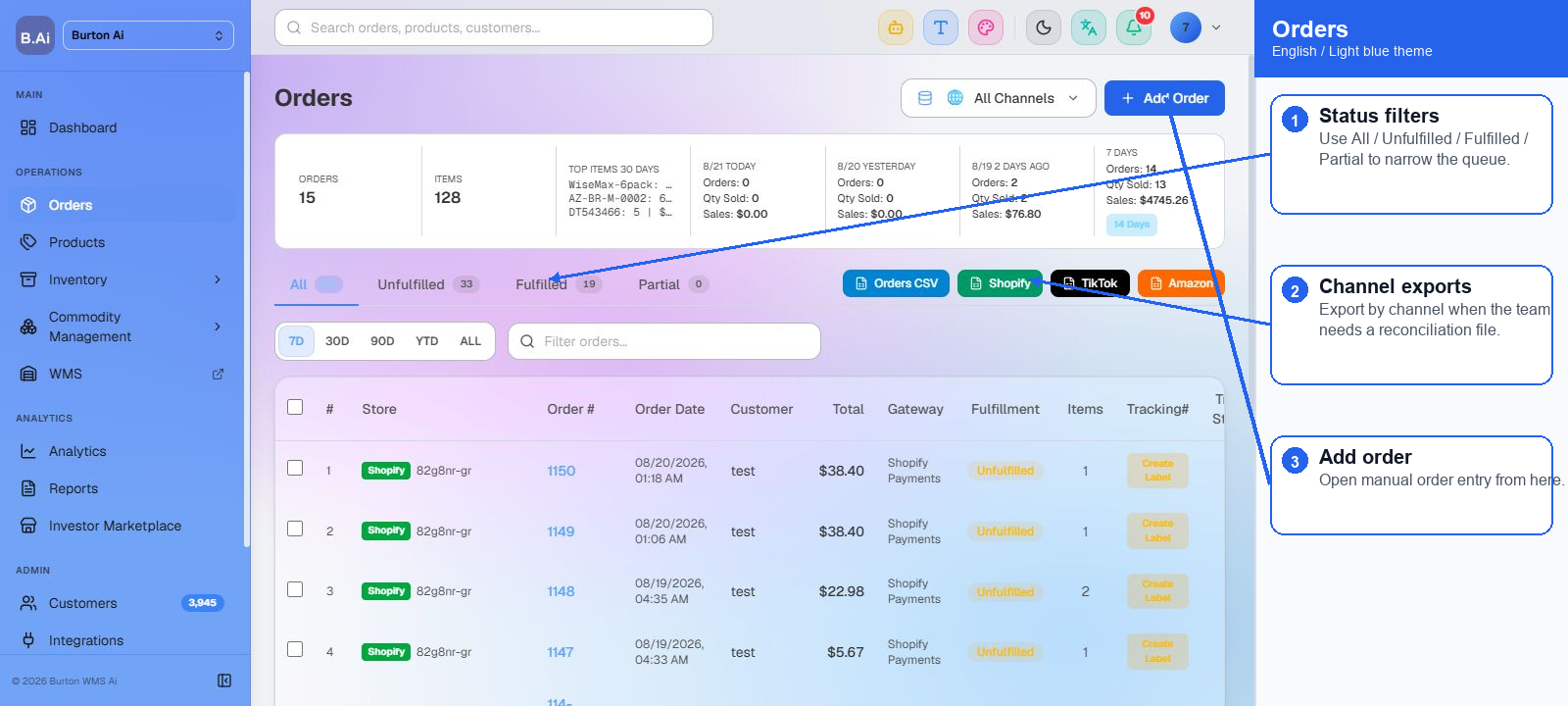
The Orders page centralizes channel orders and supports lookup by status, channel, date, customer, and keyword. It is the core OMS page for daily order operations.
02 Operating Guide
02.1 Search Orders
(1) Confirm the selected channel and date range before searching.
(2) Search by order number, customer, email, SKU, or shipping-related keyword.
(3) Use status filters to prioritize unfulfilled, exception, confirmed, or completed orders.
02.2 Process Orders
(1) Open order detail and verify customer information, shipping address, line items, amount, channel, and fulfillment status.
(2) Before fulfillment, check SKU mapping and available inventory to prevent downstream inventory conflicts.
(3) After status changes, review Activity Logs and reports to confirm the processing trail.
03 FAQ
| Question | Recommended Check |
|---|---|
| Order cannot be found. | Check channel, date range, sync status, and keyword accuracy. |
| Order cannot be fulfilled. | Check SKU mapping, available inventory, address, and channel authorization. |
| Order status is inconsistent. | Compare order detail, activity logs, and channel sync records. |