 BurtonSoftware
01 Operating Scenario
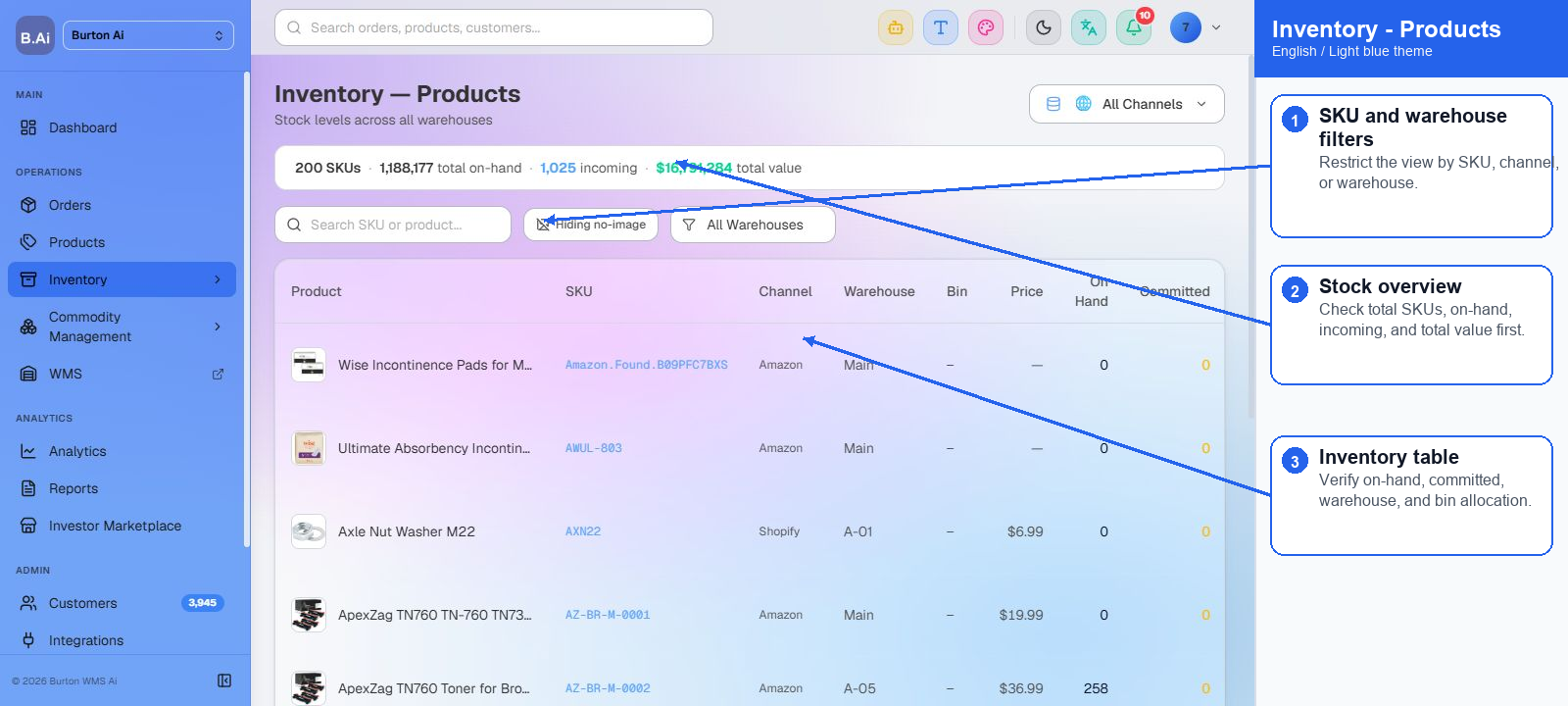
The Inventory page shows OMS-level product inventory, available quantity, committed quantity, incoming quantity, and channel inventory sync status so operators can verify availability before fulfillment.
02 Operating Guide
02.1 Search Inventory
(1) Search inventory records by SKU, product name, channel, or inventory status.
(2) Review On Hand, Available, Committed, and Incoming quantities separately.
(3) When an order reports insufficient stock, verify available inventory rather than only on-hand inventory.
02.2 Resolve Inventory Conflicts
(1) If inventory exists but the order cannot ship, check SKU mapping, committed quantity, open orders, and channel sync status.
(2) If the discrepancy comes from warehouse execution, review WMS records or inventory history.
(3) Use B.U.R.T to diagnose the relationship between SKU, inventory, order, and shipment.