 BurtonSoftware
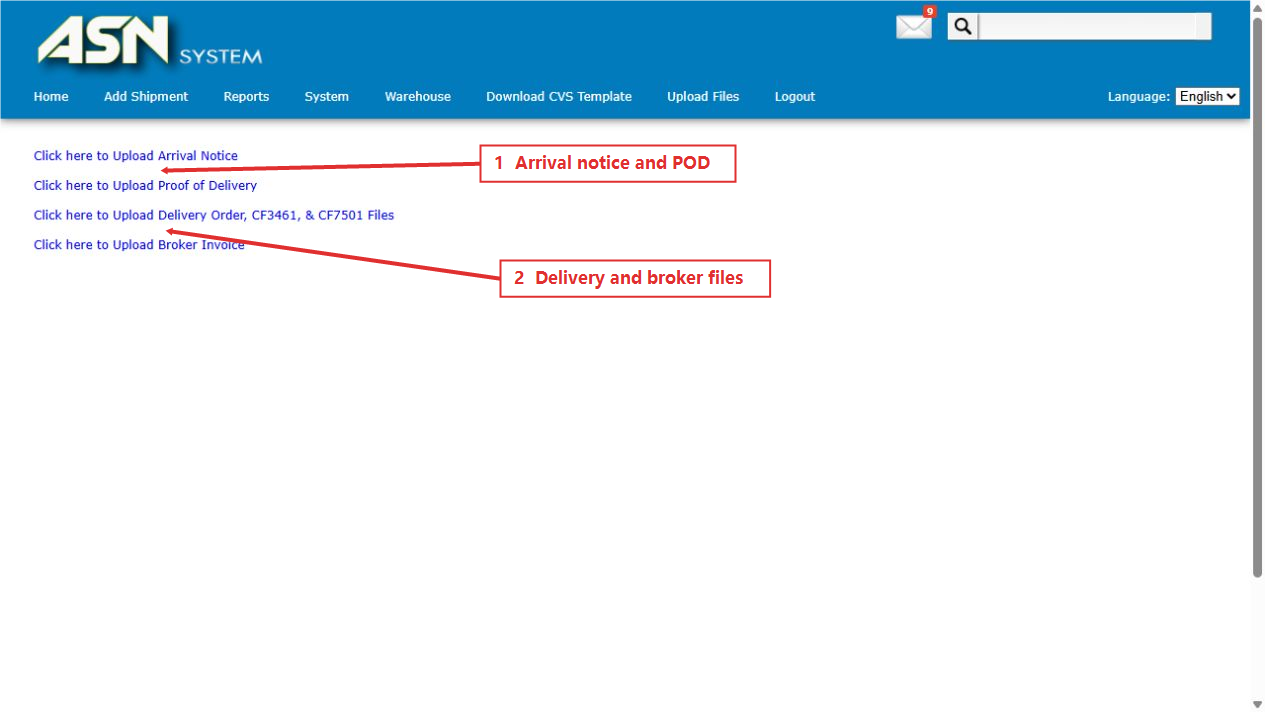
01 Upload Entry Points
Open Upload Files or attach shipment files directly in Section D of Add Shipment. Confirm the Master ID, shipment reference, and account scope before uploading.
02 Section D Documents
Section D supports CSV File, Bill of Lading / AWB, Commercial Invoice, Packing List, GCOC, Container Manifest, Factory Purchase Order, Buyer Invoice / PO, Single Country Declaration, ISF Documents, and Manifest for Warehouse Devanning.
03 Standalone Uploads
Upload Files provides entries for Arrival Notice, Proof of Delivery, Delivery Order / CF3461 / CF7501 files, and Broker Invoice.
04 Document Control
- Include shipment reference or master bill in file names for traceability.
- Use the system CSV template to preserve field order and format.
- Match quantities, values, and identifiers across invoice, packing list, bill, and manifest.
- Review Missing POD or related reports after POD upload.
- Use List Missing Files to identify and close documentation gaps.