 BurtonSoftware
01 Open the Creation Page
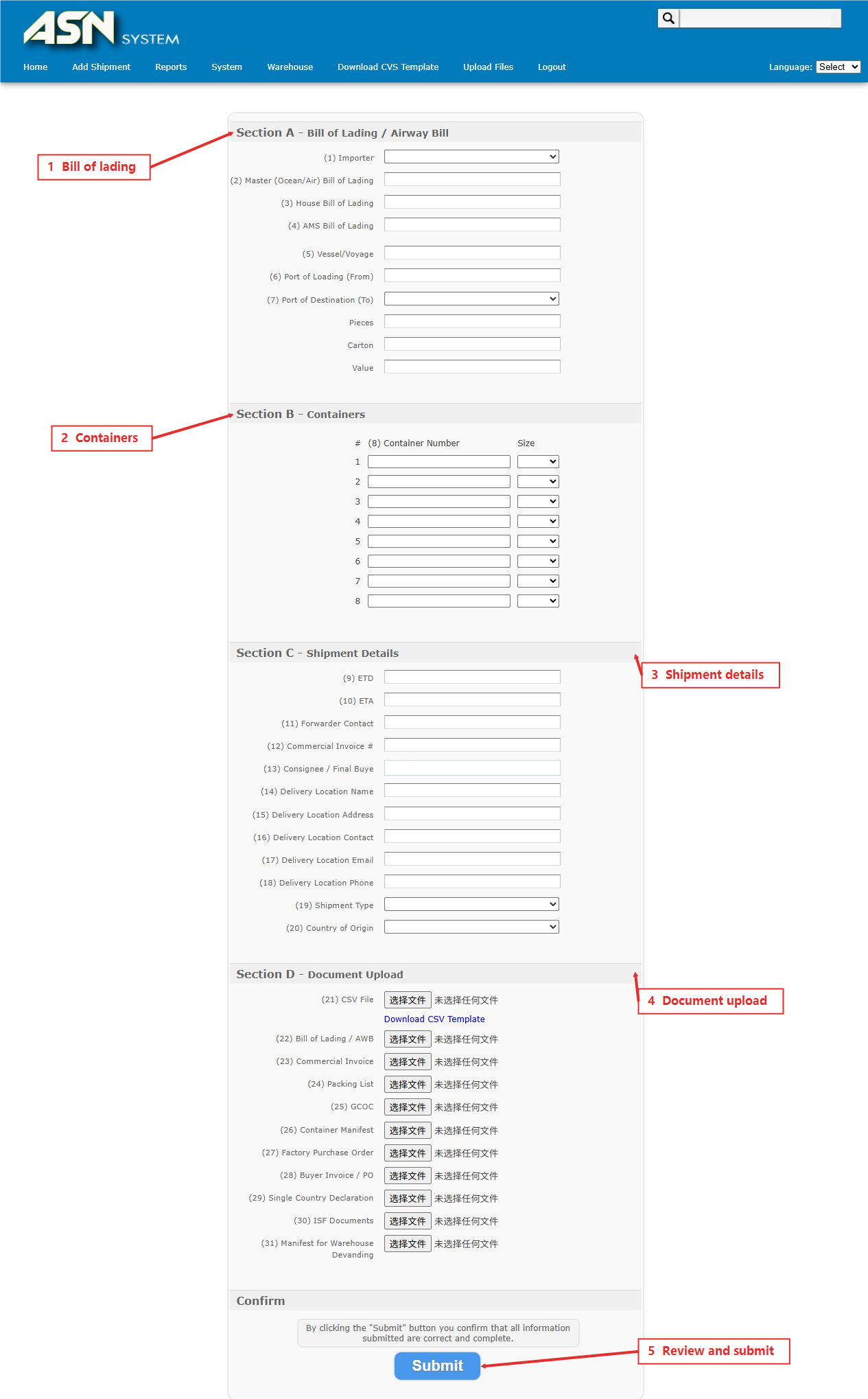
Open Add Shipment from the main menu. The form is organized into Sections A through D. Prepare importer, master bill, house bill, vessel or voyage, port, container, ETD, ETA, consignee, and delivery location data before entry.
02 Section A: Bill and Transportation
Enter Importer, Master Bill of Lading, House Bill of Lading, AMS Bill of Lading, Vessel/Voyage, port of loading, and destination port. Pieces, Carton, and Value describe the shipment quantities and declared value.
03 Section B: Containers
Enter each Container Number and select its Size. The form supports 20, 40, 40 HQ, 45, 45 HQ, AIR, and LCL values. Container numbers must match the bill of lading and packing list.
04 Section C: Shipment Details
Maintain ETD, ETA, Forwarder Contact, Commercial Invoice, Consignee / Final Buyer, Delivery Location, Shipment Type, and Country of Origin. Address, contact, email, and phone details should match the receiving plan.
05 Pre-submit Check
- Confirm master bill, house bill, vessel, and port details are consistent.
- Match container numbers, sizes, and quantities to the packing list.
- Complete ETD, ETA, destination, consignee, and delivery location.
- Confirm Shipment Type matches the transportation method.
- Review all fields before selecting Submit.