 BurtonSoftware
01 Scope
The API guide set helps e-commerce customers connect stores, ERP accounts, or marketplace accounts to Burton AI WMS. After onboarding, orders, products, inventory, customers, shipment status, and tracking information can sync between sales channels and warehouse operations.
These public guides do not include real API keys, customer order details, or sensitive platform screenshots. Before sharing screenshots externally, confirm they do not show tokens, secrets, customer emails, addresses, or raw order numbers.
Security principle: API credentials are only used for authorization setup. They should not be placed in public docs, shared in group chats, or written inside screenshot annotations.
02 Pre-Go-Live Capability Status
A connector shown in the interface, a screenshot, or this documentation is not necessarily enabled for the current customer environment. Confirm one of these statuses before rollout:
| Status | Qualification | Customer Action |
|---|---|---|
| Standard | Generally available in the applicable release and verified environment. | Confirm license, account permissions, and business scope. |
| Configuration Required | The connector or workflow exists but requires authorization, mapping, or environment setup. | Complete authorization, mapping, testing, and rollout approval. |
| Custom Assessment | A new adapter, transformation, or customer-specific workflow is required. | Approve requirements, pricing, schedule, and acceptance criteria. |
| Roadmap | A direction available for assessment without a delivery commitment. | Do not use it as a contractual, production-planning, or rollout dependency. |
Platform availability, fields, synchronization frequency, and confirmation behavior follow the current environment and mutually approved documents.
03 Document Map
| Section | Audience | Question Answered |
|---|---|---|
| API Onboarding Overview and Document Map | Customer owner / Implementation / Admin | What is the scope, ownership model, onboarding order, and go-live checklist? |
| API Authorization Guide | Store admin / Implementation | How do OAuth, API key, and token authorization work? |
| API Sync Rules | Operations / Warehouse / Customer success | How do orders, products, inventory, and shipment confirmation move through the system? |
| API FAQ and Troubleshooting | Support / Implementation / Admin | How do we investigate authorization failure, missing orders, SKU mismatch, and unavailable logistics channels? |
04 Onboarding Lifecycle
| Stage | Customer Responsibility | Burton Team Check |
|---|---|---|
| Account preparation | Confirm user account, store admin access, and API authorization permission. | Approvals, Access Control, workspace, and role permissions. |
| Channel connection | Select Shopify, TikTok Shop, Amazon, eBay, Wayfair, Walmart, or another channel. | Connection status in Integrations or Setup Wizard. |
| Sync validation | Check whether data appears in Orders, Products, and Inventory Products. | Sync logs, SKU mapping, warehouse scope, and channel scope. |
| Fulfillment confirmation | Confirm carrier, tracking, ship date, and fulfillment status rules. | Shipping confirmation settings, logistics channel, and platform-required fields. |
| Reconciliation | Export order, product, and inventory reports. | Reports export, exception orders, and activity logs. |
05 Recommended Ownership
| Role | Suggested Access | Main Responsibility |
|---|---|---|
| Customer store admin | Integration authorization and platform admin access | Provide valid authorization and confirm store scope. |
| Customer operator | Orders, Products, Inventory, Reports | Verify orders, products, SKUs, and inventory sync. |
| Warehouse team | Inventory, Receiving, Work Orders | Receive, pick, pack, ship, and adjust inventory. |
| Implementation consultant | Integrations, Setup Wizard, Activity Logs | Connect channels, check logs, and resolve onboarding issues. |
| System admin | Access Control, Approvals | Manage users, permissions, approvals, and sensitive settings. |
06 Go-live Checklist
- The user account is approved and can enter the correct workspace.
- The channel is Connected or has passed the connection test.
- Three to five SKUs have been checked across channel SKU, warehouse SKU, and system SKU.
- Three to five orders have been checked for status, recipient data, line items, and fulfillment state.
- On Hand, Committed, Incoming, and Available inventory fields are understood and aligned with warehouse logic.
- Shipping confirmation fields match platform requirements, especially Carrier, Tracking, and Ship Date.
- Reports can export the required order, product, and inventory CSV files.
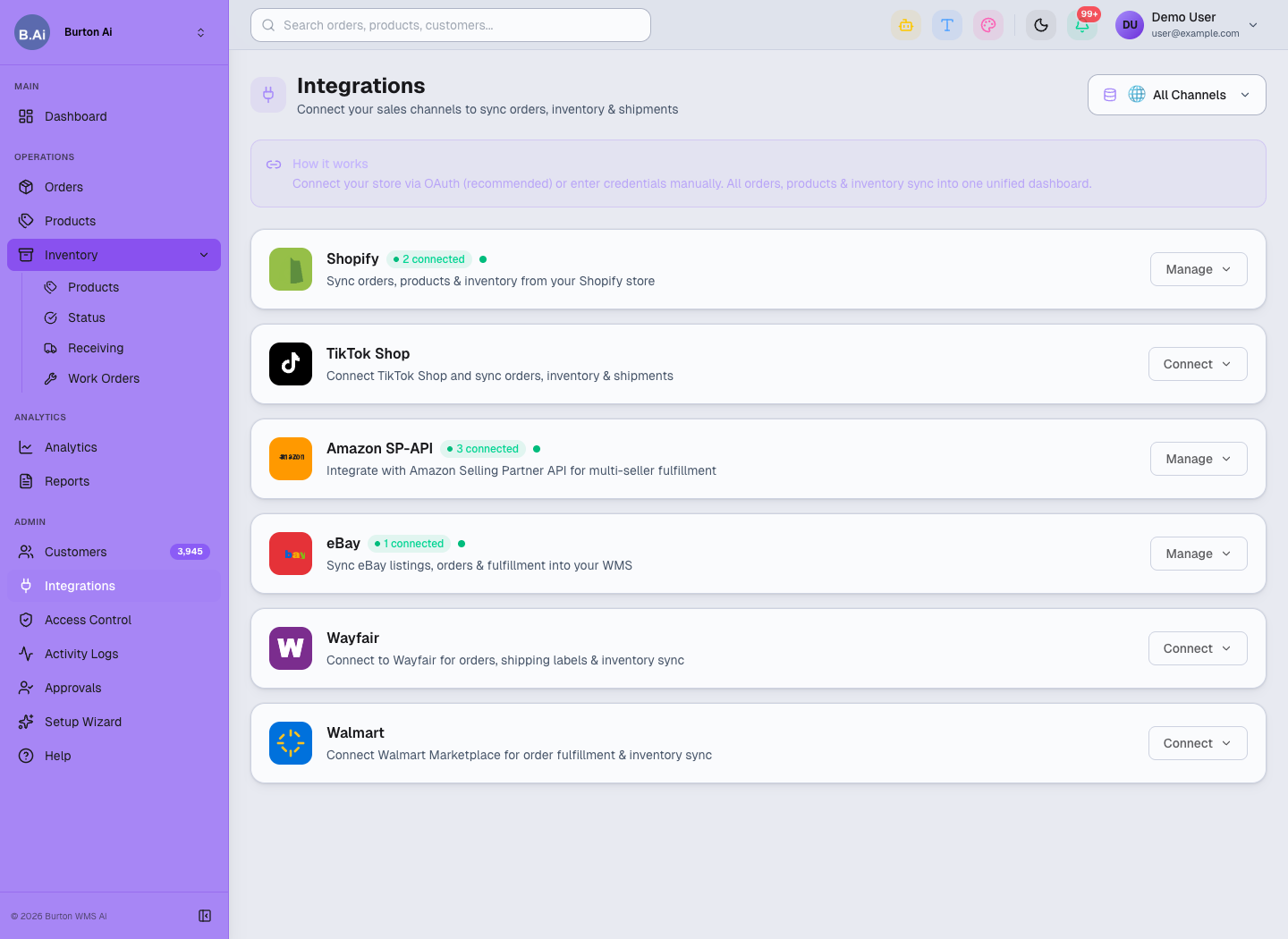
Integrations is the main entry point for channel connection and authorization management.
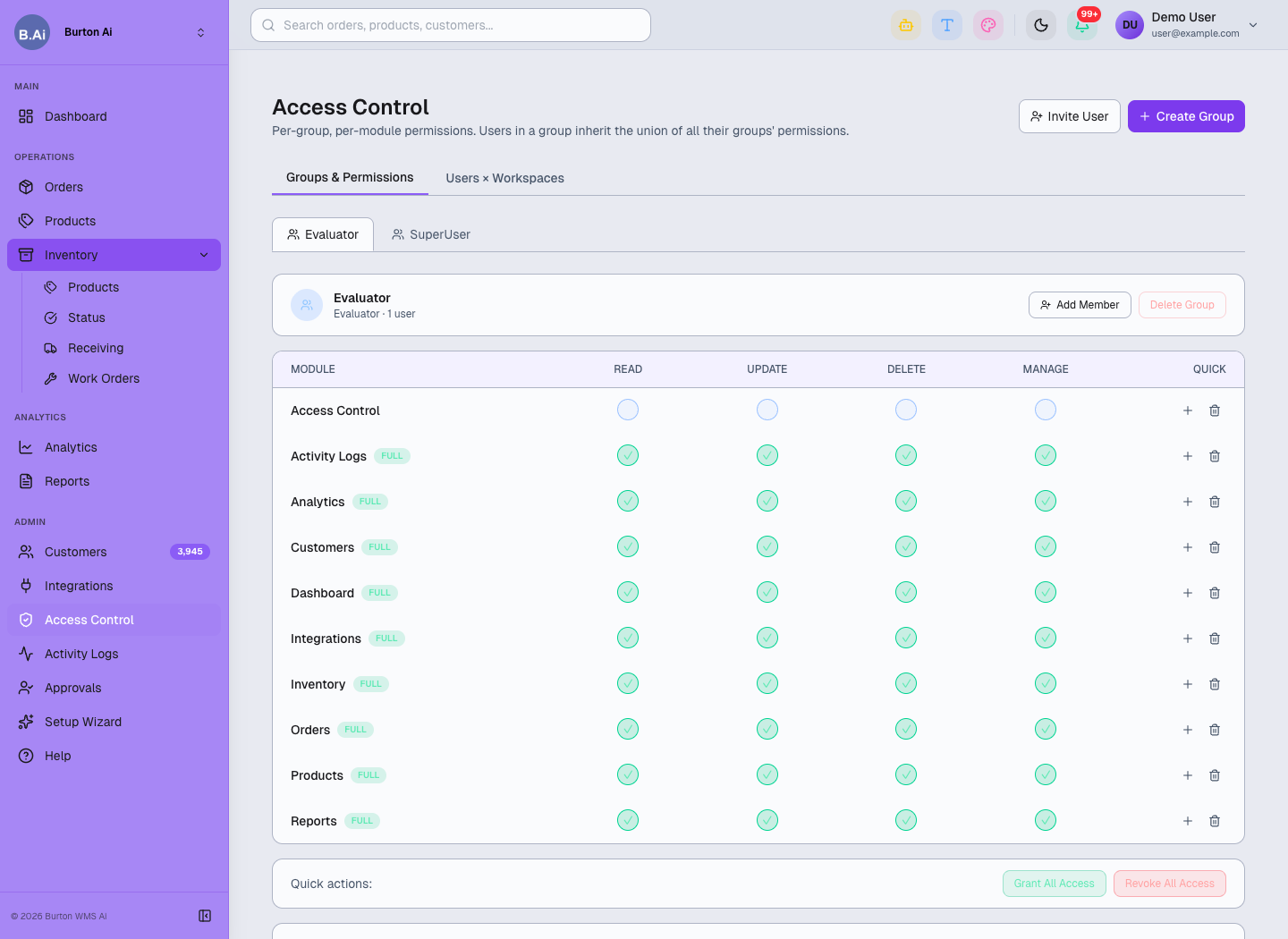
Access Control limits who can manage authorization, credentials, and admin settings.