 BurtonSoftware
01 Use Case
Customers authorize stores, ERP accounts, or marketplace accounts in Burton AI WMS so an enabled and validated connector can synchronize orders, products, inventory, shipment status, and logistics information within the authorized scope.
After authorization, configuration, and integration testing, orders from enabled channels can enter the system within the approved project scope for fulfillment, inventory updates, and shipment confirmation.
02 Pre-Go-Live Capability Status
A connector shown in the interface, a screenshot, or this documentation is not necessarily enabled for the current customer environment. Confirm one of these statuses before rollout:
| Status | Qualification | Customer Action |
|---|---|---|
| Standard | Generally available in the applicable release and verified environment. | Confirm license, account permissions, and business scope. |
| Configuration Required | The connector or workflow exists but requires authorization, mapping, or environment setup. | Complete authorization, mapping, testing, and rollout approval. |
| Custom Assessment | A new adapter, transformation, or customer-specific workflow is required. | Approve requirements, pricing, schedule, and acceptance criteria. |
| Roadmap | A direction available for assessment without a delivery commitment. | Do not use it as a contractual, production-planning, or rollout dependency. |
Platform availability, fields, synchronization frequency, and confirmation behavior follow the current environment and mutually approved documents.
03 Before Authorization
| Item | Description |
|---|---|
| Customer account | The customer needs an approved Burton AI WMS account. |
| Store permissions | The customer must have admin or API authorization permission for the channel. |
| API credentials | API connections may require Seller ID, Client ID, Client Secret, Refresh Token, Marketplace ID, or similar values. |
| SKU rules | Store SKU, warehouse SKU, and system SKU should be aligned before go-live. |
| Logistics rules | Confirm default warehouse, shipping method, carrier name, and confirmation rules. |
Do not place Client Secret, Refresh Token, or Access Token in chat history or public screenshots. If credentials must be shared temporarily, use a controlled channel and rotate them when required by the customer's security policy.
04 Sign In and Open Authorization
- Open the Burton AI WMS system.
- Sign in with an approved customer account.
- On Dashboard, confirm whether the current scope is All Channels or a specific store.
- Open Integrations from the sidebar, or use Setup Wizard during first-time onboarding.
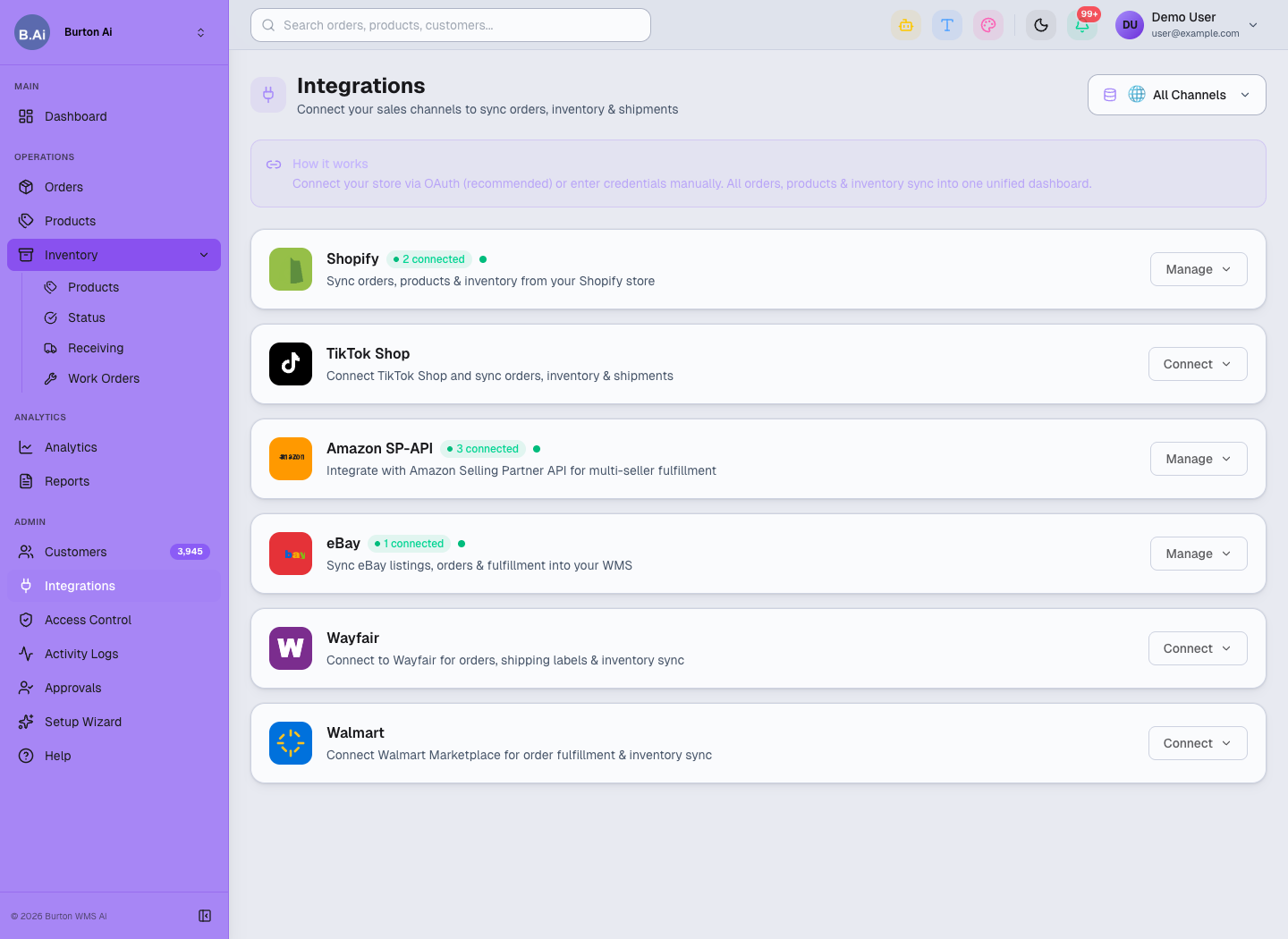
Customers choose the relevant platform in Integrations and open Manage or Connect to authorize it.
05 OAuth Channels
Shopify and TikTok Shop should use OAuth when available. After clicking Connect, the customer is redirected to the official platform authorization page. After permission approval, the page returns to Burton AI WMS.
Key steps:
- Confirm the browser is logged into the correct store admin account.
- Click Connect or Manage on the matching channel card.
- Approve the requested permission scope on the platform page.
- Return to Burton AI WMS and confirm the channel is Connected.
- Open Orders or Products to check whether data starts syncing.
06 API Key / Token Channels
Amazon SP-API, Wayfair, Walmart, and similar channels may require API credentials. Customers should obtain the credentials from the platform admin portal and enter them in Setup Wizard or channel settings.
| Field | Purpose |
|---|---|
| Seller ID / Merchant ID | Identifies the seller or merchant account. |
| Marketplace ID | Identifies the marketplace region, such as US, UK, or DE. |
| Client ID | Client identifier for the API app or connector. |
| Client Secret | API app secret; customers should store it securely. |
| Refresh Token | Allows the system to keep syncing orders, inventory, and shipment status. |
| Warehouse / Carrier | Used for inventory, fulfillment, and logistics mapping. |
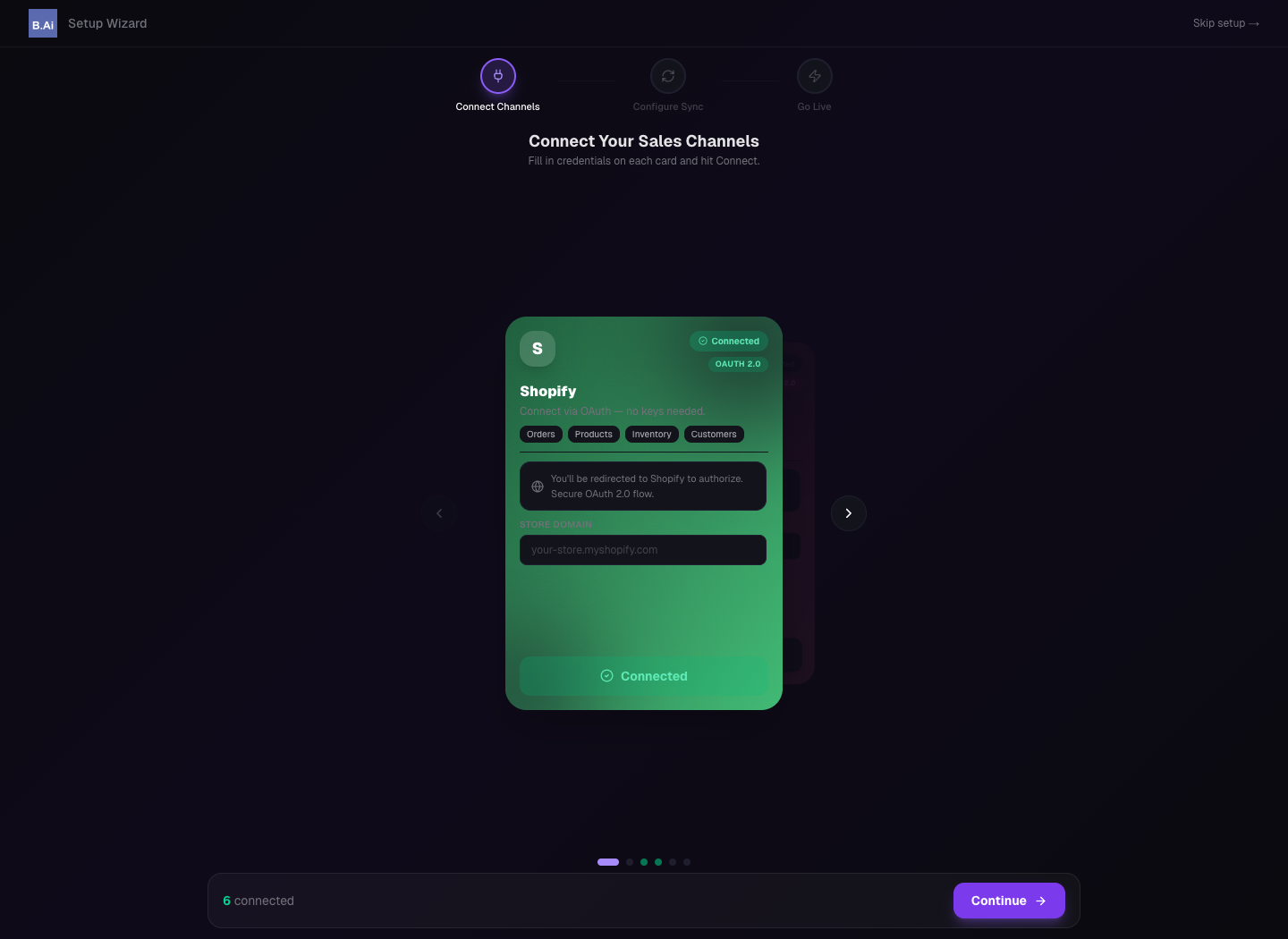
Setup Wizard can be used during go-live to enter channel credentials and verify connection status.
07 Validate After Authorization
| Page | What to Check |
|---|---|
| Orders | Platform orders, order status, recipient information, and fulfillment status. |
| Products | Product title, SKU, price, weight, and status. |
| Inventory Products | On Hand, Committed, Incoming, and Available stock. |
| Activity Logs | Authorization failure, sync failure, or permission issues. |
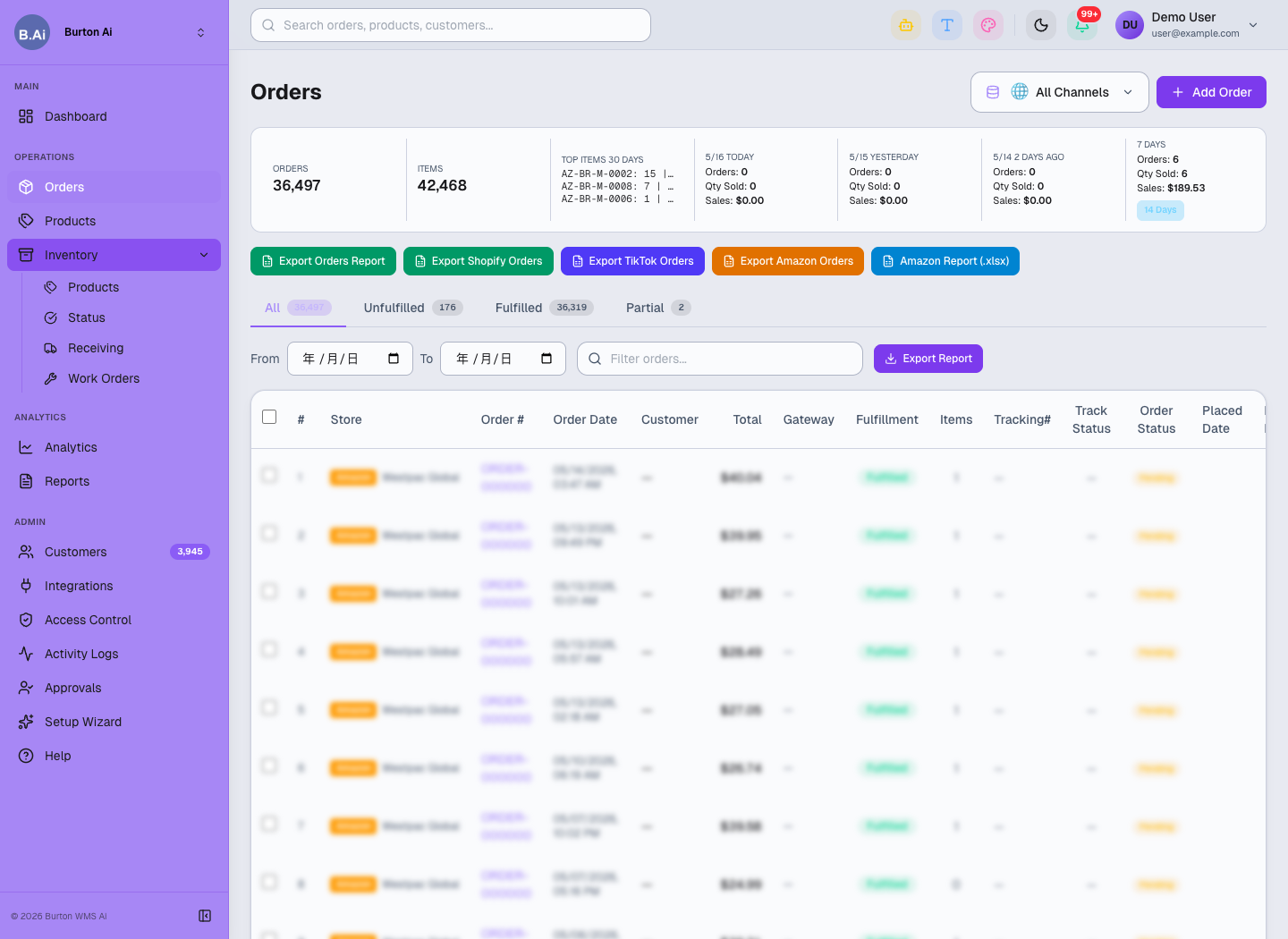
After authorization, platform orders appear in Orders for operations and warehouse follow-up.