 BurtonSoftware
BurtonSoftware.Ai
API Module Manual
Customer-facing API authorization, channel onboarding, credentials, sync checks, and troubleshooting.
00 Contents
API Onboarding Overview and Document Map
A customer-facing roadmap for API onboarding: where to start, who owns each step, and what to verify before go-live.
01 1. Scope
The API guide set helps e-commerce customers connect stores, ERP accounts, or marketplace accounts to Burton WMS Ai. After onboarding, orders, products, inventory, customers, shipment status, and tracking information can sync between sales channels and warehouse operations.
These public guides do not include real API keys, customer order details, or sensitive platform screenshots. Before sharing screenshots externally, confirm they do not show tokens, secrets, customer emails, addresses, or raw order numbers.
Security principle: API credentials are only used for authorization setup. They should not be placed in public docs, shared in group chats, or written inside screenshot annotations.
02 2. Document Map
| Section | Audience | Question Answered |
|---|---|---|
| API Onboarding Overview and Document Map | Customer owner / Implementation / Admin | What is the scope, ownership model, onboarding order, and go-live checklist? |
| API Authorization Guide | Store admin / Implementation | How do OAuth, API key, and token authorization work? |
| API Sync Rules | Operations / Warehouse / Customer success | How do orders, products, inventory, and shipment confirmation move through the system? |
| API FAQ and Troubleshooting | Support / Implementation / Admin | How do we investigate authorization failure, missing orders, SKU mismatch, and unavailable logistics channels? |
03 3. Onboarding Lifecycle
| Stage | Customer Responsibility | Burton Team Check |
|---|---|---|
| Account preparation | Confirm user account, store admin access, and API authorization permission. | Approvals, Access Control, workspace, and role permissions. |
| Channel connection | Select Shopify, TikTok Shop, Amazon, eBay, Wayfair, Walmart, or another channel. | Connection status in Integrations or Setup Wizard. |
| Sync validation | Check whether data appears in Orders, Products, and Inventory Products. | Sync logs, SKU mapping, warehouse scope, and channel scope. |
| Fulfillment confirmation | Confirm carrier, tracking, ship date, and fulfillment status rules. | Shipping confirmation settings, logistics channel, and platform-required fields. |
| Reconciliation | Export order, product, and inventory reports. | Reports export, exception orders, and activity logs. |
04 4. Recommended Ownership
| Role | Suggested Access | Main Responsibility |
|---|---|---|
| Customer store admin | Integration authorization and platform admin access | Provide valid authorization and confirm store scope. |
| Customer operator | Orders, Products, Inventory, Reports | Verify orders, products, SKUs, and inventory sync. |
| Warehouse team | Inventory, Receiving, Work Orders | Receive, pick, pack, ship, and adjust inventory. |
| Implementation consultant | Integrations, Setup Wizard, Activity Logs | Connect channels, check logs, and resolve onboarding issues. |
| System admin | Access Control, Approvals | Manage users, permissions, approvals, and sensitive settings. |
05 5. Go-live Checklist
- The user account is approved and can enter the correct workspace.
- The channel is Connected or has passed the connection test.
- Three to five SKUs have been checked across channel SKU, warehouse SKU, and system SKU.
- Three to five orders have been checked for status, recipient data, line items, and fulfillment state.
- On Hand, Committed, Incoming, and Available inventory fields are understood and aligned with warehouse logic.
- Shipping confirmation fields match platform requirements, especially Carrier, Tracking, and Ship Date.
- Reports can export the required order, product, and inventory CSV files.
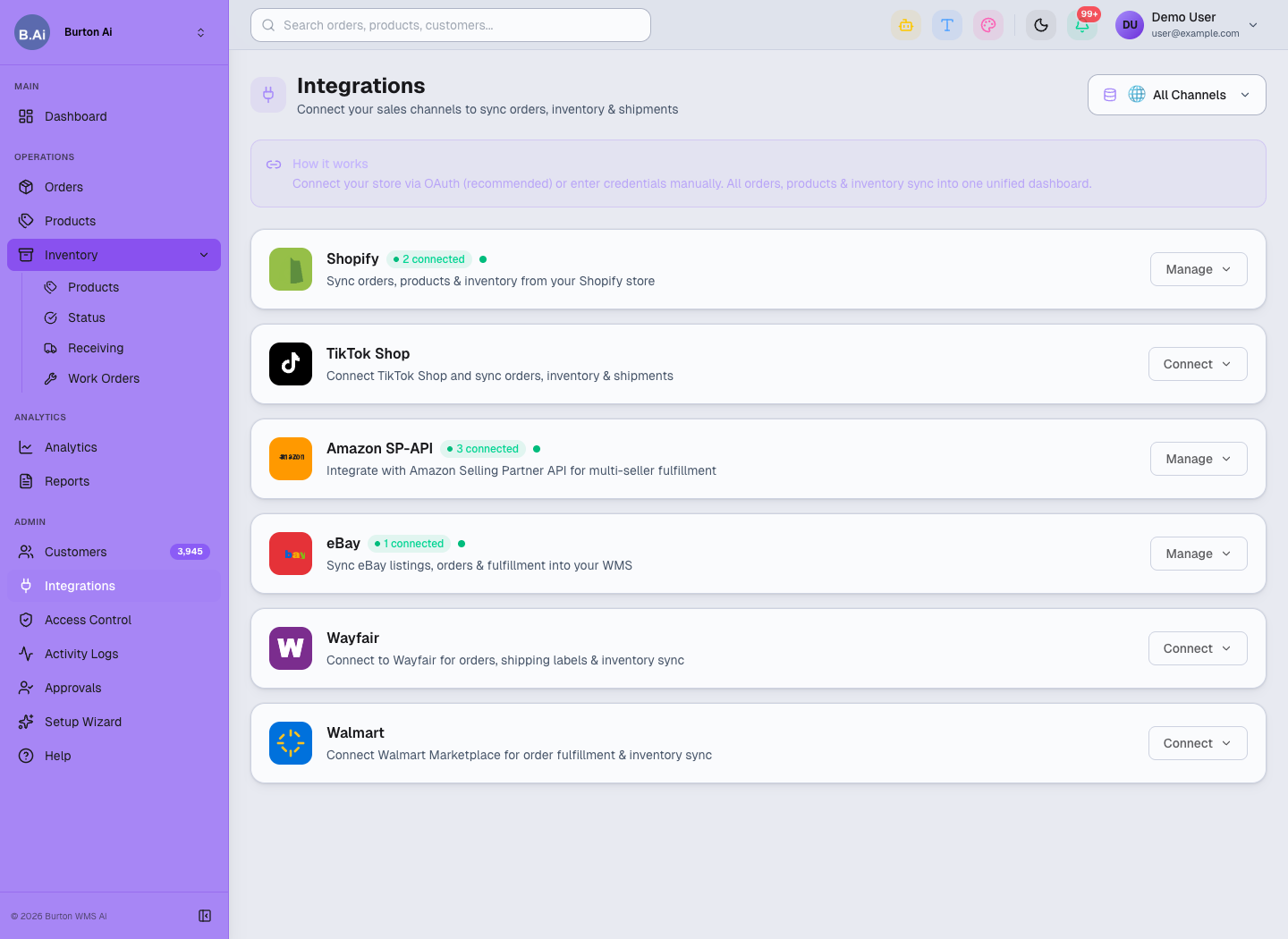
Integrations is the main entry point for channel connection and authorization management.
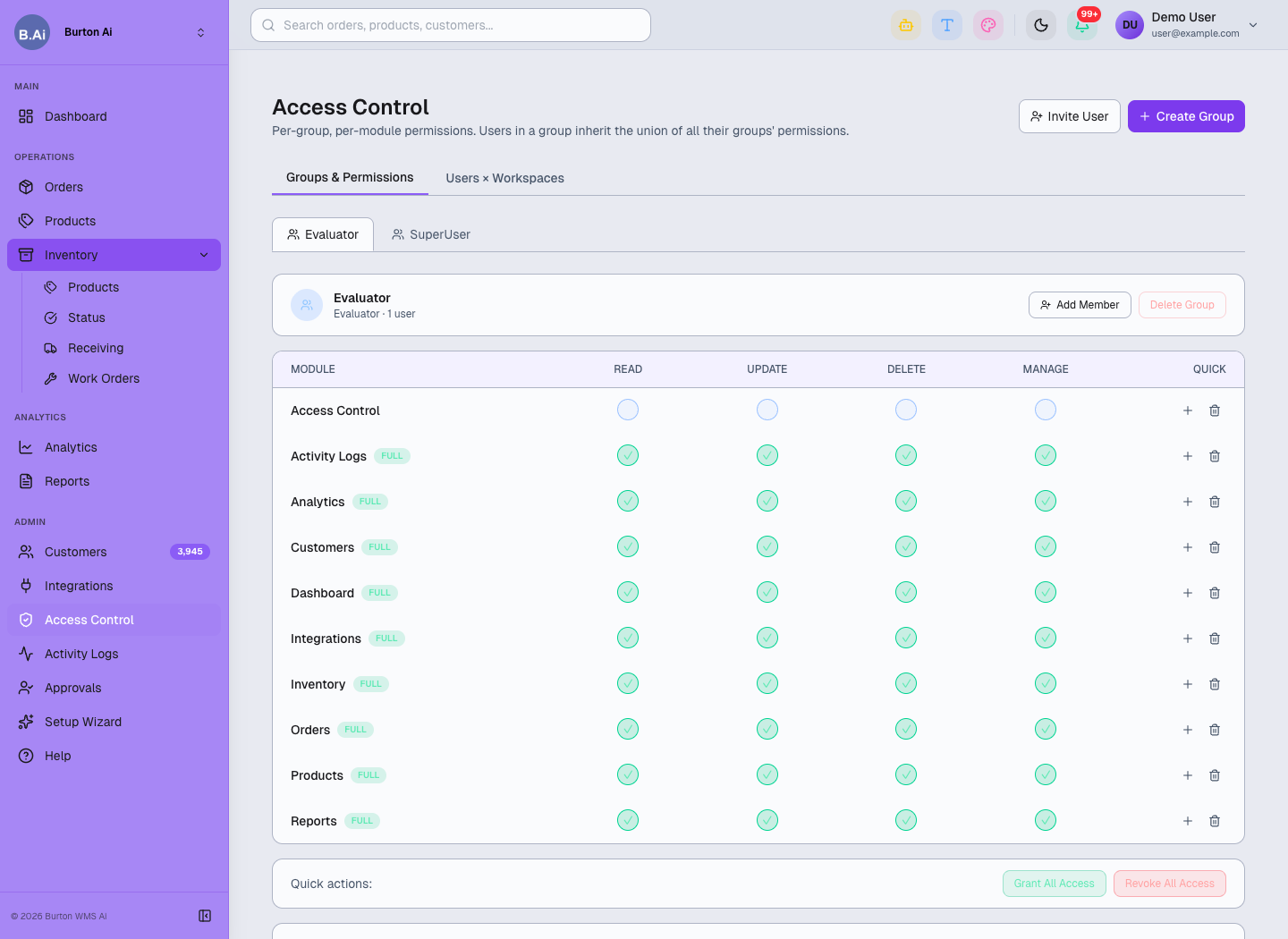
Access Control limits who can manage authorization, credentials, and admin settings.
API Authorization Guide: Connect Stores and Platform Accounts
How customers authorize channels in Burton WMS Ai through OAuth, API keys, or tokens, then verify that the connection works.
01 1. Use Case
Customers authorize stores, ERP accounts, or marketplace accounts in Burton WMS Ai so the system can sync orders, products, inventory, shipment status, and logistics information.
After authorization, Amazon, Shopify, TikTok Shop, eBay, Wayfair, Walmart, and other channel orders can enter the system for fulfillment, inventory updates, and shipment confirmation.
02 2. Before Authorization
| Item | Description |
|---|---|
| Customer account | The customer needs an approved Burton WMS Ai account. |
| Store permissions | The customer must have admin or API authorization permission for the channel. |
| API credentials | API connections may require Seller ID, Client ID, Client Secret, Refresh Token, Marketplace ID, or similar values. |
| SKU rules | Store SKU, warehouse SKU, and system SKU should be aligned before go-live. |
| Logistics rules | Confirm default warehouse, shipping method, carrier name, and confirmation rules. |
Do not place Client Secret, Refresh Token, or Access Token in chat history or public screenshots. If credentials must be shared temporarily, use a controlled channel and rotate them when required by the customer's security policy.
03 3. Sign In and Open Authorization
- Open the Burton WMS Ai system.
- Sign in with an approved customer account.
- On Dashboard, confirm whether the current scope is All Channels or a specific store.
- Open Integrations from the sidebar, or use Setup Wizard during first-time onboarding.
Customers choose the relevant platform in Integrations and open Manage or Connect to authorize it.
04 4. OAuth Channels
Shopify and TikTok Shop should use OAuth when available. After clicking Connect, the customer is redirected to the official platform authorization page. After permission approval, the page returns to Burton WMS Ai.
Key steps:
- Confirm the browser is logged into the correct store admin account.
- Click Connect or Manage on the matching channel card.
- Approve the requested permission scope on the platform page.
- Return to Burton WMS Ai and confirm the channel is Connected.
- Open Orders or Products to check whether data starts syncing.
05 5. API Key / Token Channels
Amazon SP-API, Wayfair, Walmart, and similar channels may require API credentials. Customers should obtain the credentials from the platform admin portal and enter them in Setup Wizard or channel settings.
| Field | Purpose |
|---|---|
| Seller ID / Merchant ID | Identifies the seller or merchant account. |
| Marketplace ID | Identifies the marketplace region, such as US, UK, or DE. |
| Client ID | Client identifier for the API app or connector. |
| Client Secret | API app secret; customers should store it securely. |
| Refresh Token | Allows the system to keep syncing orders, inventory, and shipment status. |
| Warehouse / Carrier | Used for inventory, fulfillment, and logistics mapping. |
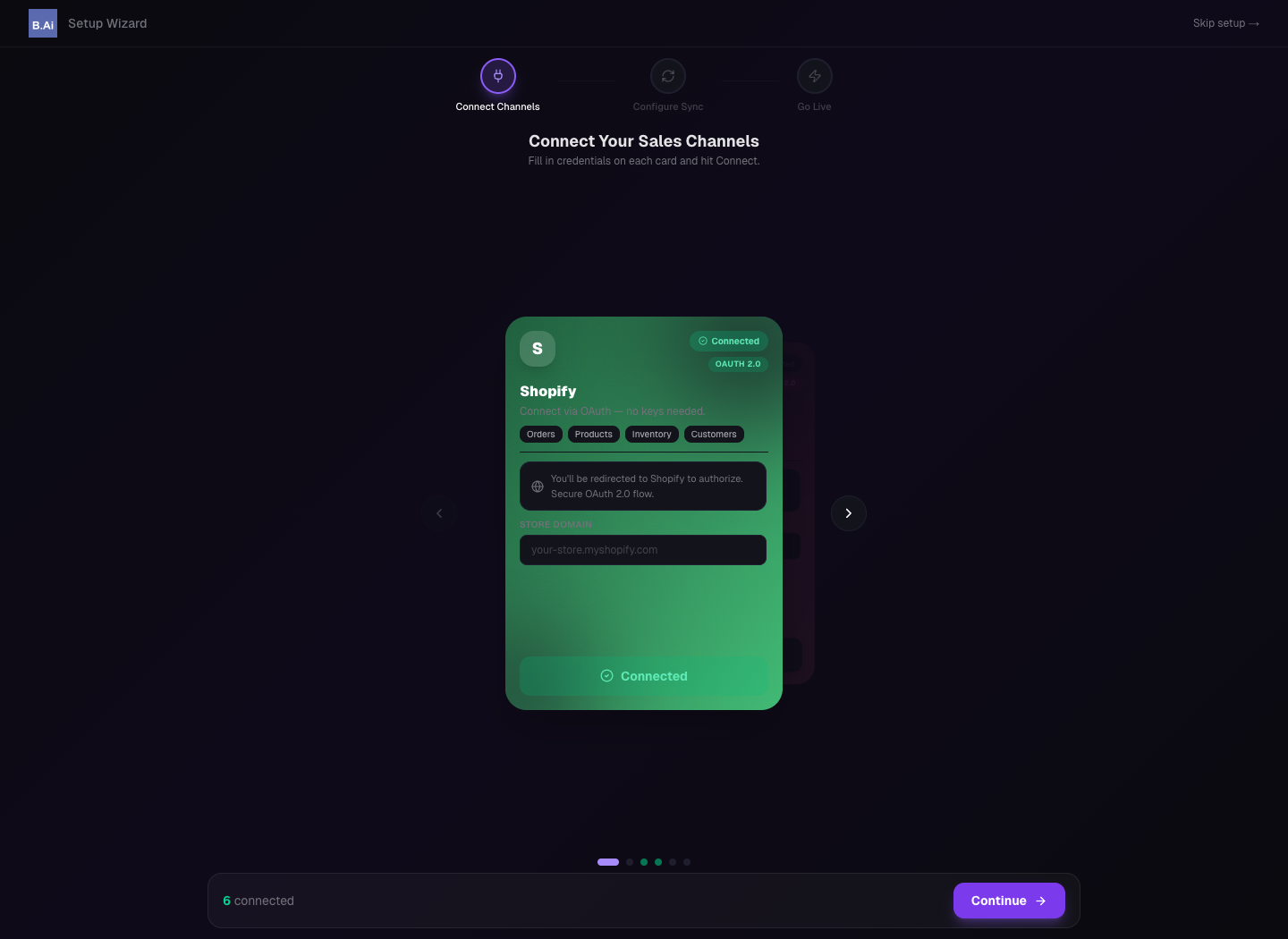
Setup Wizard can be used during go-live to enter channel credentials and verify connection status.
06 6. Validate After Authorization
| Page | What to Check |
|---|---|
| Orders | Platform orders, order status, recipient information, and fulfillment status. |
| Products | Product title, SKU, price, weight, and status. |
| Inventory Products | On Hand, Committed, Incoming, and Available stock. |
| Activity Logs | Authorization failure, sync failure, or permission issues. |
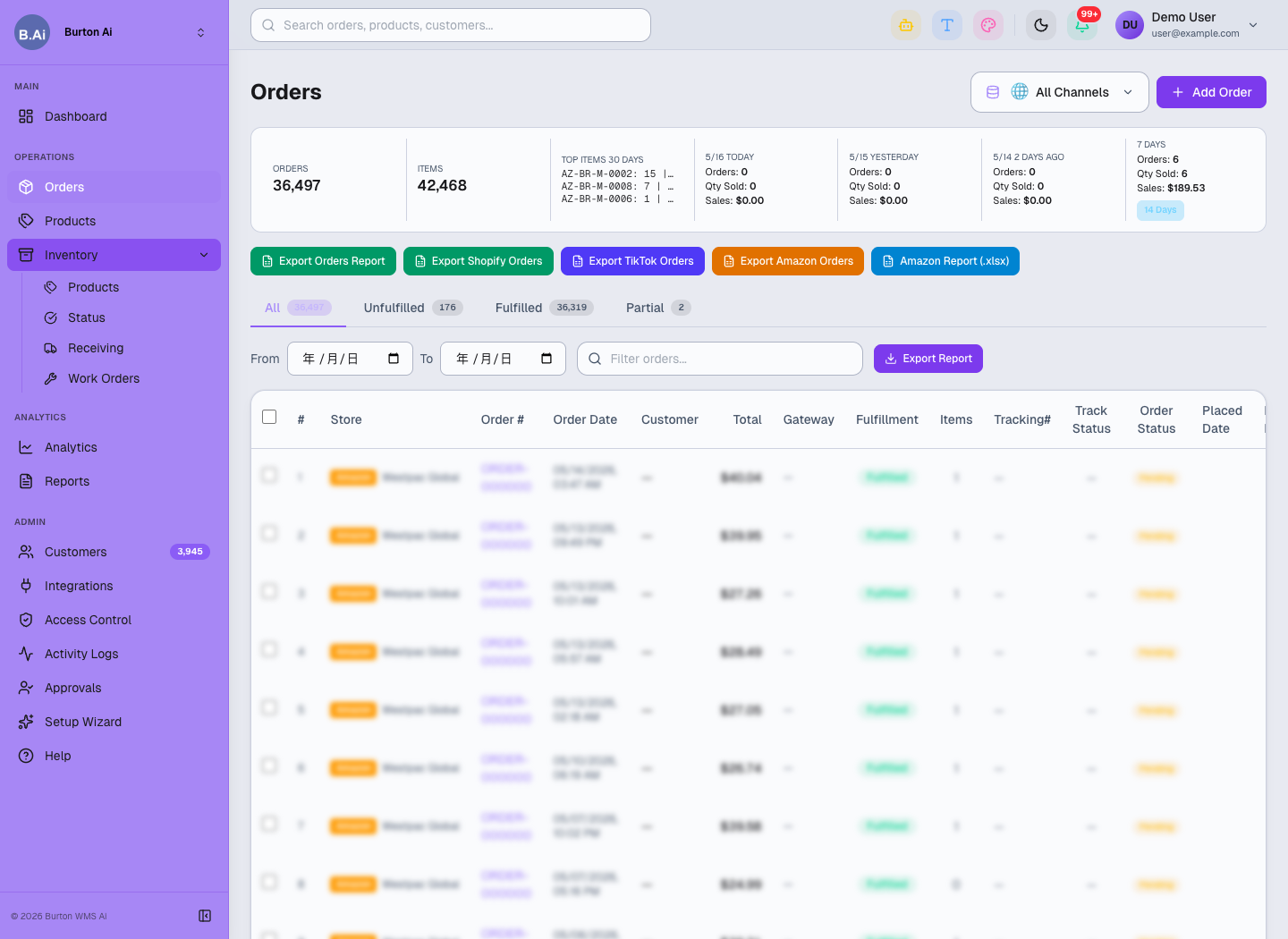
After authorization, platform orders appear in Orders for operations and warehouse follow-up.
API Sync Rules: Orders, Products, Inventory, and Shipment Confirmation
How orders, products, inventory, and shipment confirmation sync after authorization, and which field rules should be aligned before go-live.
01 1. Sync Scope
After authorization, the system can sync orders, products, customers, inventory, shipment status, and tracking information depending on channel capability. Exact fields depend on platform API permissions and the customer's authorization scope.
Do not stop at connection success. Before go-live, confirm that order sync, product sync, inventory sync, and shipment confirmation can all be explained and validated.
02 2. Sync Objects and Check Pages
| Sync Object | Page | Key Fields |
|---|---|---|
| Orders | Orders | Order ID, Channel, Status, Recipient, Items, Fulfillment Status. |
| Products | Products | SKU, Title, Status, Price, Weight, Category, Image. |
| Inventory | Inventory Products | Warehouse, Bin, On Hand, Committed, Incoming, Available. |
| Customers | Customers | Name, Email, Channel, Orders, Last Order. |
| Shipment confirmation | Orders / Activity Logs | Carrier, Tracking, Ship Date, Confirmation Status, API Result. |
Orders helps verify whether platform orders have entered the system and whether fulfillment status is correct.
03 3. SKU and Product Mapping
SKU mapping is critical for stable order sync, inventory sync, and shipment confirmation. Customers should align store SKU, warehouse SKU, and system SKU before go-live.
| Scenario | Recommended Handling |
|---|---|
| All SKU values match | Use automatic matching and sample-check the result. |
| Channel SKU differs from warehouse SKU | Create a mapping before validating orders and inventory. |
| Case or spacing differs | Clean the SKU values before deciding whether they represent the same product. |
| Bundle or kit item | Confirm whether it should split into multiple warehouse SKUs. |
| New product sync | Check Products first, then Inventory Products. |
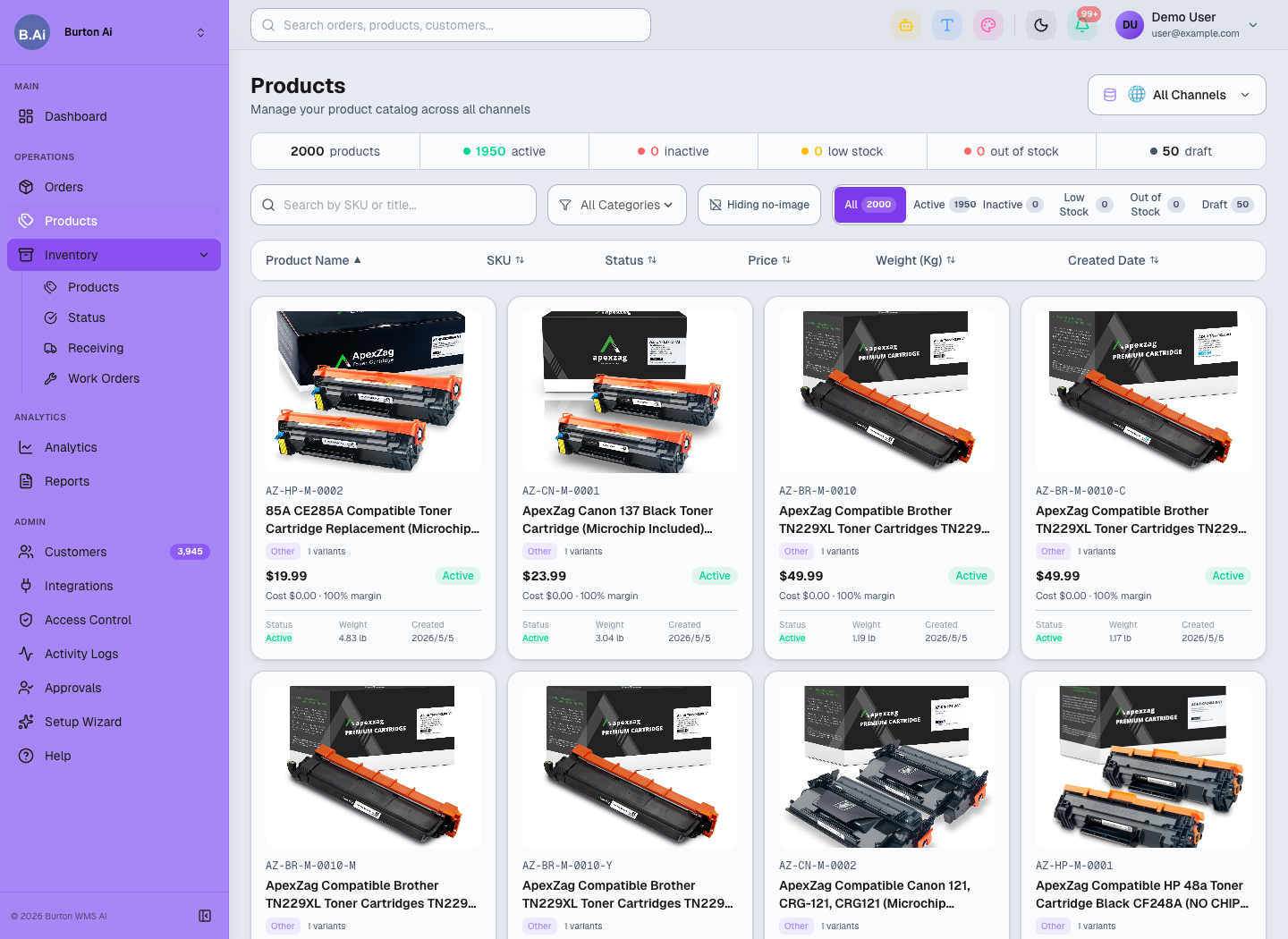
Products shows title, SKU, status, price, weight, and image completeness.
04 4. Inventory Definitions
Customers should understand the operational meaning of each inventory field.
| Field | Suggested Definition |
|---|---|
| On Hand | Physical stock currently in the warehouse. |
| Committed | Stock allocated to orders but not fully shipped. |
| Incoming | Stock in receiving plans or inbound transit. |
| Available | Sellable or allocatable stock after committed quantities are considered. |
| Status | Stock health such as In Stock, Low Stock, or Out of Stock. |
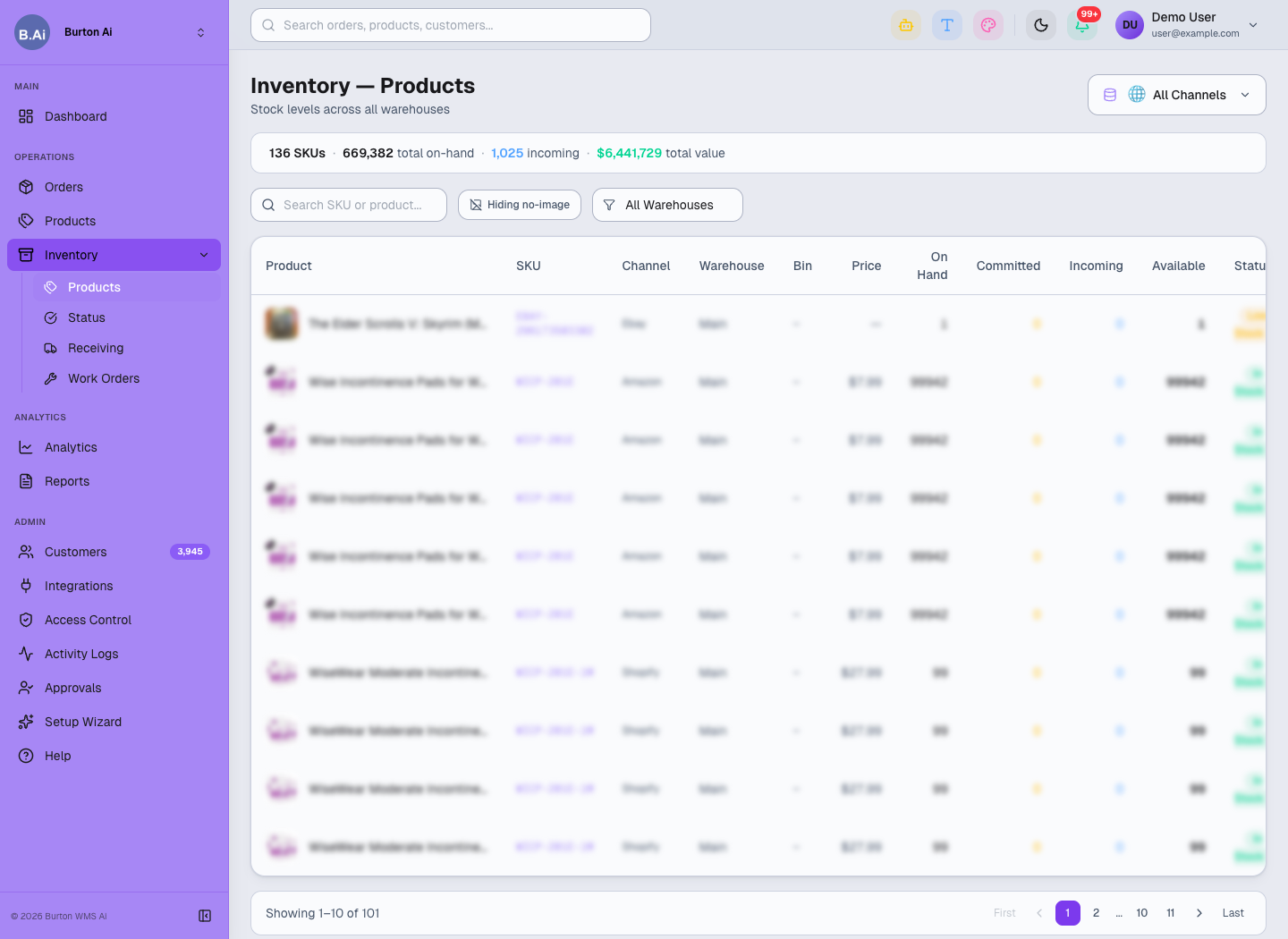
Inventory Products helps verify SKU, warehouse, bin, and available stock.
05 5. Shipment Confirmation Rules
After fulfillment, the system sends Tracking, Carrier, Ship Date, Fulfillment Status, ASN, or shipment confirmation back to the platform when required.
Before go-live, confirm:
- Carrier names match platform requirements.
- The customer allows automatic shipment confirmation.
- Platform label, ASN, or service code requirements are known.
- Someone owns retry and customer notification when confirmation fails.
06 6. Reconciliation
After authorization and sync are stable, customers can export order, product, and inventory CSV files from Reports. Run at least one post-go-live review across orders, inventory, and logistics.
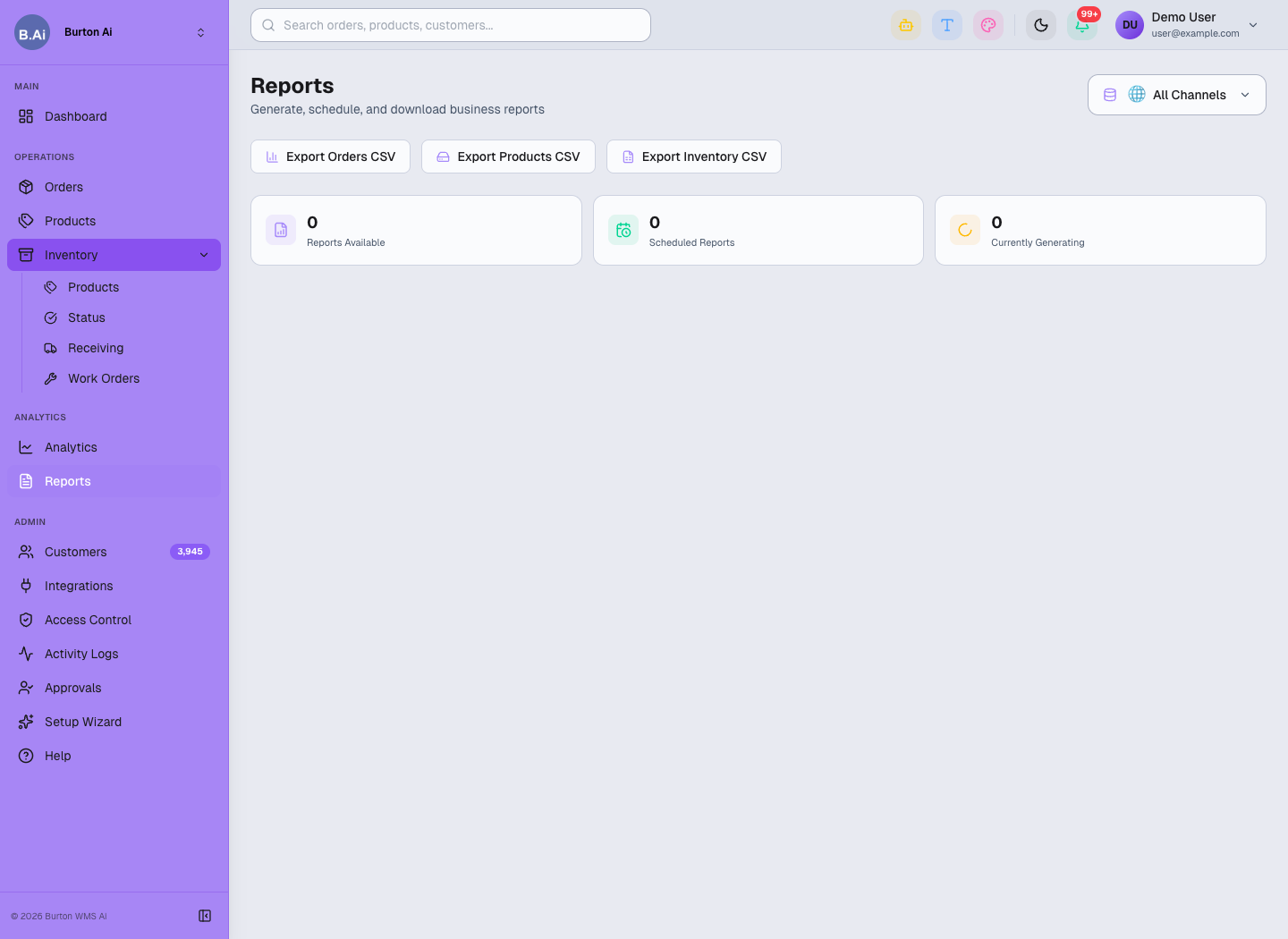
Reports exports order, product, and inventory data for customer reconciliation and post-go-live review.
API FAQ and Troubleshooting
Common API authorization and sync issues, with a practical investigation order for support, implementation, and admins.
01 1. Troubleshooting Principle
When an API issue appears, first identify the layer: account permission, channel authorization, SKU mapping, warehouse inventory, shipment confirmation, or platform API limitation.
Do not ask the customer to re-authorize immediately. Check connection status, activity logs, last sync time, and error fields first so active order sync is not interrupted unnecessarily.
02 2. Quick Check Order
- Confirm the customer account has passed Approvals.
- Confirm the user has the correct workspace and module permissions in Access Control.
- Open Integrations and check whether the channel is Connected.
- Review Activity Logs for authorization failure, sync failure, or permission issues.
- Sample-check Orders, Products, and Inventory Products.
- For shipment issues, check Carrier, Tracking, Ship Date, and platform-required fields.
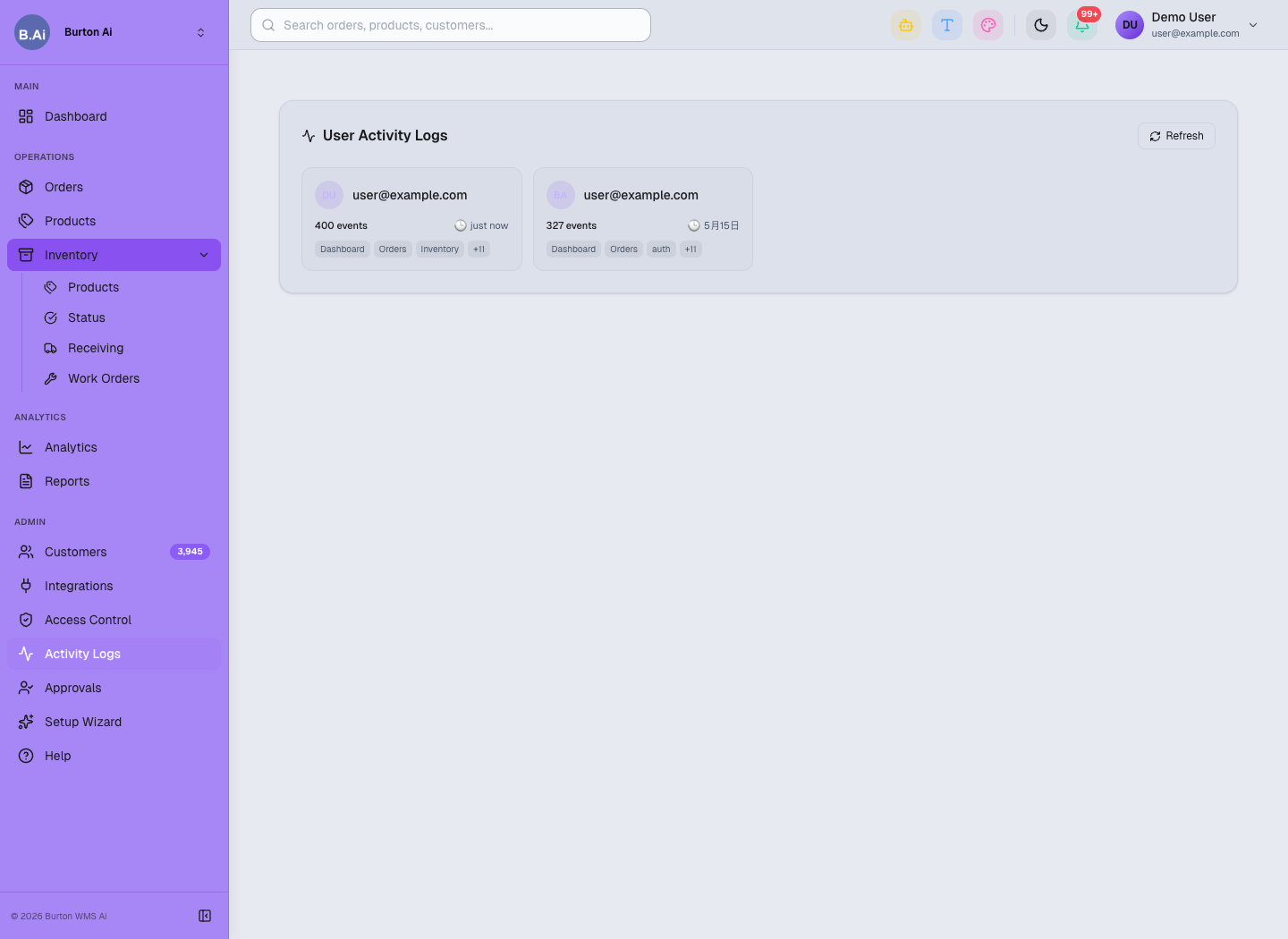
Activity Logs helps locate user actions, authorization issues, sync failures, and permission problems.
03 3. Common Questions
| Issue | Possible Cause | Recommendation |
|---|---|---|
| No orders after authorization | First-time sync is still running, store scope is wrong, channel is not connected, or filters are too narrow. | Check Connected status, last sync time, Orders filters, and Activity Logs. |
| API information is incorrect | Client ID, Secret, Token, or Marketplace ID comes from the wrong account or has expired. | Ask the customer to verify credentials in the platform admin portal. Do not request full secrets in public channels. |
| SKU matching fails | Case, spaces, prefix, suffix, or bundle rules differ. | Check Products first, create SKU mapping, then sample-check orders again. |
| Inventory does not sync | SKU is not mapped, warehouse scope is wrong, or inventory permission is missing. | Check Inventory Products, warehouse permission, channel permission, and sync logs. |
| Logistics channel is unavailable | Carrier name does not match platform rules, or shipping method is disabled. | Verify Carrier, Shipping Method, platform service code, and shipment confirmation settings. |
| User cannot see the channel | User is not in the correct workspace or permission group. | Ask an admin to review Group, Workspace, and module permission in Access Control. |
04 4. Error Handling Template
| Error Type | Check First | Customer Should Provide |
|---|---|---|
| Authorization failure | Platform account, permission scope, browser login account, callback result. | Platform name, store name, authorization time, and error screenshot. |
| Token expired | Whether Refresh Token expired or was revoked by the platform. | Platform authorization status, not the full token. |
| SKU does not exist | Whether Products contains the SKU and mapping exists. | SKU example and masked order evidence. |
| Inventory mismatch | Inventory Products fields, warehouse scope, channel inventory permission. | SKU, warehouse, and expected inventory definition. |
| Shipment confirmation failure | Carrier, Tracking, Ship Date, platform service code. | Masked order screenshot, shipping method, and platform error message. |
05 5. Permissions and Security
Admins should restrict who can operate Integrations, Setup Wizard, and Access Control. Support and operations users may review sync status, but should not manage API credentials unless explicitly approved.
Access Control manages who can view, edit, or administer sensitive features by group and workspace.