 BurtonSoftware
01 Standard Flow
The standard 3PL workflow starts with user approval and channel connection, then syncs products, orders, inventory, and customers. Daily operators use Dashboard to prioritize work, Orders and Inventory to execute fulfillment, and Analytics, Reports, and Activity Logs to review outcomes.
02 Login and Setup
- Admin approves new users in Approvals and assigns roles in Access Control.
- User signs in and checks whether the current view is All Channels or a specific store.
- For a new customer or store, start with Setup Wizard and follow Connect Channels, Configure Sync, and Go Live.
03 Channel Connection and Sync
- Open Integrations to check Shopify, TikTok Shop, Amazon SP-API, eBay, Wayfair, and Walmart connection status.
- Prefer OAuth when supported; use API credentials where required.
- Wait for orders, products, inventory, customers, and shipment status to sync.
- For sync issues, check Integrations status first, then Activity Logs or Help.
04 Daily Fulfillment
- Start from Dashboard to review pending fulfillment, fulfillment rate, activity, and shipment map.
- Use Orders filters for All, Unfulfilled, Fulfilled, and Partial orders.
- Search by date, keyword, channel, or order status.
- Use Add Order only for manual entry, and exports for reconciliation or customer reporting.
05 Inventory and Warehouse Tasks
- Maintain catalog information in Products.
- Review On Hand, Committed, Incoming, Available, and Status in Inventory Products.
- Monitor Low Stock, Out of Stock, Incoming, and Stock Alerts in Inventory Status.
- Use Receiving for PO receiving and Work Orders for pick, pack, transfer, recount, quality check, and putaway tasks.
06 Review and Audit
- Use Analytics for revenue, channel, fulfillment, and product performance.
- Use Reports for order, product, and inventory CSV exports.
- Use Activity Logs to audit user actions and Approvals to manage access requests.
07 Checklist
| Stage | Key Checks |
|---|---|
| Before go-live | User approval, roles, channel connection, and initial sync are complete. |
| Shift start | Dashboard workload, exceptions, and activity look normal. |
| Fulfillment | Order status, dates, channel, tracking, and fulfillment state are aligned. |
| Inventory | On Hand, Committed, Incoming, Available, and stock health are accurate. |
| Warehouse | PO, receiving, work owner, priority, and completion state are clear. |
| Review | Analytics, Reports, and Activity Logs support customer and internal review. |
08 Product Interface Evidence
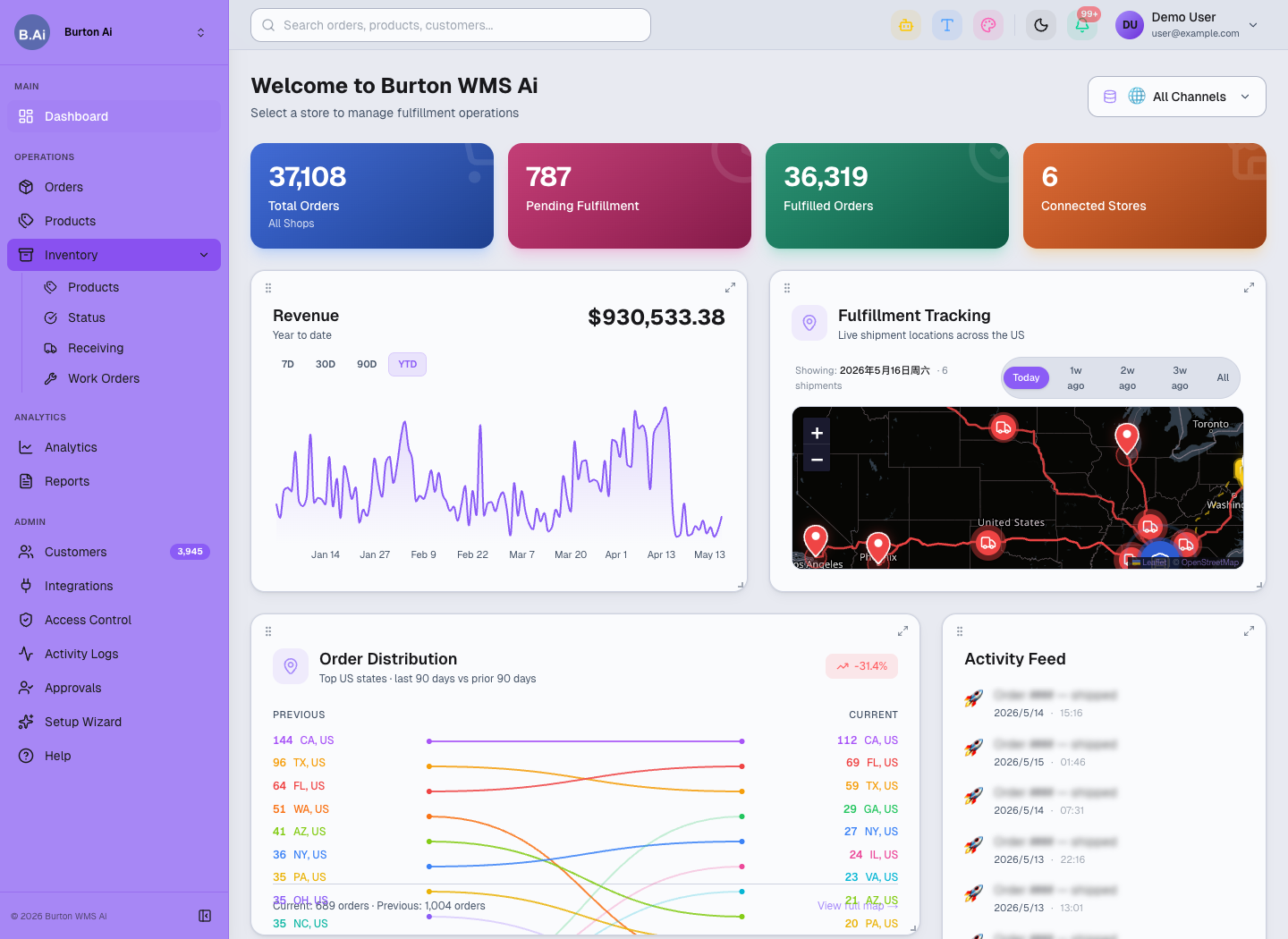
Start the day from Dashboard to review workload and exceptions.
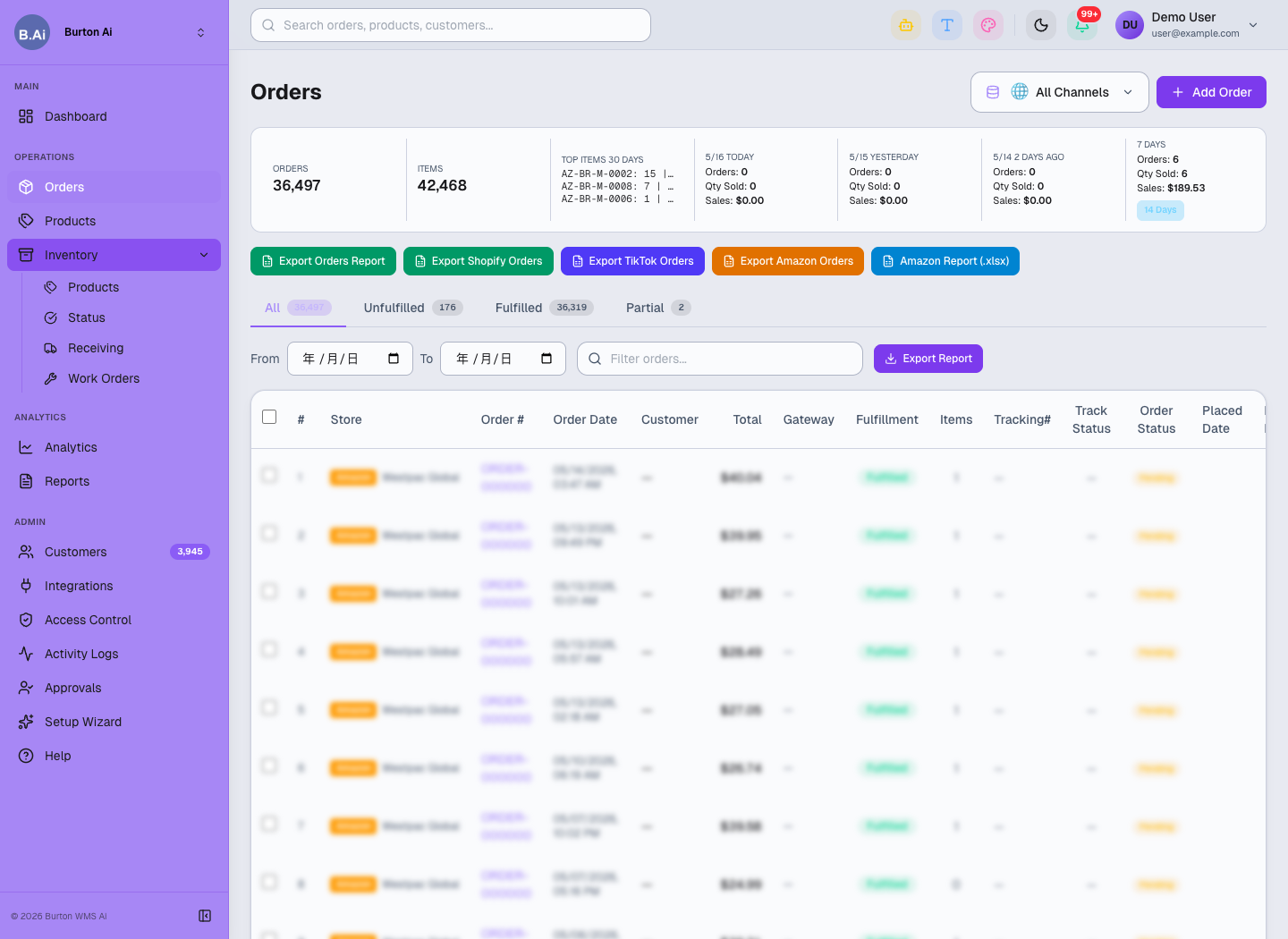
Orders is the daily workspace for order filtering, exports, and fulfillment follow-up.
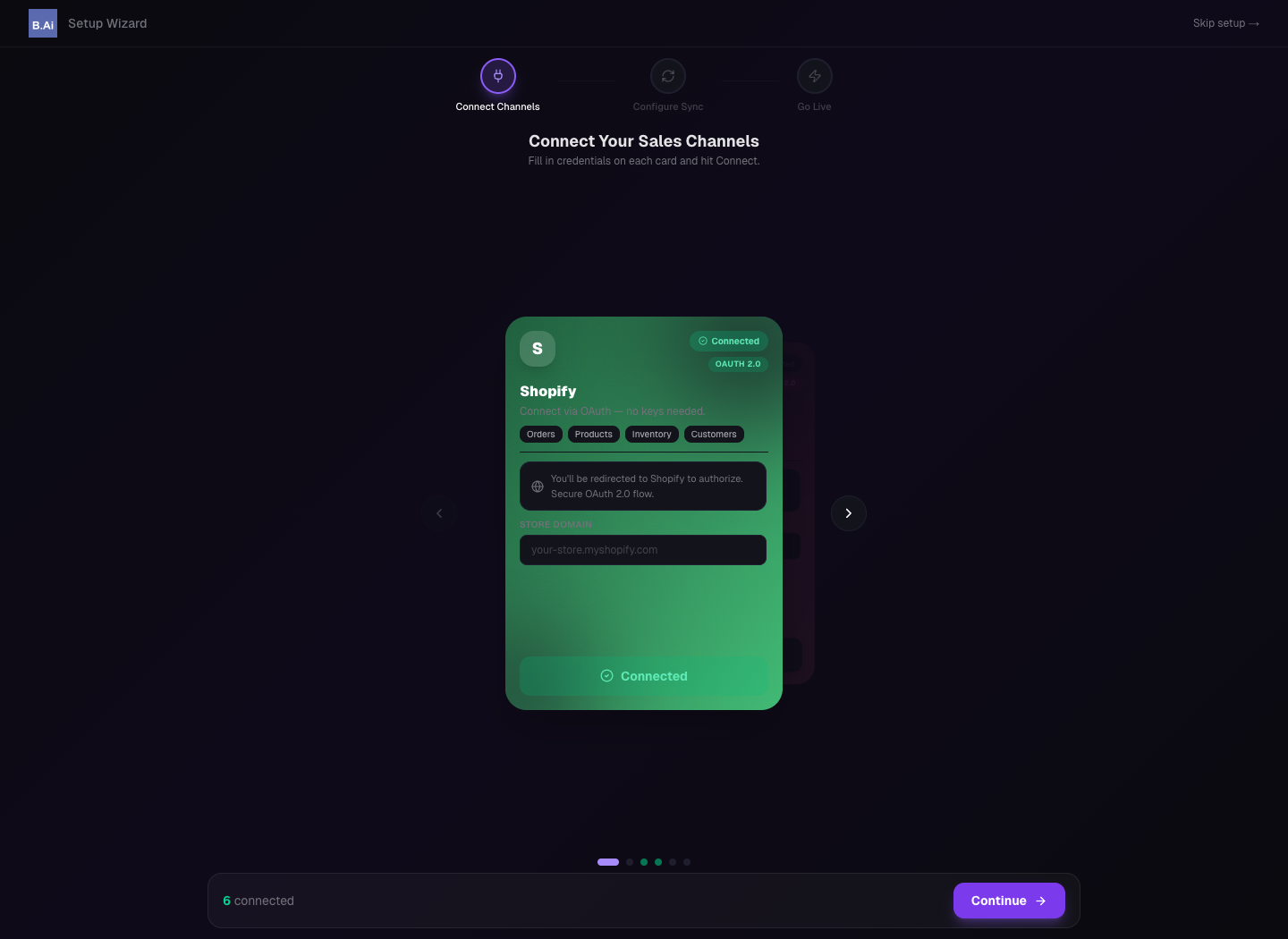
Setup Wizard guides channel connection and go-live preparation.