 BurtonSoftware
01 Scope
Orders and Products are the main front-office workspaces. Orders handles search, filtering, exports, and manual order creation. Products manages product catalog, SKU, price, weight, status, and core item data.
02 Orders Guide
- Select All Channels or a specific store first.
- Use All, Unfulfilled, Fulfilled, and Partial filters to narrow order status.
- Use From / To and Filter orders to find records by date or keyword.
- Use Add Order for manual entry and export buttons for reconciliation.
- Key fields include Store, Order #, Order Date, Customer, Total, Gateway, Fulfillment, Items, Tracking#, Track Status, Order Status, Placed Date, Receive Date, Fulfill Date, Settle Amt, and Bank Recv.
03 Products Guide
- Review total products, Active, Inactive, Low Stock, Out of Stock, and Draft counts.
- Search by SKU or title.
- Use category filters and Hiding no-image to find catalog gaps.
- Key fields include Product Name, SKU, Status, Price, Weight, and Created Date.
- Product data affects order display, inventory sync, reporting, and customer communication.
04 Operating Notes
- Status filters are best for daily fulfillment; exports are best for reconciliation.
- Add Order and bulk exports should be limited to authorized users.
- Missing images, wrong weights, or inconsistent SKU names should be corrected regularly.
05 Product Interface Evidence
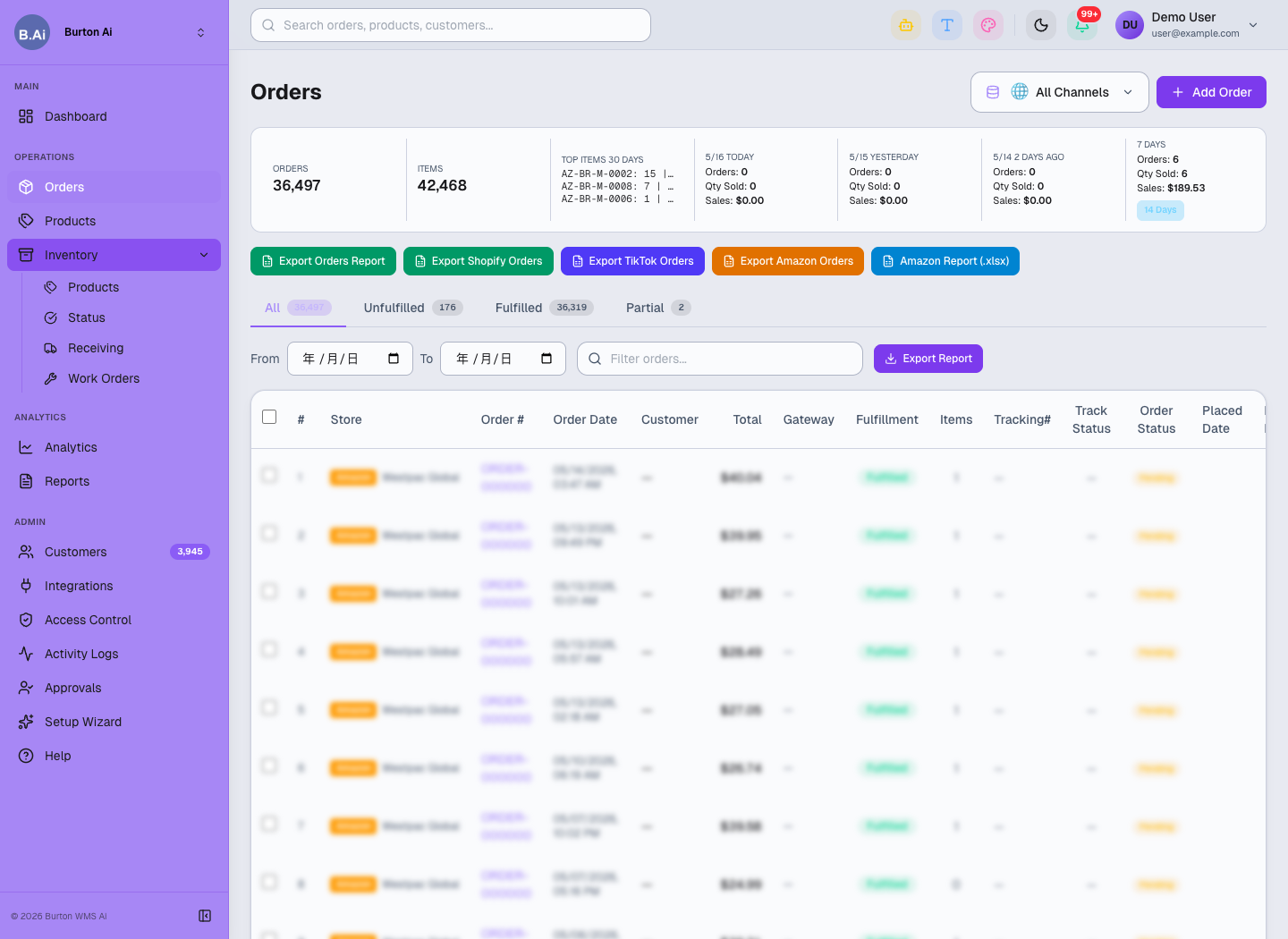
Orders centralizes filtering, exporting, manual order creation, and fulfillment tracking.
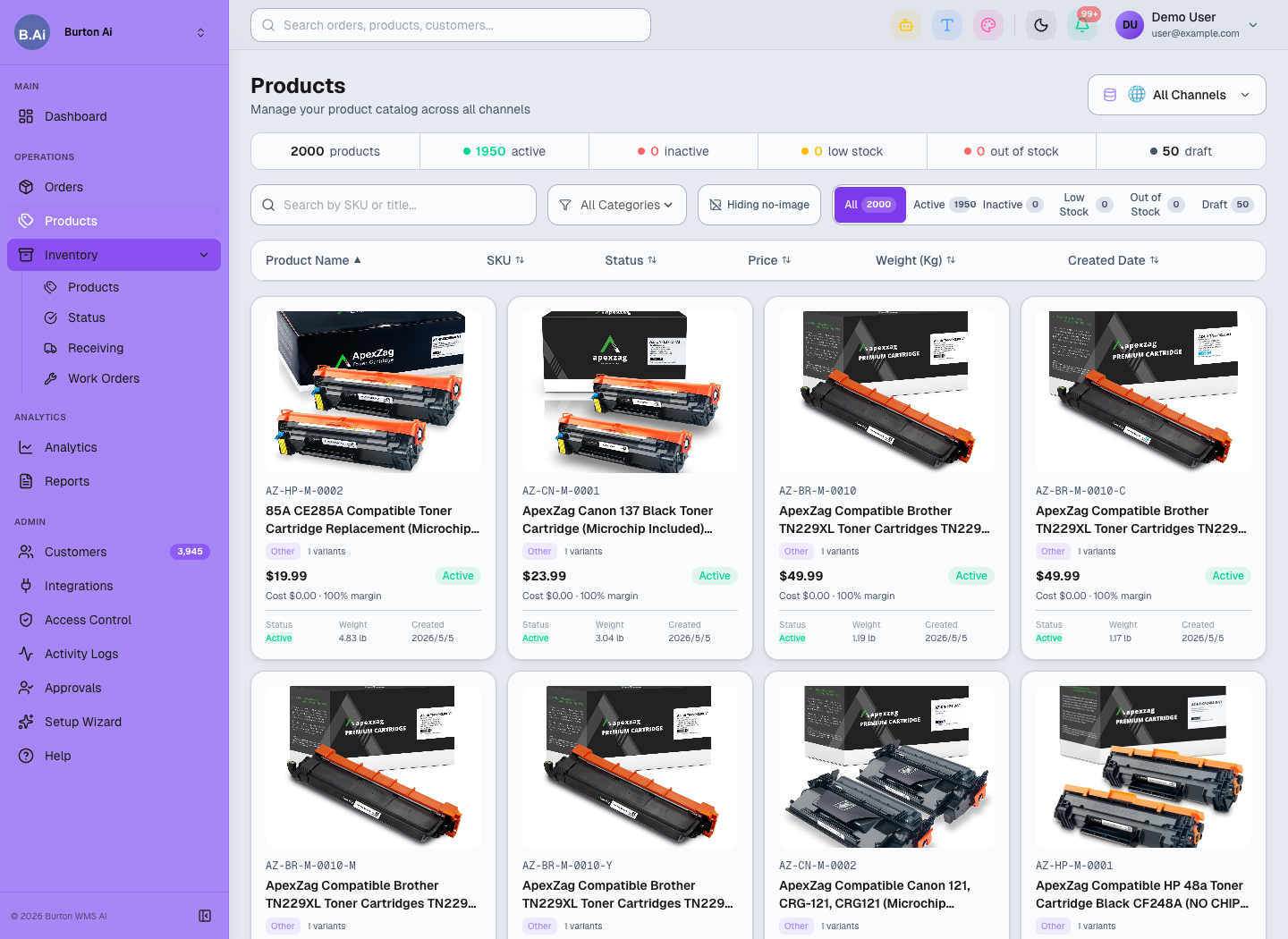
Products manages catalog data, SKU, status, price, weight, and image completeness.