 BurtonSoftware
BurtonSoftware.Ai
3PL Module Manual
3PL order operations, channel integrations, inventory, receiving, reporting, and access control.
00 Contents
- 3PL System Overview and Product Highlights
- 3PL Standard Operating Flow: From Channel Connection to Fulfillment Review
- 3PL Orders and Products Guide
- 3PL Inventory, Receiving, and Work Orders Guide
- 3PL Analytics, Reports, and Customers Guide
- 3PL Integrations, Access Control, and Admin Guide
- 3PL Page Map Index
3PL System Overview and Product Highlights
A page-by-page summary of the live Burton WMS Ai 3PL system, covering scope, roles, and product strengths.
01 System Positioning
Burton WMS Ai for 3PL teams is an omnichannel operations workspace for third-party logistics, marketplace operations, and customer success teams. It centralizes channel orders, products, inventory, customers, fulfillment, analytics, access control, and onboarding workflows.
During the review, 16 main pages were opened in read-only mode: Dashboard, Orders, Products, Inventory Products, Inventory Status, Inventory Receiving, Inventory Work Orders, Analytics, Reports, Customers, Integrations, Access Control, Activity Logs, Approvals, Setup Wizard, and Help.
02 Product Highlights
- Unified channel view: use All Channels or a specific store to review orders, products, customers, inventory, and reports.
- Operations dashboard: Dashboard summarizes total orders, pending fulfillment, fulfilled orders, connected stores, revenue, fulfillment map, state distribution, and activity feed.
- Order workspace: Orders supports manual order creation, status filters, date and keyword search, and exports for Shopify, TikTok, Amazon, or general order reports.
- Product and inventory link: Products manages the catalog, while Inventory covers stock by SKU, stock health, receiving POs, and warehouse work orders.
- Channel integrations: Integrations and Setup Wizard cover Shopify, TikTok Shop, Amazon SP-API, eBay, Wayfair, and Walmart.
- Admin controls: Access Control, Activity Logs, and Approvals support role separation, auditability, and user onboarding.
03 Role Map
| Role | Main Pages | Focus |
|---|---|---|
| Operations lead | Dashboard / Analytics / Reports | Workload, fulfillment rate, channel performance, exceptions, and reporting. |
| Order operations | Orders / Customers | Order lookup, exports, customer status, and fulfillment follow-up. |
| Product operations | Products / Inventory Products | Catalog, SKU, price, weight, and available stock. |
| Warehouse team | Inventory Receiving / Work Orders / Status | Receiving, counts, replenishment, picking, transfers, QA, and putaway. |
| Admin | Integrations / Access Control / Approvals | Channel connection, permissions, approvals, audit, and go-live setup. |
04 Reference Screens
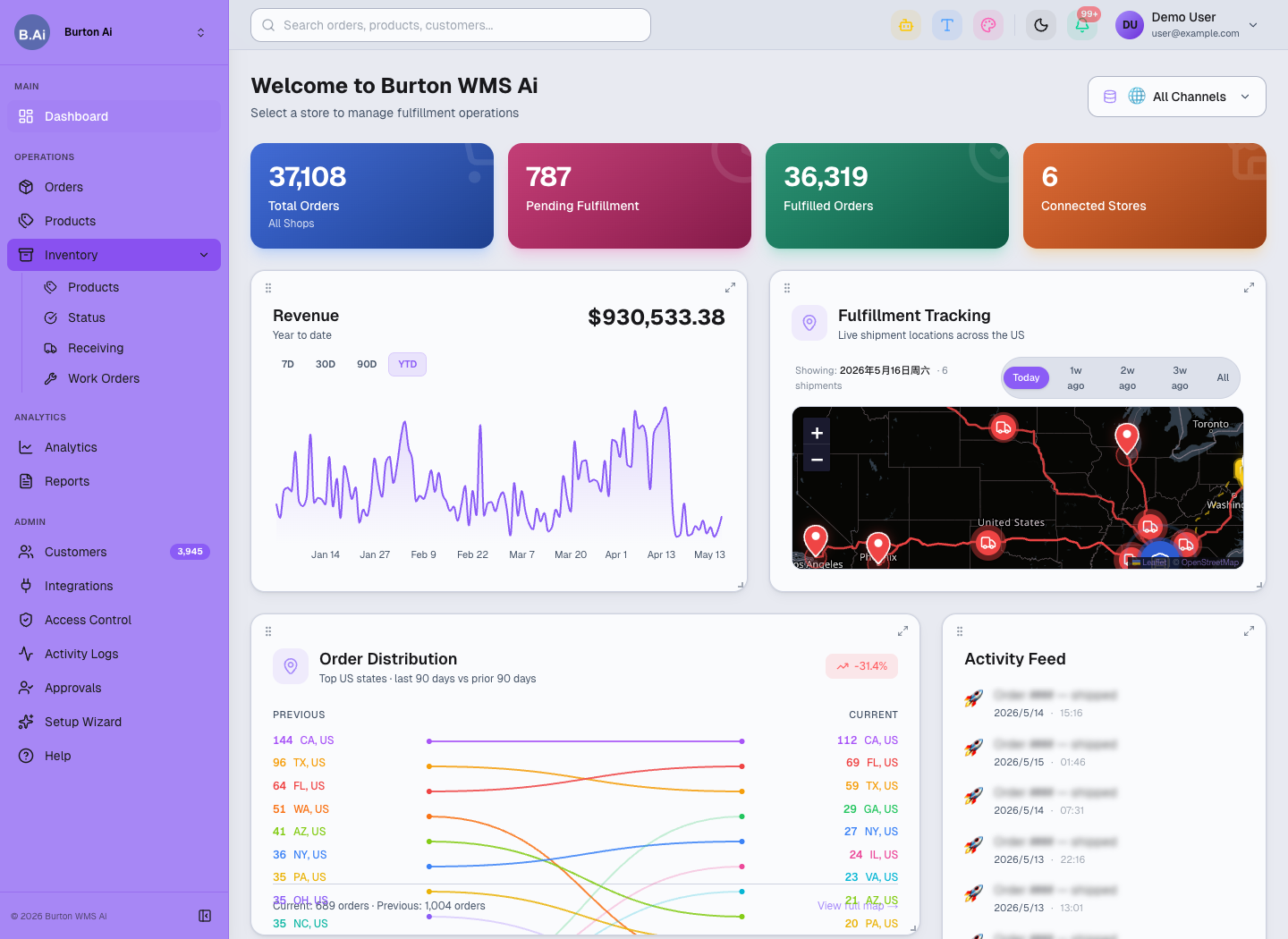
Dashboard brings orders, fulfillment, revenue, shipment map, and activity into one operations view.
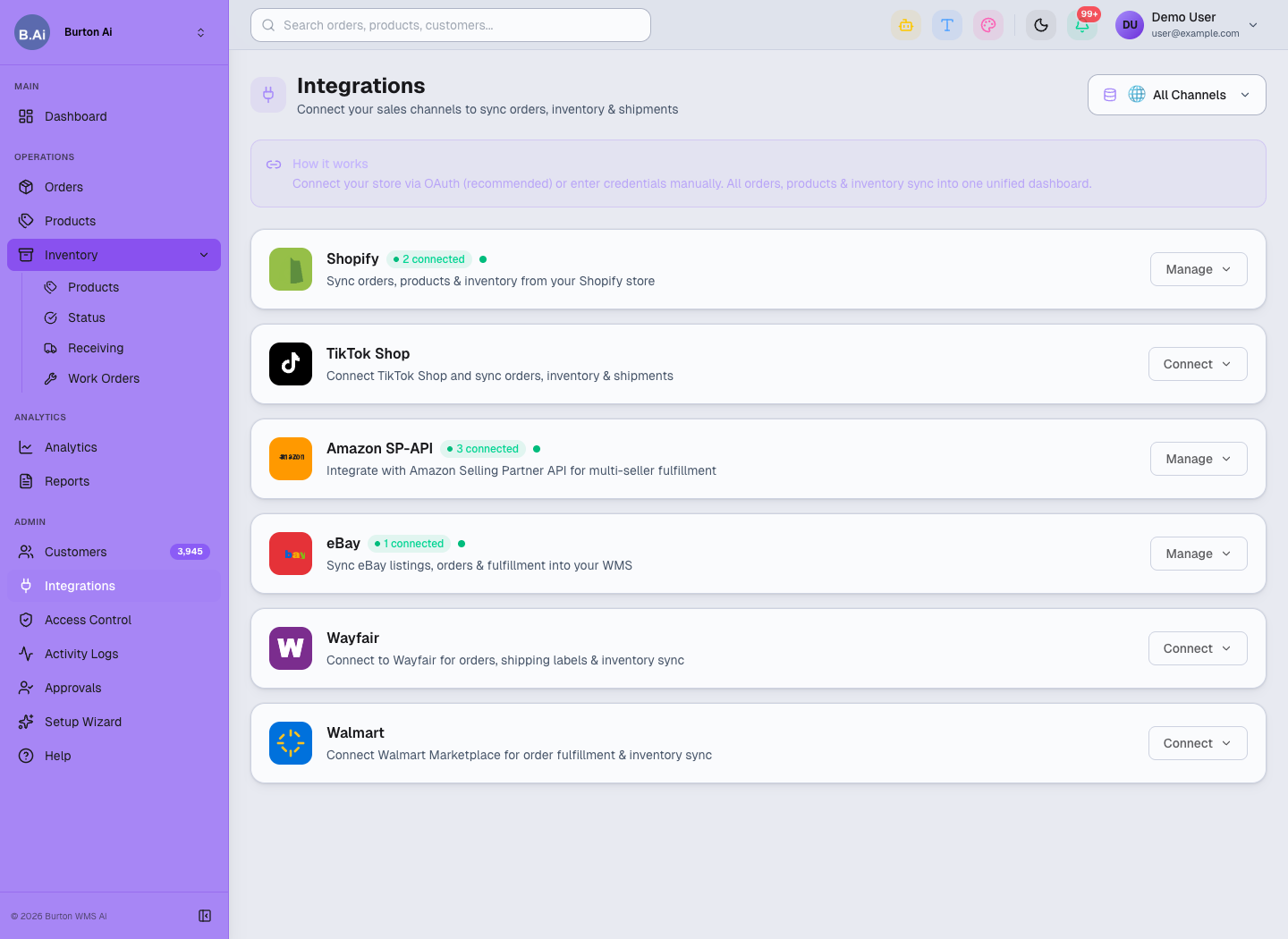
Integrations manages Shopify, TikTok Shop, Amazon, eBay, Wayfair, Walmart, and other channel connections.
3PL Standard Operating Flow: From Channel Connection to Fulfillment Review
A standard operating flow from channel onboarding to fulfillment review.
01 Standard Flow
The standard 3PL workflow starts with user approval and channel connection, then syncs products, orders, inventory, and customers. Daily operators use Dashboard to prioritize work, Orders and Inventory to execute fulfillment, and Analytics, Reports, and Activity Logs to review outcomes.
02 1. Login and Setup
- Admin approves new users in Approvals and assigns roles in Access Control.
- User signs in and checks whether the current view is All Channels or a specific store.
- For a new customer or store, start with Setup Wizard and follow Connect Channels, Configure Sync, and Go Live.
03 2. Channel Connection and Sync
- Open Integrations to check Shopify, TikTok Shop, Amazon SP-API, eBay, Wayfair, and Walmart connection status.
- Prefer OAuth when supported; use API credentials where required.
- Wait for orders, products, inventory, customers, and shipment status to sync.
- For sync issues, check Integrations status first, then Activity Logs or Help.
04 3. Daily Fulfillment
- Start from Dashboard to review pending fulfillment, fulfillment rate, activity, and shipment map.
- Use Orders filters for All, Unfulfilled, Fulfilled, and Partial orders.
- Search by date, keyword, channel, or order status.
- Use Add Order only for manual entry, and exports for reconciliation or customer reporting.
05 4. Inventory and Warehouse Tasks
- Maintain catalog information in Products.
- Review On Hand, Committed, Incoming, Available, and Status in Inventory Products.
- Monitor Low Stock, Out of Stock, Incoming, and Stock Alerts in Inventory Status.
- Use Receiving for PO receiving and Work Orders for pick, pack, transfer, recount, quality check, and putaway tasks.
06 5. Review and Audit
- Use Analytics for revenue, channel, fulfillment, and product performance.
- Use Reports for order, product, and inventory CSV exports.
- Use Activity Logs to audit user actions and Approvals to manage access requests.
07 Checklist
| Stage | Key Checks |
|---|---|
| Before go-live | User approval, roles, channel connection, and initial sync are complete. |
| Shift start | Dashboard workload, exceptions, and activity look normal. |
| Fulfillment | Order status, dates, channel, tracking, and fulfillment state are aligned. |
| Inventory | On Hand, Committed, Incoming, Available, and stock health are accurate. |
| Warehouse | PO, receiving, work owner, priority, and completion state are clear. |
| Review | Analytics, Reports, and Activity Logs support customer and internal review. |
08 Reference Screens
Start the day from Dashboard to review workload and exceptions.
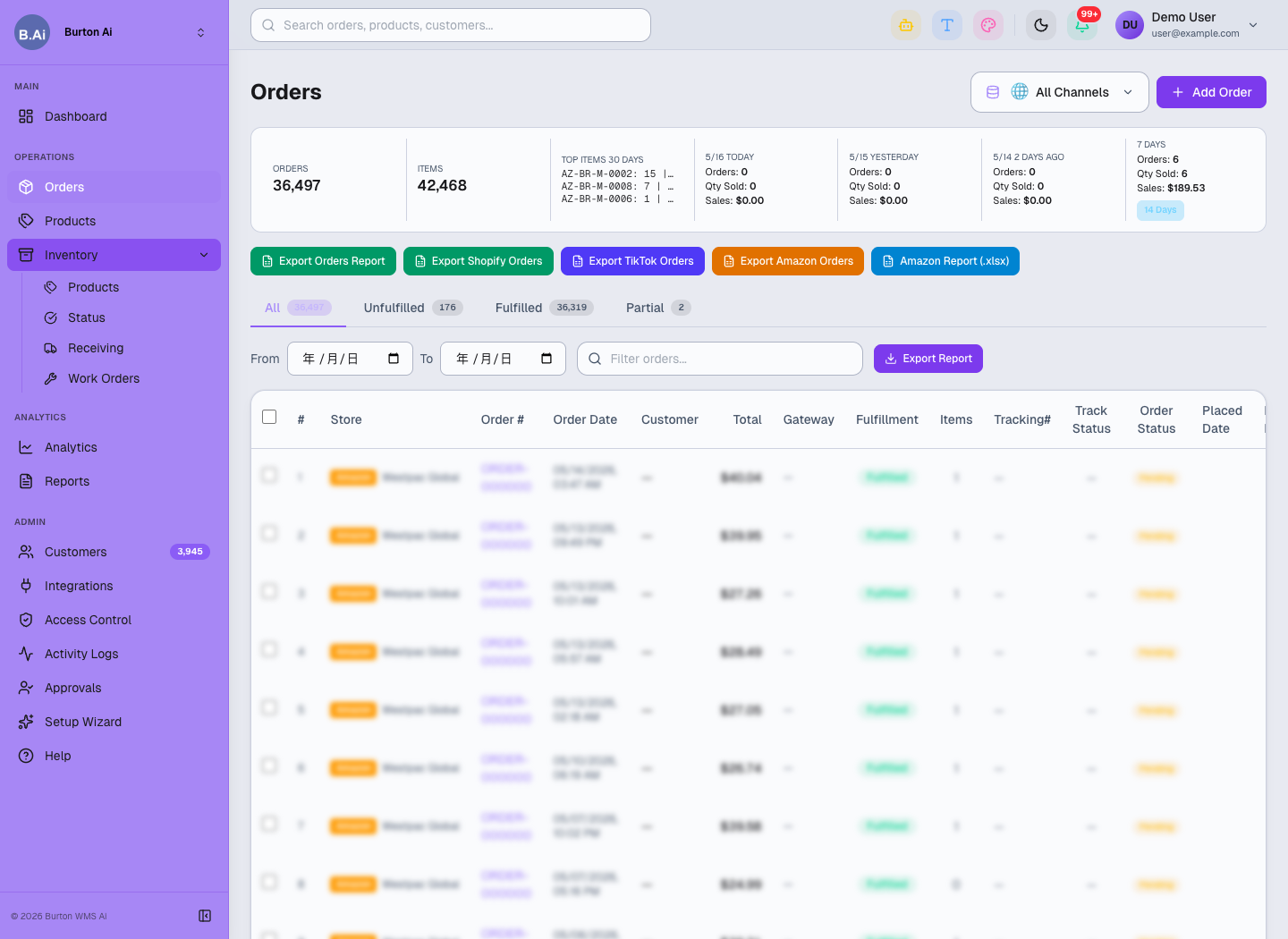
Orders is the daily workspace for order filtering, exports, and fulfillment follow-up.
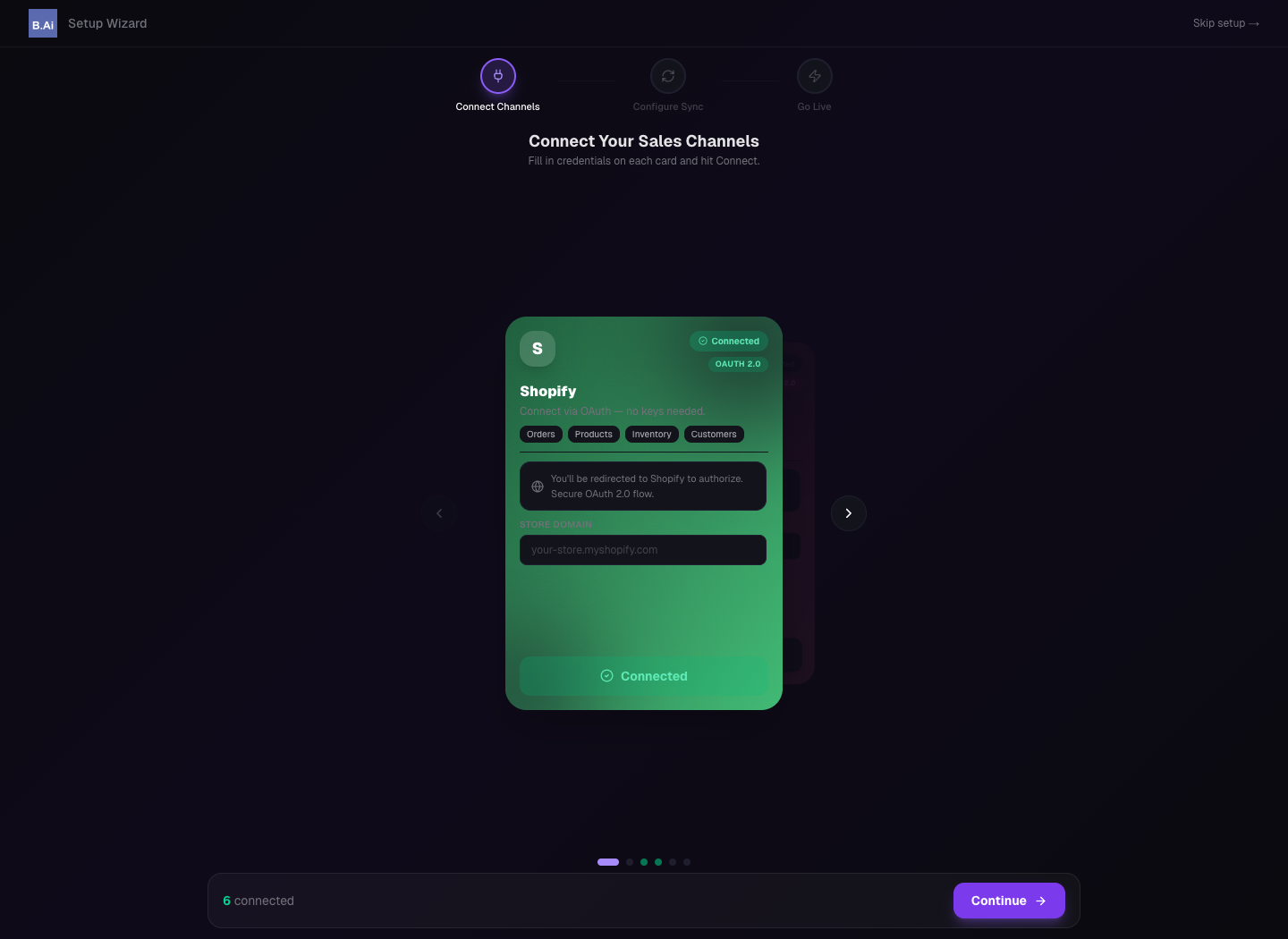
Setup Wizard guides channel connection and go-live preparation.
3PL Orders and Products Guide
How to use Orders and Products for order operations, exports, product catalog, and SKU management.
01 Scope
Orders and Products are the main front-office workspaces. Orders handles search, filtering, exports, and manual order creation. Products manages product catalog, SKU, price, weight, status, and core item data.
02 Orders Guide
- Select All Channels or a specific store first.
- Use All, Unfulfilled, Fulfilled, and Partial filters to narrow order status.
- Use From / To and Filter orders to find records by date or keyword.
- Use Add Order for manual entry and export buttons for reconciliation.
- Key fields include Store, Order #, Order Date, Customer, Total, Gateway, Fulfillment, Items, Tracking#, Track Status, Order Status, Placed Date, Receive Date, Fulfill Date, Settle Amt, and Bank Recv.
03 Products Guide
- Review total products, Active, Inactive, Low Stock, Out of Stock, and Draft counts.
- Search by SKU or title.
- Use category filters and Hiding no-image to find catalog gaps.
- Key fields include Product Name, SKU, Status, Price, Weight, and Created Date.
- Product data affects order display, inventory sync, reporting, and customer communication.
04 Operating Notes
- Status filters are best for daily fulfillment; exports are best for reconciliation.
- Add Order and bulk exports should be limited to authorized users.
- Missing images, wrong weights, or inconsistent SKU names should be corrected regularly.
05 Reference Screens
Orders centralizes filtering, exporting, manual order creation, and fulfillment tracking.
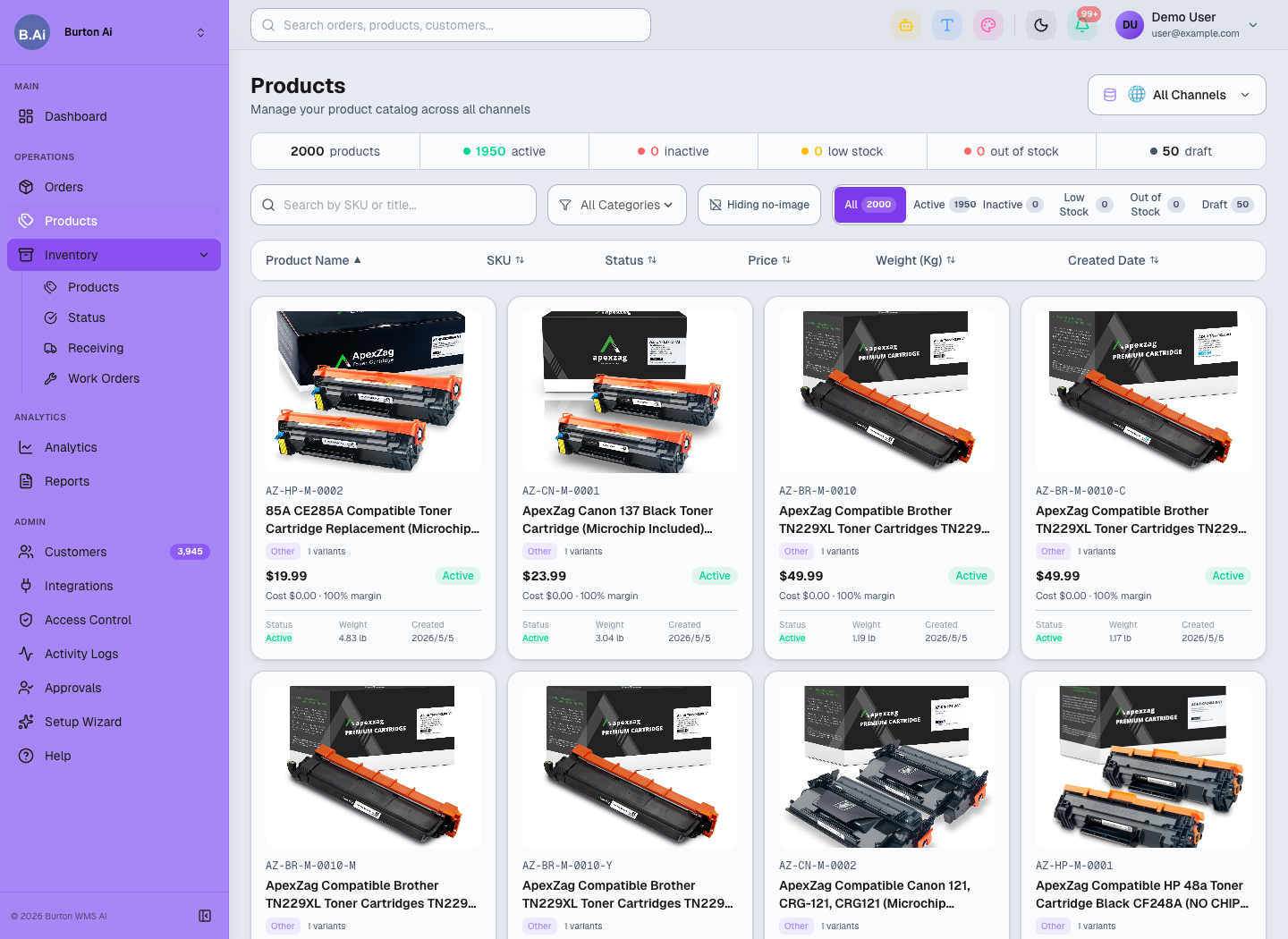
Products manages catalog data, SKU, status, price, weight, and image completeness.
3PL Inventory, Receiving, and Work Orders Guide
Inventory health, PO receiving, and warehouse task workflow for 3PL operations.
01 Scope
Inventory is split into Products, Status, Receiving, and Work Orders. Together they connect stock availability, stock health, inbound receiving, and warehouse tasks.
02 Inventory Products
Inventory Products shows SKU stock by channel and warehouse. Key fields include Product, SKU, Channel, Warehouse, Bin, Price, On Hand, Committed, Incoming, Available, and Status.
Recommended use:
- Select All Channels or a specific channel.
- Filter warehouse by Main, Overflow, Vault, or another configured warehouse.
- Search by SKU or product.
- Compare On Hand, Committed, Incoming, and Available before promising fulfillment.
03 Inventory Status
Inventory Status tracks stock health through In Stock, Low Stock, Out of Stock, Incoming, and Stock Alerts. Use it to schedule replenishment, receiving, or recounts.
04 Inventory Receiving
Receiving tracks purchase orders and inbound deliveries. The page describes the flow: Create PO → Supplier ships → Mark Arrived → Inspect & count → Receive into inventory. Key fields include PO Number, Supplier, Items, Total Value, Expected, Notes, Variance, and Status.
05 Inventory Work Orders
Work Orders manages warehouse tasks such as Pick, Pack, Transfer, Recount, Quality Check, and Putaway. Use All, Pending, In Progress, and Completed to review status.
06 Risk Controls
- Confirm channel and warehouse scope before any stock adjustment.
- Review low stock together with pending orders.
- New PO and New Work Order should be restricted to authorized operators.
07 Reference Screens
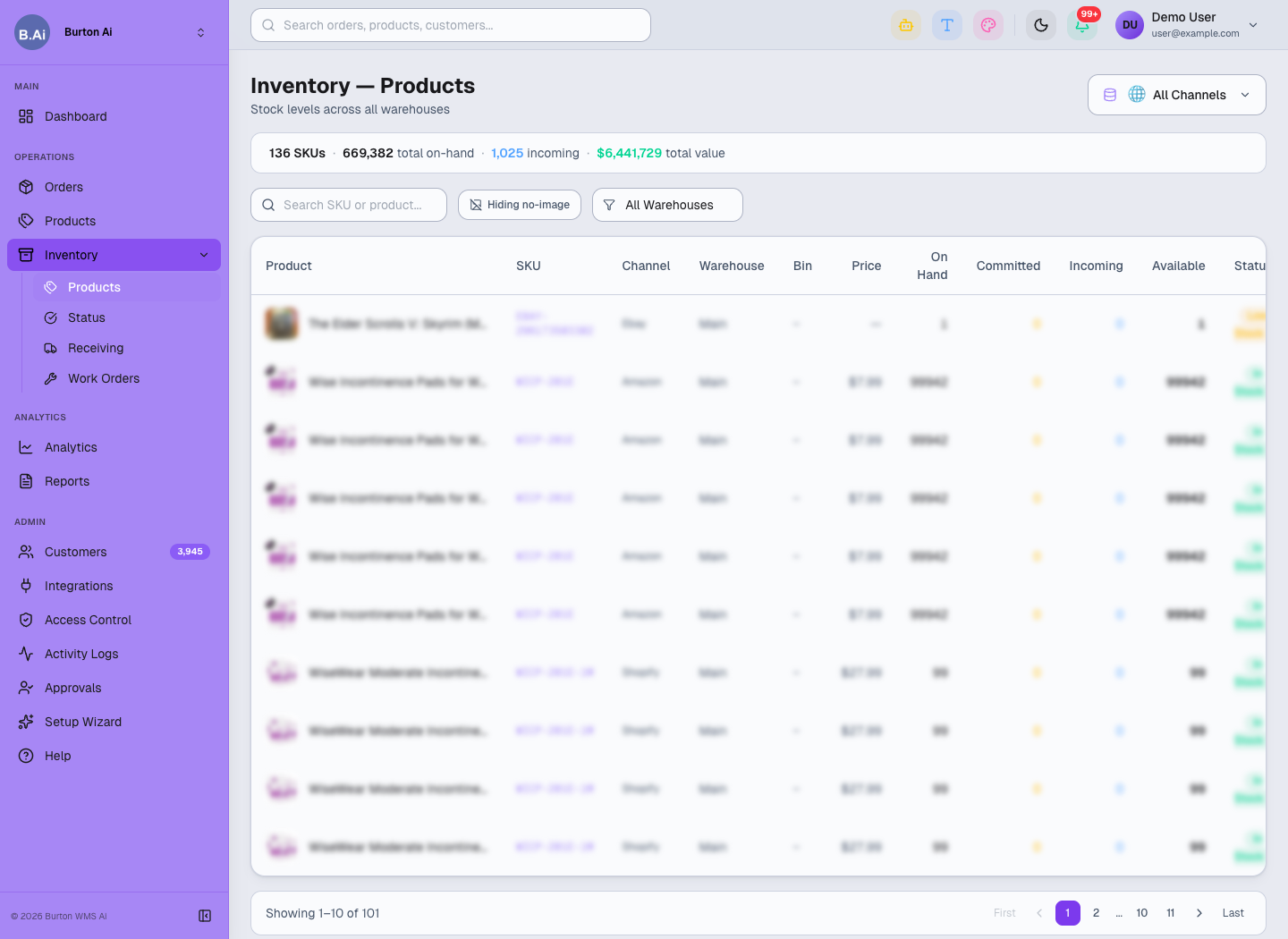
Inventory Products shows On Hand, Committed, Incoming, Available, and Status by channel and warehouse.
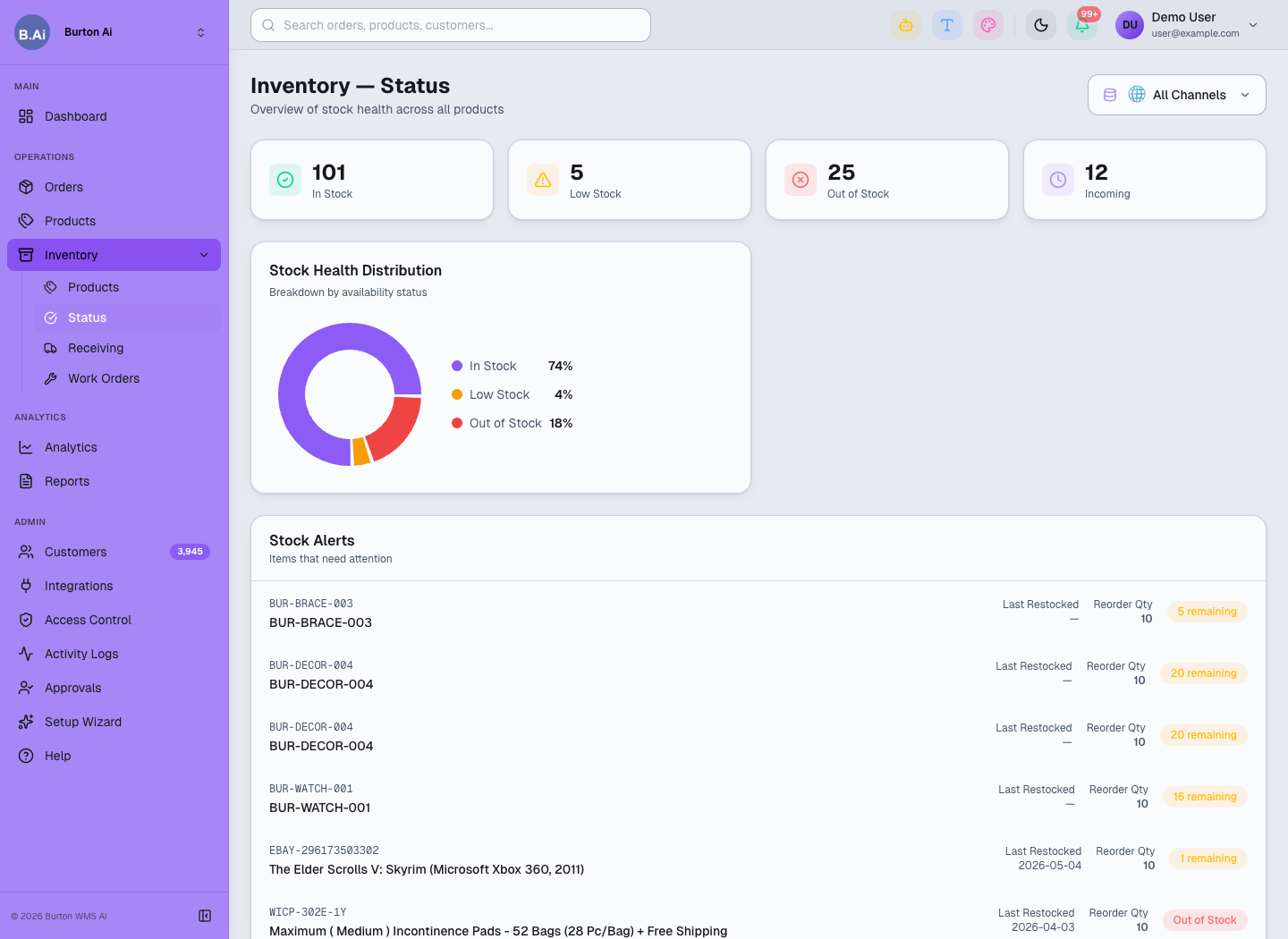
Inventory Status highlights stock health and alerts.
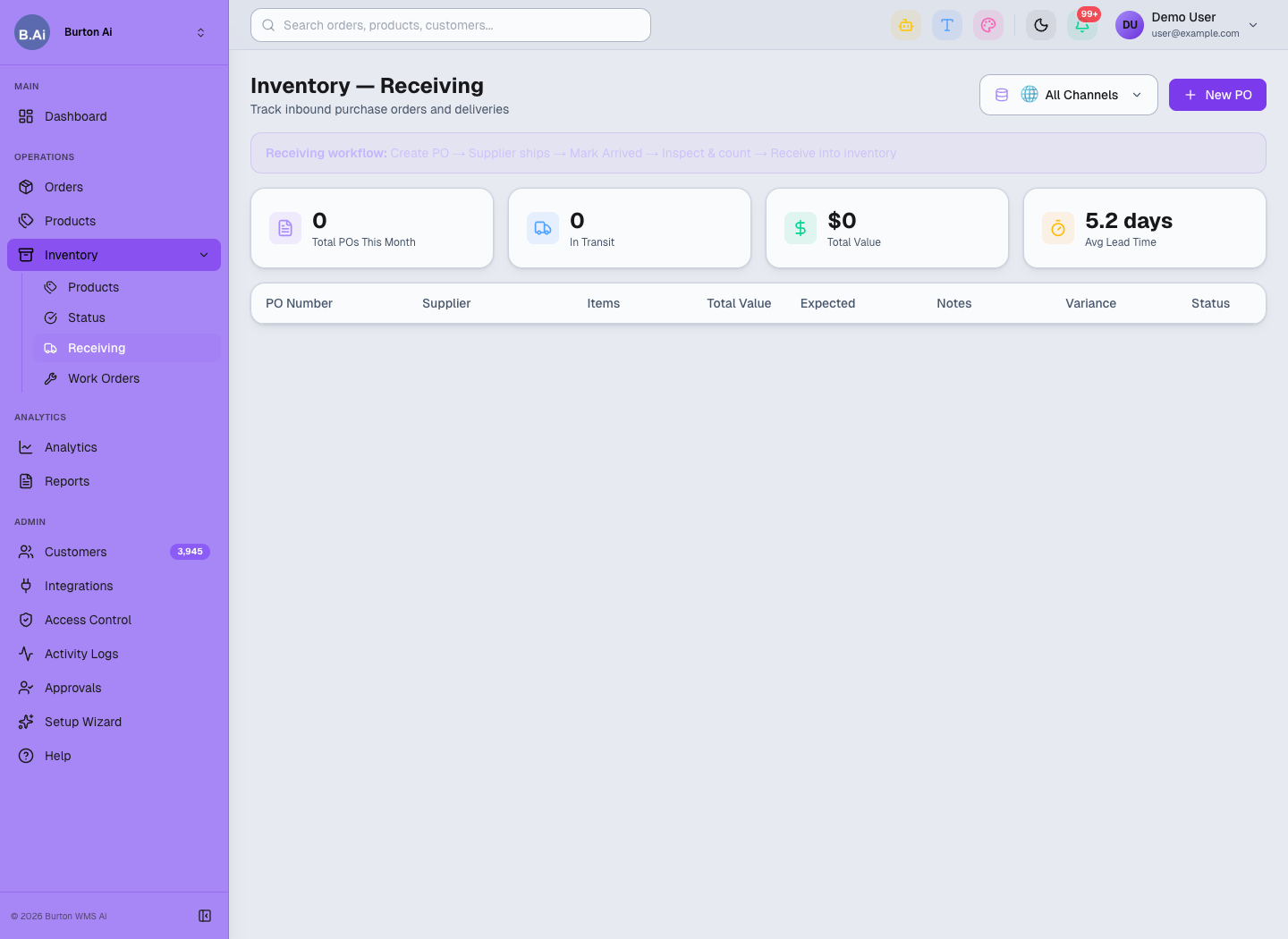
Receiving manages PO arrival, inspection, variance, and inventory receipt.
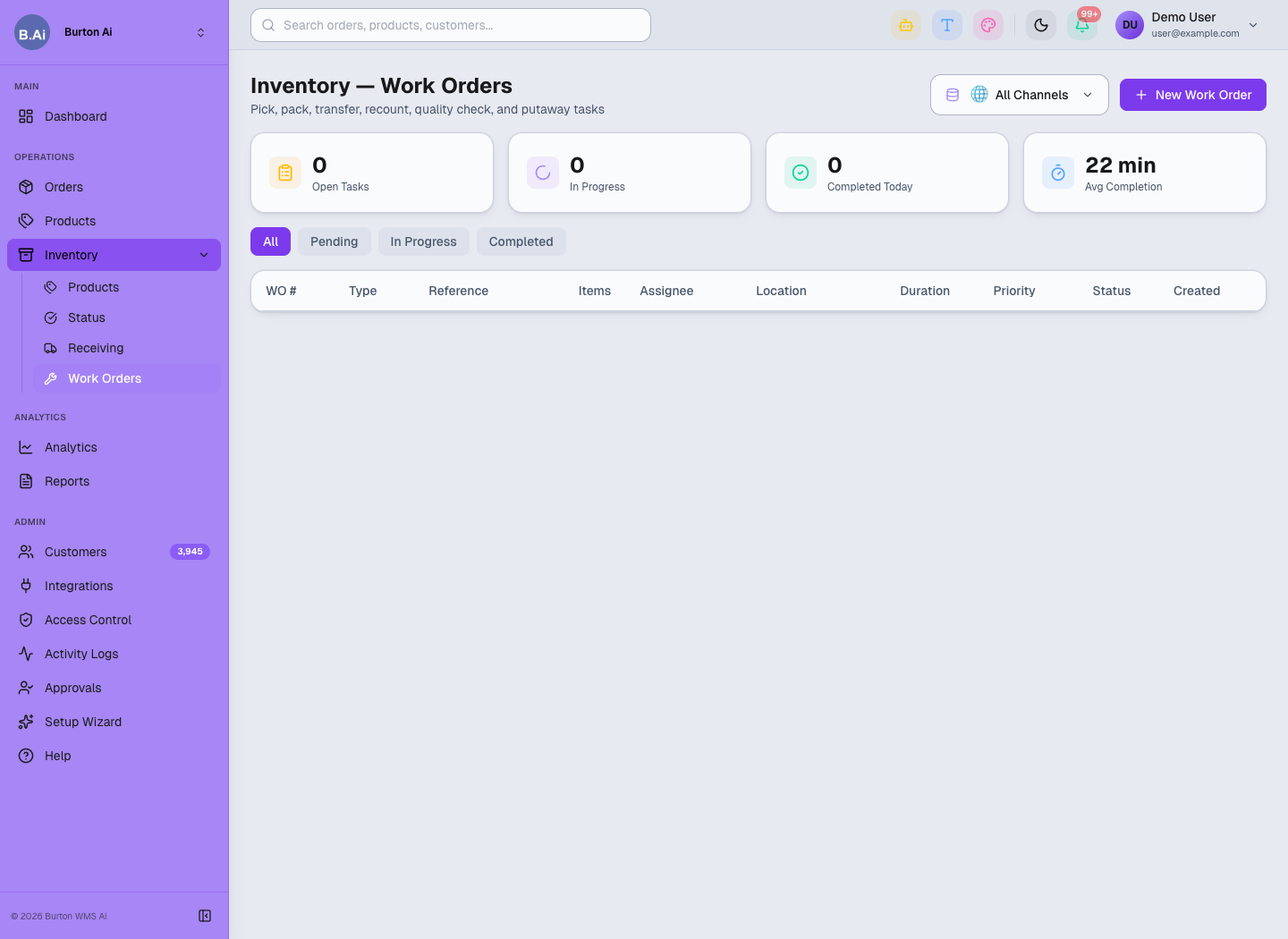
Work Orders manages pick, pack, transfer, recount, quality check, and putaway tasks.
3PL Analytics, Reports, and Customers Guide
Analytics dashboards, CSV exports, customer directory, and data usage boundaries.
01 Scope
Analytics, Reports, and Customers support business review, customer reporting, and data exports. They generally do not change fulfillment state, but they guide decisions and reconciliation.
02 Analytics Guide
Analytics includes Revenue Trend, Orders by Channel, Revenue Share, Peak Hours, Channel Breakdown, Fulfillment Tracking, and Top Products. It supports 7D, 30D, 90D, YTD, All Channels, and channel-specific views.
Daily review focus:
- Revenue and order trend changes.
- Fulfillment rate compared with expected levels.
- Top products with unusual demand or inventory pressure.
- Shipment map and geographic concentration.
03 Reports Guide
Reports supports Orders CSV, Products CSV, and Inventory CSV exports. Use it for customer reconciliation, month-end review, channel performance checks, and inventory audits.
04 Customers Guide
Customers is the cross-channel customer directory. It supports search by name, email, or city and filters by Shopify, TikTok Shop, Amazon, Wayfair, and eBay. Key fields include Customer, Contact, Location, Channel, Tier, Orders, Total Spent, Tags, and Last Order.
05 Data Boundaries
- Exported reports contain business data and should be shared only after permission and masking checks.
- Customer emails, order numbers, addresses, and amounts should not be copied into public training docs.
- Aggregated analytics can support sales and product positioning; raw customer details should stay internal.
06 Reference Screens
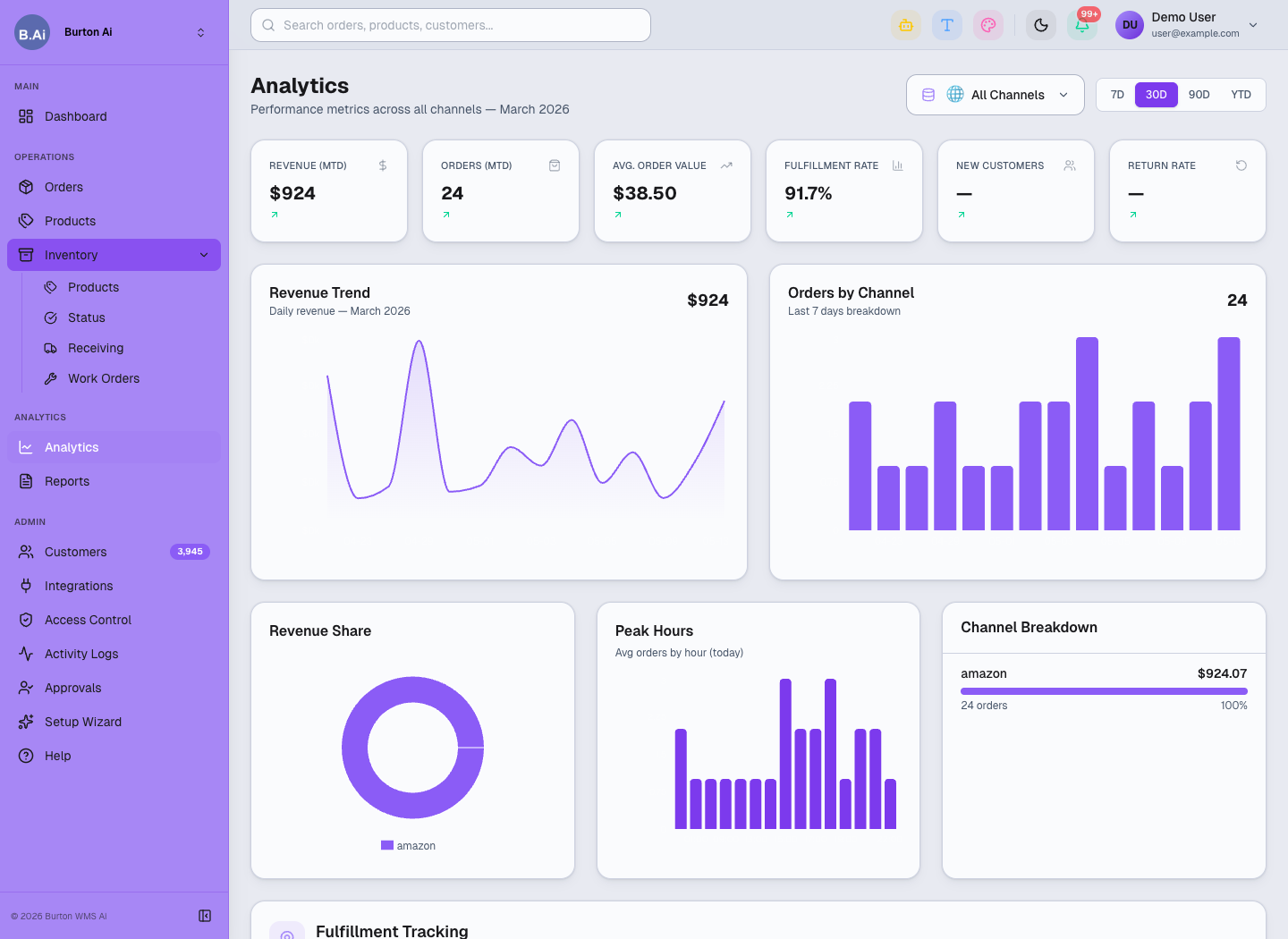
Analytics reviews revenue, channel orders, fulfillment map, and top products.
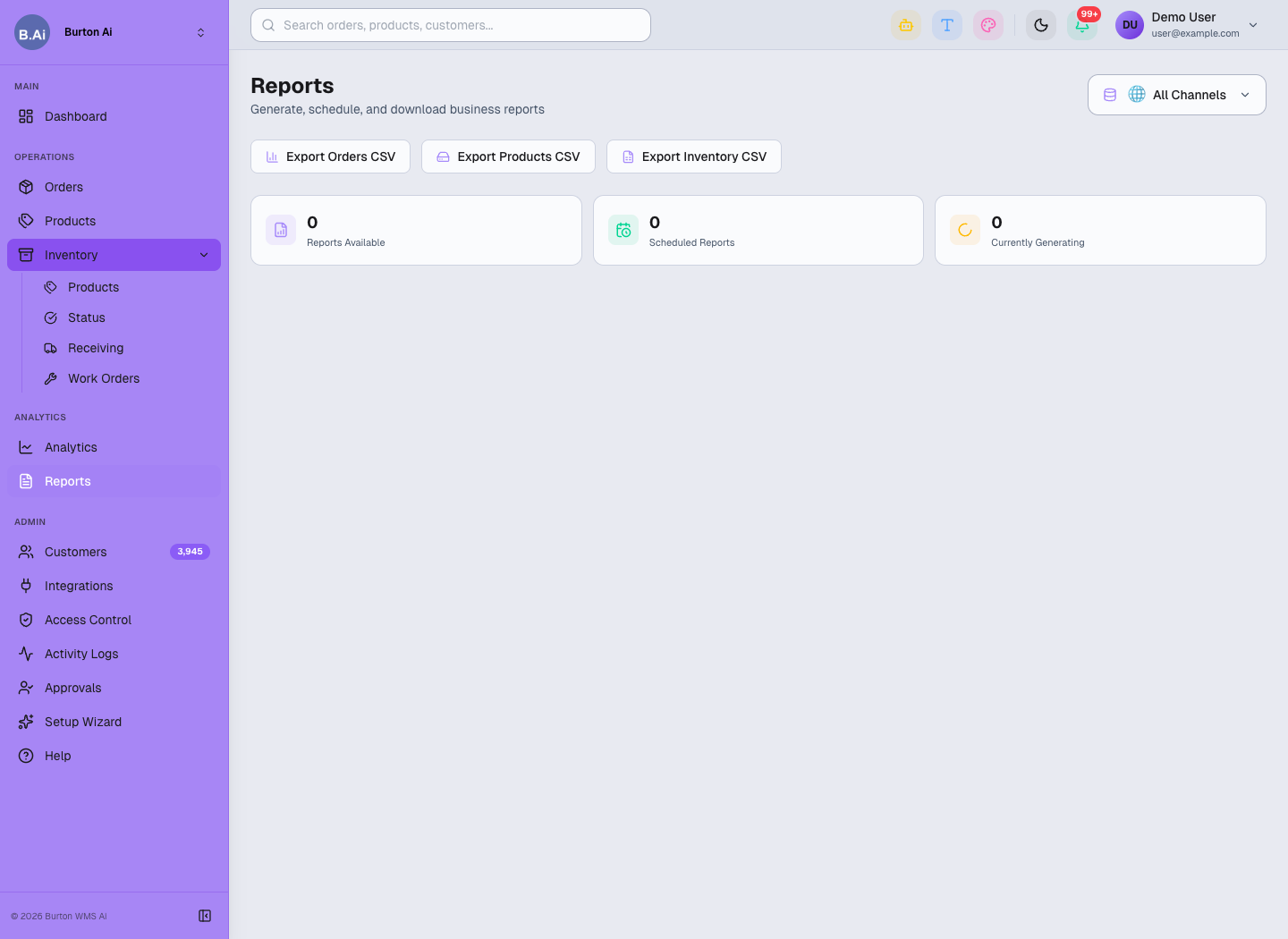
Reports provides CSV exports for orders, products, and inventory.
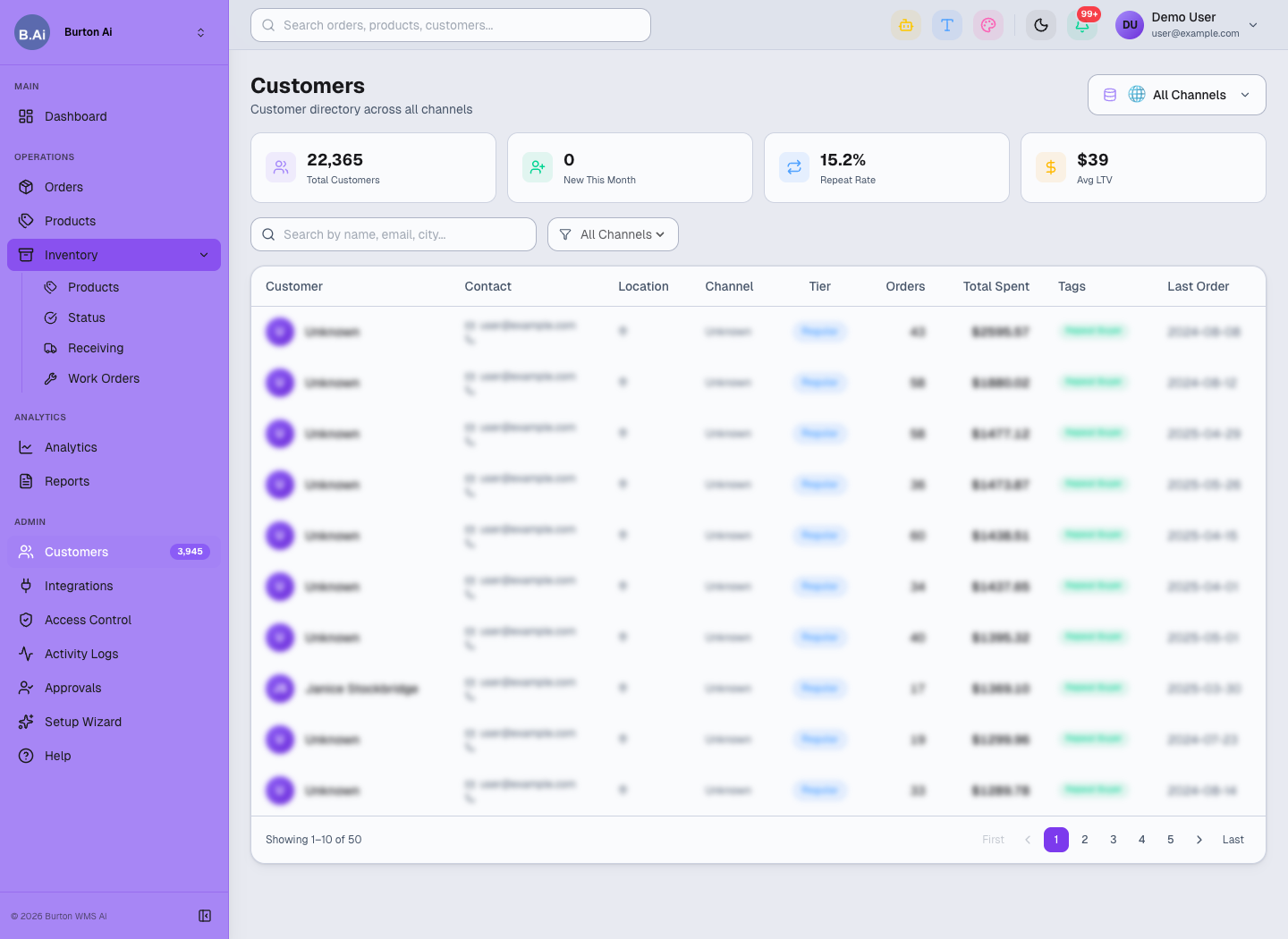
Customers supports cross-channel customer lookup and review.
3PL Integrations, Access Control, and Admin Guide
Implementation and administration guide for integrations, setup, access control, logs, approvals, and help.
01 Scope
Integrations, Setup Wizard, Access Control, Activity Logs, Approvals, and Help form the implementation and administration layer. They control channel sync, user access, auditability, and onboarding.
02 Integrations and Setup Wizard
Integrations includes cards for Shopify, TikTok Shop, Amazon SP-API, eBay, Wayfair, and Walmart. Actions include Manage and Connect. Setup Wizard guides Connect Channels, Configure Sync, and Go Live.
Recommended implementation flow:
- Confirm which channels the customer needs.
- Use OAuth for Shopify and TikTok Shop when available.
- Prepare API credentials for Amazon SP-API, Wayfair, Walmart, and other API-based channels.
- After connection, verify sync in Dashboard, Orders, Products, and Inventory.
- Before go-live, review Reports and Activity Logs.
03 Access Control
Access Control uses groups and module permissions. Admins can Invite User, Create Group, configure Groups & Permissions, and manage Users × Workspaces. Permissions include Read, Update, Delete, and Manage.
| Role | Suggested Access |
|---|---|
| Order operator | Orders and Customers read/write; Reports export if approved. |
| Product operator | Products and Inventory read/write; Integrations read-only. |
| Warehouse user | Inventory Products, Receiving, and Work Orders read/write. |
| Customer success | Dashboard, Analytics, Reports, and Customers read-only or export. |
| Admin | Integrations, Access Control, Approvals, and Activity Logs management. |
04 Activity Logs and Approvals
Activity Logs shows user events, modules visited, and recent activity. Approvals handles pending users; Approve and Reject should be limited to master users or admins.
05 Help
Help includes Getting Started, Integrations, API2Cart, Orders, Fulfillment, Inventory, Products, RBAC, BURT, Approvals, and Activity Logs documentation.
06 Reference Screens
Integrations manages marketplace and channel connections.
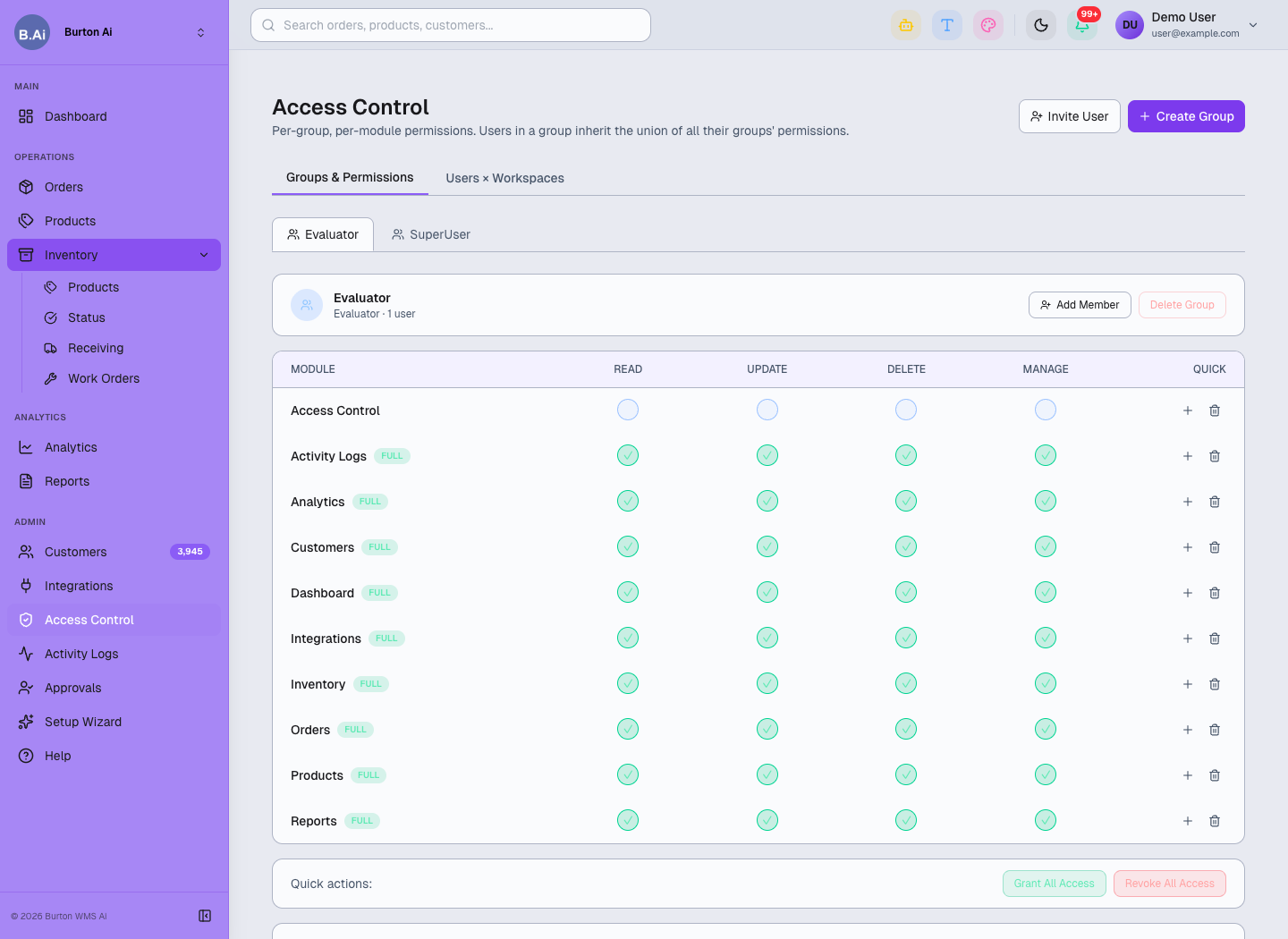
Access Control assigns permissions by group and module.
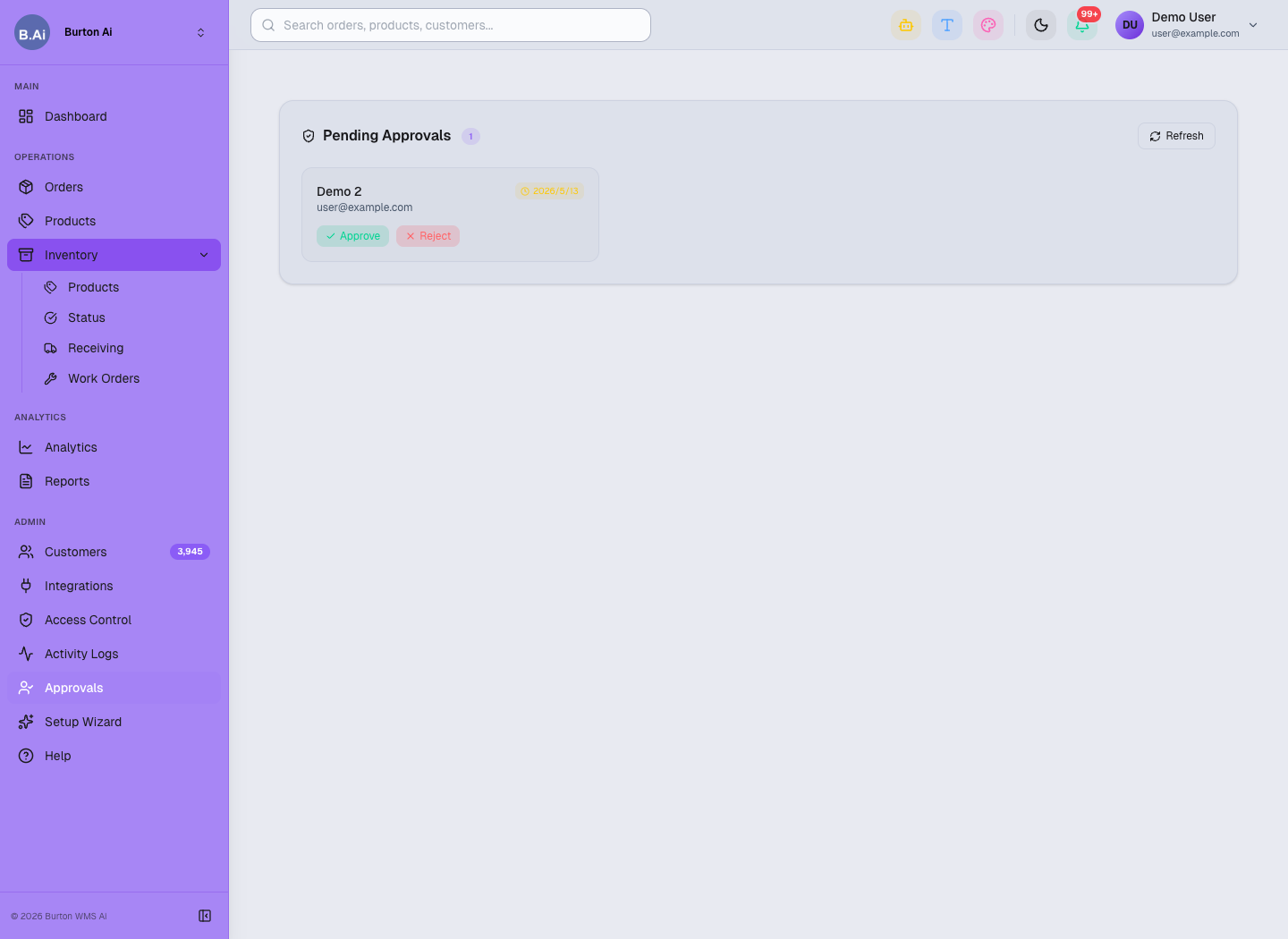
Approvals handles pending user access requests.
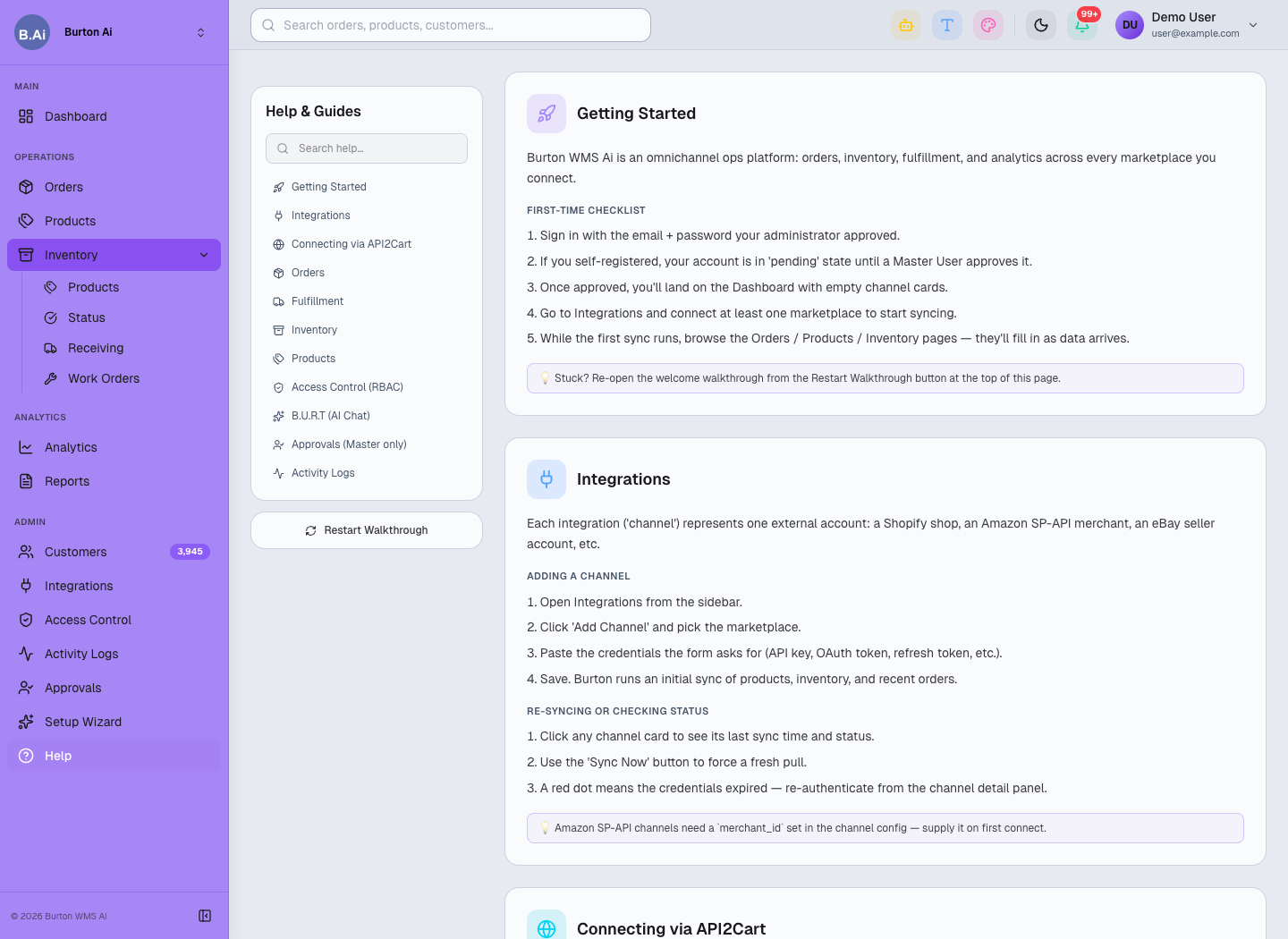
Help provides built-in usage guides and onboarding references.
3PL Page Map Index
A quick index of the 16 main pages in the Burton WMS Ai 3PL system.
01 Collection Note
This index is based on a read-only review of the live Burton WMS Ai 3PL system on 2026-05-16. Sixteen main pages were opened and summarized. Public docs do not include passwords, customer emails, or raw order details.
02 Page Index
| Page | Purpose |
|---|---|
| Dashboard | Operations overview: orders, pending fulfillment, fulfilled orders, connected stores, revenue trend, shipment map, state distribution, activity, and connected stores. |
| Orders | Order workspace: manual order creation, status filters, date and keyword search, exports, and channel reports. |
| Products | Product catalog: SKU, title, status, price, weight, created date, missing image checks, and category filters. |
| Inventory > Products | Stock by SKU, channel, warehouse, bin, On Hand, Committed, Incoming, Available, and Status. |
| Inventory > Status | Stock health: In Stock, Low Stock, Out of Stock, Incoming, and Stock Alerts. |
| Inventory > Receiving | PO receiving workflow from PO creation to supplier shipment, arrival, inspection, and inventory receipt. |
| Inventory > Work Orders | Warehouse tasks: pick, pack, transfer, recount, quality check, and putaway. |
| Analytics | Revenue trend, orders by channel, revenue share, peak hours, channel breakdown, fulfillment tracking, and top products. |
| Reports | Orders, products, and inventory CSV exports. |
| Customers | Cross-channel customer directory and customer metrics. |
| Integrations | Shopify, TikTok Shop, Amazon SP-API, eBay, Wayfair, and Walmart connection management. |
| Access Control | User invitations, groups, module permissions, workspace access, and permission inheritance. |
| Activity Logs | User event counts, recent activity, and module access review. |
| Approvals | Approve or reject pending users. |
| Setup Wizard | Guided channel connection, sync configuration, and go-live checks. |
| Help | Built-in guides for getting started, integrations, orders, fulfillment, inventory, RBAC, and activity logs. |
03 Recommended Reading Order
- New operators: overview, standard flow, orders/products, and inventory/fulfillment.
- Supervisors and customer success: analytics/reports, admin/integrations, and page index.
- Use this index to locate pages quickly; use SOP docs for detailed operating guidance.